



lilmisschloe
Members
-
Joined
-
Last visited
Reputation Activity
-
 lilmisschloe reacted to Eddlm for a file, Safer Chases (Smarter Driving for Cops)No more derbies between cops while in pursuit.
So, I have grow tired of seeing people being afraid of calling police Backup because the NPC Cops drive too aggresively. This the result of my frustration.
This script attempts to make chases safer, for both you as well as the suspect, by slowing down police vehicles on certain circumstances, like when you're recovering from a crash and another cop car passes by, or you're near the suspect.
RAGEHOOK/LSPDFR VERSION RELEASED.
Special thanks to Guadmaz, who took the time to port the script for me and helped me finetune it.
Delete the original .NET version from your game!
Features
NPC Cops won't ram the suspects ever again. Despite that statement, you can disable this behavior this mid-pursuit if you change your mind. If you hit the suspect's vehicle yourself, NPC Cops will take it as a sign that the suspect is to be stopped by all means, and will resume HOT COP ACTION behind the suspect like this script never happened. You will be immersively notified of this change on their behavior. NPC Cops will slow down when passing by you, preventing cop-to-player crashes this way. If they're directly behind you, they will brake harder to make sure they don't rear-end you. They ignore you if your vehicle is stopped, however. NPC Cops will allow the player to be the primary unit when he's close to the suspect, leaving some space between them and the suspect's vehicle. They will take primary position again if the player falls too far behind. NPC Cops can now yield to you. Simply honk and all nearby units will slow down. NPC Cops will now try to manage traffic better. They overtake more carefully and brake to avoid running over running pedestrians or crashing into slow-moving vehicles. They even take into account other police vehicles!
WARNING
I consider this script resource intensive.
If you experience noticeable frame drops, disable some of the features in the .ini file to lighten the load on the CPU.
Settings
You can change multiple settings inside "SaferChases.ini" to tune the script's behavior to your likings.
Finetune how fast cops can pass by you [speed in KM/H] Allow Primary Unit support [enable/disable] Prevent the NPC cops from ramming the suspects[enable/disable] Allow the NPC cops to try and manage traffic better [enable/disable] Allow the player to force other units to yield to him [enable/disable] Debug notifications [enable/disable]
Installation
Place "SaferChasesRPH.dll" and "SaferChases.ini" inside the \Grand Theft Auto V\Plugins\LSPDFR\ folder.
How to use
The script should start working automatically. You don't have to do anything.
The script will load its settings from the .ini again for any new pursuits you join, so feel free to tweak it mid-game.
Plans for future updates
Experiment on more, better ways to approach the issue this script adresses. Port the script to RageHook if it people like it Done. Let the player toggle the Ram Suspect feature while ingame, mid-pursuit. Done. Let the player make other police vehicles yield, so you don't have to fight for a position in a pursuit. Done.
Troubleshooting If you experience any kind of crash and you think Safer Chases has something to do with it, upload the RagePluginHook.log file you will find inside your main GTAV folder, detailing the situation you and the suspects where when it crashed. Don't consider this a polished script, but a "cheap" workaround to a frustrating problem until better options are available.
Feedback is what I need to know what to change. Here is the discussion thread, and, if anyone wants the sourceode, you can find it here.
-
lilmisschloe reacted to martinct for a file, Sheriff's Ford F-150 SVT Raptor - Code3 Defender LightbarFord F-150 Raptor for Sheriff2
All authors have given permission to release this.
Ford F-150 Raptor originally from Forza 4
Converted by peng00820
Doorsills:wxz
Explorer Cabinet by Vertex3D
Panasonic Toughbook CF-31 modeled and converted by Ridgerunner Designs
Panasonic Toughbook CF-31 texture by Ridgerunner Designs
Duffle by PS3Gameplays123
Med Kit from L4D, Converted by Sergiyj
Setina Pushbar by NickieB
Progard Partition by BFRS-EMT
Original CVPI paintjob by Top4s (edited by me onto F-150)
Code3 Defender lightbar by Kygo, converted by MartinCT
Converting parts to GTA V; martinct
HOW TO INSTALL:
overwrite carvariations.meta in (for correct lightsettings);
GTA V/update/x64/dlcpacks/mpluxe2/dlc.rpf/common/data/
overwrite vehicles.meta in (for hands on steering wheel);
GTA V/update/update.rpf/common/data/levels/gta5/
overwrite sheriff2.yft, sheriff2.ytd, sheriff2_hi.yft, and sheriff2+hi.ytd in;
GTA V/update/x64/dlcpacks/patchday3ng/dlc.rpf/x64/levels/gta5/vehicles.rpf
Bugs atm;
LOD need work
Needs cleaning up
Bear with me, first 'mod' done on GTAV :)
-
lilmisschloe reacted to Virzza for a file, San Andreas Police PackInformation
Looking for a pack that will replace the main police vehicles and fits perfectly into Grand Theft Auto V's atmosphere?
Look no longer! So far this pack includes 4 new vehicles!
police - Ford Crown Victoria with a Federal Signal Arjent
police2 - Ford Crown Victoria with a Code 3 MX7000
police3 - 2013 Dodge Charger with a Federal Signal Arjent
sheriff - Ford Crown Victoria with a Federal Signal Arjent
Installation and Usage
Installation for these vehicles is very simple! No need to worry about a difficult process! Installation was made easy with a folder path!
When you download the modification simply follow the path of each folder in OpenIV to successfully replace the vehicles. Make sure to install everything included! Those who don't will not be given support!
Planned Features
Add more vehicles!
Miscellaneous
Please, PM me any bug or crash reports. I'll try my best to fix any unseen issues that might happen. Thanks
-
lilmisschloe reacted to POLICESCO for a file, 2012 LAPD Ford Taurus Arjent2012 Ford Taurus modified for GTAV and marked to Police version by F5544.
VIDEO PREVIEW https://youtu.be/BslTEY_Yods
This is the dev model released by F5544 i have made an LAPD Marked version added lights and lightup TOUGHBOOK
All light mods are edit by myself
LAPD Vehicle Texture by POLICESCO
Credits:
Model is original Driver san Fransisco, modified for GTAV and marked to Police version by F5544.
Liveries are made by DoTTGaMMa/bxbugs123 and adapted to this version by BogdanM
Lspd liveries by BogdanM
Rhino Rambar/antenna’s made by F5544 and Textures F5544/Lt.Caine.
Whelen Justice Lightbar by Bxbugs123 converted to GTA V by F5544, textures by BogdanM and Bxbugs123.
Interior from Forza edited by F5544/Bxbugs123
Wheels edited by Prophet.
Laptop/radio by 0Taku.
Watchguard by F5544, textures by 0taku.
Federal Signal Arjent by F5544 edited by Netman005
INSTALL
You need to replace the files POLICE3
Update/x64/dlcpacks/PATCHDAY4NG/dlc.rpf/x64/levels/gta5/vehicles with the ones in the download folder ENJOY!
Thanks to everyone who helped create a great model
-
lilmisschloe reacted to Desmond98 for a file, LAPD Ford Police Interceptor Utility (2014) [ELS/NON ELS]Los Angeles Police Department Ford Police Interceptor Utility
Project is WIP and EXCLUSIVE FOR LCPDFR.COM! DON'T UPLOAD IT ANYWHERE!
Please report bugs to forum topic
MODEL AVAILABLE FOR BOTH ELS AND NON ELS USERS
Model features:
HQ Interior Real scale Breaking glass Dirt and burn map Real reflection in the mirrors Working spotlights Working dials Extras (NON ELS VERSION)
1 - Spotlights 2 - Factory Stereo Antenn 3,4 - Mirror Lights 5 - Folded Spotlights 10 - Push bumper 12 - Side Antennas
-
lilmisschloe reacted to OfficerUnderwood for a file, [EVL] 2011 Ford Crown Victoria Police Interceptor - Los Santos Emergency Services PackA month in development trying to get it to work with GTA V's Siren System then transitioned EVL and finally finished. These 2 CVPI's are based on the LAPD & LASD but presented as LSPD & LSSD Fleet Vic's. Features a reworked Arjent made to work with EVL, accurate interior's to my knowledge and what I saw from pictures, & etc.
Enjoy.
Bugs (1):
Gauge's are inaccurately calibrated, I expect you could rely on the good ole SNT Speedometer in the upper right like in IV Notes (1):
Recommended using fellow ljcrary's Crown Victoria Sound Mod http://www.lcpdfr.com/files/file/8689-crown-victoria-sound-mod-v2/ & a visual mod of self choice Updates might come in the near future. This mod will be updated to support ELS when released. Requirements (1):
http://www.lcpdfr.com/files/file/9218-evl-beta/
If you have any questions concerning the model, you may contact me at anytime and I will be able to answer.
-
lilmisschloe reacted to Luigi4518 for a file, High Priority CalloutsHigh Priority Callouts is the result of my first attempt at creating a callout mod.
The goal of this mod is to bring about more action oriented events and eventually callouts that are more in the spirit of Grand Theft Auto.
This initial release features 5 calls:
Active Shooter
Ambulance Hijacking - Chase down a hijacked ambulance.
Jail Break - A prisoner in transport has gained control and is now running loose.
Sniper - Modified to spawn in more expected locations
Cargo Vehicle Theft - Two armed suspects have stolen a truck.
Terrorist attack - Spawns a set locations with a variety of weapons.. and maybe a surprise.
Gang Turfwar - Spawns a set locations (Possibly the most unstable of all the callouts and the next call that will be getting an overhaul).
Luxury Vehicle Theft in Progress - Should give players a fast chase (get out your sports cars)
Pursuit of Heavily Armed Suspects - Suspects armed with automatic weapons
The calls range from fairly simple vehicle pursuits to difficult shootouts with heavily armed subjects.
Next planned update:
"A night at the movies: Part 1"
Well that just about does it. Check out the development thread for this mod: http://www.lcpdfr.com/forums/topic/56194-wiprel-high-priority-callouts/
Love it? Hate it? Not working? Sick of getting one-shot by a sniper? Drop me a line and I'll see what I can do.
Please don't redistribute my work.
-
lilmisschloe reacted to goigle for a file, Federal Callouts - AlphaFederal Callouts was created to give more purpose to the FIB, DOA and IAA models.
Federal Callouts was created to give more purpose to the FIB, DOA and IAA models.
In it's current state it is stable but does not have all of the planned callouts. There are currently 6 callouts included in Federal Callouts, at least 9 more are planned.
Current Callouts
Potential drug deal - Pretty self explanatory. You're sent out to watch if a guy sells drugs, and if he does, arrest him. Watching isn't the hard part... (currently 4 different paths the callout can go when you move in to arrest the suspect). Around 20% of the time the intel is bad (if this ends up being too frequent I may lower it).
Prevent assassination - This requires more investigation. You are given a gender of the killer and an area to look for him. The assassin will strike after 1-5 minutes so your response time can be crucial. Look for the odd man out - someone who is following another person.
Armored car robbery - Robbers are moving in on an armored car. You must help the guards protect the armored vehicle. If you arrive before the robber stay with the truck and wait for them to arrive.
Wanted person - (previously execute arrest warrant) There is a suspect who has a warrant out for his arrest. Arrest him. Responding code 3 may make your job harder. (This is the first few variations of the callout - eventually there will be many more. If you are looking for a callout where the suspect is in a vehicle, check out Traffic Policer).
Escaped prisoner - You're given a name, description, prior and general area. You need to find the escaped fugitive.
Kidnapping - Disabled in 560 by default. I'm overhauling this callout and it'll be out in a new update soon (you can enable it manually if you want cancer)
Current Features
Agency detection - There are two name settings. Based on which model you pick when you go on duty, Federal Callouts will pick the more appropriate name.
Suspect danger level - when looking for a fugitive or someone with an arrest warrant, dispatch will tell you that person's crimes and that will tell you roughly how dangerous they will be (armed crimes = armed suspect)
Customizable callout spawnpoints - As of writing this only the drug deal callout will utilize this feature. This feature lets users specify their own spawnpoints (and remove existing one) for callouts. You can find the spawnpoints in /Plugins/LSPDFR/FederalCallouts. Each folder is for a different group of spawnpoints. For example, "Drug" contains the drug deal spawnpoints. You can use this tool to created spawnpoints. File name does not matter. Tags are currently not utilized. Heading (which way you are facing in the world) is used so when creating spawnpoints for callouts that spawn a single ped like Potential drug deal make sure your character is facing the way you want the dealer to be facing. When finished, simply place the XML file in the correct folder mentioned earlier and Federal Callouts will load it the next time the game starts!
Dispatch audio - All callouts support dispatch audio for when the callout pops up and many support it during the callout itself.
Vehicle Repair - Just pull up to your department's garage and the mechanics will repair your car for you, good as new. I added this feature when I heard @FirstThirtyMinutes would find it useful for streams and I figured I would like it as well. More repair locations will be added as necessary. The icon will be near police stations and will look like this:
Except, of course, it will be white in-game.
Videos
Overview Video (Thanks Jeff Favignano)
Potential Drug Deal & Assassination (Thanks FirstThirtyminutes)
Planned Callouts
Sting operations - I will add a variety. The current WIP is one where the suspect thinks he has a bomb in his van but he really doesn't. Most (if not all) will be based on real FBI sting operations.
Execute search warrant - This will be pretty simple but also take some time as I need to gather locations. Search a store or house for evidence of an alleged crime or for a wanted fugitive.
Terrorist callouts - Some of these will be sting operations. Others will be real tips and you need to stop a terrorist attack, whether it be a mass shooting or a bomb. (thanks for the idea Hystery!)
Bank robbery investigation - This might be a lengthy callout. You are sent out to interview some staff and other witnesses of a bank robbery. You need to interview witnesses and collect evidence. I might make this multiple callouts that work together (I have a few ways of doing this in mind) but it might also just be one big one, I'll see how it works out.
More are planned... I plan on having at least 10 by the time this is finished. Some are still just ideas... some might be your ideas! Feel free to give me ideas in the forum thread.
Planned Features
Better callout AI - Suspects will see marked police vehicles and won't commit crimes in front of them. They might eventually lose the eyes in the back of their head (i.e. instead of getting too close to a drug dealer and spooking him, he'd have to see you. think how the GTA V police search system works, where they have to look for you or you lose your wanted level)
Abundance of variation - Pretty straightforward. I hope to get rid of almost all predictability of all the callouts.
Playstyle tuning - Are you a beginner or more experienced? Tune the settings of the individual callouts to match your playstyle and adjust realism. Don't like a callout? Turn it off.
Wrong Jurisdiction - In the settings file you will be able to set callouts to only play for certain agencies. There will be 3 modes: all, federal, local. If you feel some callouts are better tuned to federal or local agencies then you can make them only appear when playing as those agencies.
Installation
REQUIREMENTS:
LSPDFR 0.3.1
RagePluginHook 0.57
For an easy installation, open the FederalCallouts zip file and drag the two folders (LSPDFR and Plugins) into your GTA V root directory. The folders have been created in the download so that they correctly match the folders inside your GTA V directory.
YOU DO NOT NEED TO LOAD THIS PLUGIN VIA THE CONSOLE OR STARTUP.RPHS: LSPDFR WILL DO IT AUTOMATICALLY
Before asking me for help
Make sure you are running RPH 0.57 and LSPDFR 0.3.1
Make sure to include RagePluginHook.log and your RPH Version
What's in the next update
Stingray callout Overhauled kidnapping callout Bomb sting callout
Want to know what's the status of Federal Callout's development? Follow my profile for status updates.
-
lilmisschloe reacted to BogdanM for a file, 1999 CVPI LSPD texturesLos Santos Police Department liveries for 1999 Ford Crown Victoria Police made by YCA-RE.
I've redone the LSPD liveries for this car model and made them resemble more the LAPD markings scheme for the Ford Crown Victoria. These textures still use a low res Los Santos seal as I don't know how to make the model use textures from vehshare.ytd.
This pack only contains the LSPD textures, download the car model from here:
https://www.gta5-mods.com/vehicles/1999-ford-crown-victoria-police
Installation instructions:
1) Download and install the new car model following the instructions provided in the link, or do this:
(Use OpenIV to replace "police.yft", "police.ytd", "police_hi.yft" in mods/x64e.rpf/level/gta5/vehicles.rpf) - Don't forget to enable Edit mode.
or
(Use OpenIV to replace "police.yft", "police.ytd", "police_hi.yft" in mods/update/x64/dlcpacks/patchday3ng/dlc.rpf/x64/levels/gta5/vehicles.rpf)
2) Open police.ytd then drag and drop all texture files from "LSPD Textures" folder, press Ok when asked (Choose import options window). Save police.ytd and close OpenIV, start the game and you should see the new car textures.
-
lilmisschloe reacted to w35 for a file, RageShowMyLocation 0.172.20.2048 (Speed Limit, Color Distinction of Road Types, City/County, Street Name, Heading, Player Speed, Time, Coords(X,Y,Z), Zone)This plugin adds in configurable location in game window information about :
current player location (street and city/county), displays interstates in red, routes in yellow, other streets in white color, displays speed limit at current street, it's based on street location and in some cases player coordinates in game world - as of now it has basic functionality, comparing to this what I planned. also displays current time in game (12 or 24 hour clock), current player speed displayed in MPH or KMPH depending on which system player choosen in options, direction / heading. current zone player coordinates (x,y,z) There's ability to configure plugin behaviour via "RageShowMyLocation.ini" file and / or using in-game menu accessible by pressing LShift + F6 (thanks to RageNativeUI - by alexguirre, Stealth22, LtFlash, Guad and others ), which includes :
position of each 6 text elements (heading, street/county/zone, time, speed limit, player speed, coordinates) on screen, font sizeof each 6 text elements (heading, street/county/zone, time, speed limit, player speed, coordinates) on screen, switchable options mentioned below also switches (on/off) in ini file :
metric/imperial units switch, time (in game), heading, player speed, player coordinates (x,y,z), current zone. if display text inside black box (with adjustable opacity) or not, for all those patrols on sunny weather, and ...
font family/name - this can be any system font installed in Windows, in-game menu key binding (for better integration with other tools, trainers etc.) Settings, while using in-game menu, are saved immediatelly to ini file after applying so they are persistent, and are applied instantly.
Default config has set position values for small screen resolution which give basic feel how it works, just to be adjusted by player to his/her needs.
If You have older version of plugin, and plugin's ini file contains customized text positioning (among other options), and want to retain your config, You should backup plugin's ini file, and restore it if desired after plugins update. However from time to time, I'm updating plugin's functionality and new settings become available, so I post in plugin's change log information about these new settings, so plugin users know what to expect.
There's API for plugin makers in test phase as well allowing to obtain speed limit for given street (name, location) - see development forum thread for details - I'll post there some examples.
Issues with text flickering has been resolved, In RPH 0.29 - 0.30 was added method for faster drawing text on game window, so once I figured that solution to this problem is already available, I used it.
Improved zone information displayed to player, thanks to translation table (raw string to more readable form) from AlexGuirre.
Requirements :
- Rage Plugin Hook 0.52 (may work with older versions)
- Rage Native UI 1.6
Installation :
- Unpack archive file (7-zip),
- Copy file named "RageShowMyLocation.dll" and "RageShowMyLocation.ini" to Gta5/Plugins directory,
- Copy file named "RageNativeUI.dll" to main GTA 5 directory
- Enable Plugin in Rage Plugin Hook Settings Window (accesible after holding Shift key when starting RPH 0.52), plugins tab
Please do not re-upload this file to other sites, as You do not have my permission to do so.
This plugin is only available here and at my site (see My profile tab or development forum thread - http://www.lcpdfr.com/forums/topic/54695-wiprel-rageshowmylocation/
-
lilmisschloe reacted to Patrinus for a file, HEROCOP BETA 0.5bTHIS MOD IS NOT ACTIVE ANYMORE
- Patrinus
-
lilmisschloe reacted to F5544 for a file, Buffalo S cop Whelen edge lightbar.Hi,
This is my first conversion with a new lightbar.
It's unlocked, you can learn from it.
If you use parts please ask for permission.
For new skins or updates of these skins go to the creators, Pylophony and Blueorange.
Upload only on LCPDFR.com
Do not re-upload elsewhere.
Hope you'll like it.
-
lilmisschloe reacted to Albo1125 for a file, Traffic Policer (Breathalyzer, Traffic Offences, Speed Detection & more)https://www.youtube.com/albo1125
DISCONTINUED & UNSUPPORTED - COMPATIBLE WITH OLDER LSPDFR VERSIONS ONLY - FEEL FREE TO HELP UPDATE THE CODE
Traffic Policer is now open source. https://github.com/Albo1125/Traffic-Policer
Welcome to Traffic Policer! This script modification for LSPDFR greatly enhances not only traffic policing, but policing in general. It sports various major features that will make your shift as a police officer much more realistic, and, above all, fun!
Requirements - some of these are included (credits go to their appropriate authors):
LSPDFR 0.4.2 (not included) Albo1125.Common 6.6.3.0 or higher (included) RAGENativeUI 1.6.3.0 or higher (included) RAGEPluginHook 0.51 or higher (not included) A legal copy of GTA V (versions 1.0.1011.1-1.0.1604.1). Installation Instructions are provided in the ReadMe & Documentation files.
Traffic Policer's Features are explained in the Documentation files & video.
Support - what to do if you encounter a bug or have problems:
Watch the installation video for my modifications here. Use this tool: http://www.lcpdfr.com/files/file/9755-lspdfr-troubleshooter-by-albo1125/ Read the documentation file if you're having trouble getting a specific feature to work. Suggestions can be made here. If all else fails: Please leave a comment (not a review). Include your RAGEPluginHook.log file, located in your Grand Theft Auto V folder. Also, please provide an accurate description of what happened. This allows me to help you as fast as possible. Redistribution is prohibited.
https://www.youtube.com/albo1125
-
lilmisschloe reacted to dbock1989 for a file, Added Emergency Vehicles By DBock Ft. The CVPIWATCH THIS VIDEO FOR INSTALL
You are now able to install the CVPI by itself without the rest of the pack.
This CVPI has been rebuilt from the ground up thanks to F5544. I have edited it to my liking, and im sure you will love it too.
The lightbar is added as an extra to allow slicktop, I have added cages in the back for the scumbags you take to jail (Cantwell) I have also added a Touchbook laptop to the console (Ridgerunner Designs). This model has multiple livery support. I have included Vynl Thrash's DUI skin because I love it.
I am proud to announce a vehicle to the fleet. Meet the Felon. First you chase them, then you ride in one.
This vehicle is fully mapped and comes with a template for creating your own skins. If you do, and you upload them, please upload the .ytd only and place a link to this download for the model. Also don't forget to show them off in the comments using the spoiler window so it doesn't take up the whole page.
This vehicle is fully equipped with a police radio on the dash and a backseat cage. As of right now, all windows ARE breakable. If you like please leave a review.
P.S. Don't think I am done with the CVPI, I am not. This was simply the project I was working on before I turned to the CVPI. Please enjoy and stay calm.
If you find the easteregg in this model, comment in the comments section
For a VERY EARLY version of this vehicle in action, I mean super early go here:
https://www.youtube.com/watch?v=4HvqNS6tsrk Thank You Vynl Thrash
Here is a snippet from the download page:
Here is a snippet from the read me:
From now on, New vehicle additions will be added as add-on downloads. To get the full pack please download version 2.1.1, and the next downloads will be the added vehicles. I will include the .meta files, that have all previously released vehicles in them already for easy install, just copy and replace. This will keep the download size down, so you don't have to keep downloading the same cars over and over. If you need to install separately, please see my Advanced Install.txt
I am proud to announce a new addition to the fleet. Meet the Gresley. I have included both, Unmarked and LSPD Marked versions of this vehicle and both are stand-alones and different. I would recommend putting the spotlight on using a trainer by turning on "extra-1" in modifications. ASLO if you use the marked Gresley, the stock paint makes the vehicle wrap look marble, to make it more clean, paint the vehicle standard black by using Los Santos Customs before patrol or the trainer.
FOR THE FIRST TIME - I am including a template for the Gresley which is fully mapped to take on your own skins! This is my first time mapping a vehicle, so if its not perfect please dont hate me. I mean, my skin turned out alright.
I AM ALSO PROUD TO ANNOUNCE THE NEW BISON!!!! This new bison is added along with my original Bison and can be spawned by pobison2. This new addition takes the garbage out of the bed of the truck to give it that cleaner feel. I also am announcing THIS BISON IS FULLY MAPPED AND COMES WITH A TEMPLATE. Once again if you missed it above, This is my first time mapping a vehicle, so if its not perfect please dont hate me. I mean, my skin turned out alright.
Along with the additions of templates, this is going to probably bring a rise of skins for my vehicles. I am 100% alright with the releasing of skins for my vehicles under certain terms:
Do not upload any parts of my files (unless its the .ytd) in your download. Please do not include my template. Please post a Link to this download and give proper credit to DBock for the models.
Added Police Vehicles adds 8 NEW police vehicles to use with LSPDFR. All Vehicles are registered in game as Emergency vehicles and have sirens AND LIGHTS. All vehicles are Officially working as police vehicles on LSPDFR!!! They are not spawned at the police station, they are spawned by a trainer by using "spawn vehicle by name" or the RagePluginHook by using F4 to open console and type "spawn (name of vehicle)".
The vehicles are as follows: pobison = Grill lights + Lightbar pomassacro = Grill lights + Lightbar pojester = Lightbar + Red/Blue Headlight flares pogauntlet = Lightbar
shsadler = Lightbar + Grill lights + Back lights ungresley = Window Lightbars pogresley = Lightbar + Push Bar Lights + License Plate Lights pobison2 = Lightbar + Front and Back Lights
crown = You know :-) pofelon = Window Lightbars - Grill and License plate lights
I recommend using the new Rage plugin, Strobes Mod V By Qwerasdzxc (http://www.lcpdfr.com/files/file/8214-strobes-mod-v/) to make a more complete feeling police car.
I love the police vehicles in the game but I felt the need for different vehicle for things like highway patrols and off-road patrols. So I created these for myself and thought, If I can love them as much as I do, someone else is bound to love them just the same. So I bring them to you.
I have included a file to work with Småen 's Coroner Boxville. Which can be found here (http://www.lcpdfr.com/files/file/8129-standalone-brute-boxville-coroner-van-by-smaen-police-radio-compatible/) This is currently the only vehicle addon the works with my files. If you use other addon cars and they use the same files I have, Using mine will render the other cars unusable in game. In this case please comment or message me the added cars you use and I will try to merge the files and (and with permission from the creator) update my download with them merged.
If you haven't downloaded it yet, I also highly recommend using Albo1125 's More Jail Points and Prisoner Transporter found here (http://www.lcpdfr.com/files/file/8107-12rhook-022-more-jail-points-and-prisoner-transporter/) This will be a great addon for your patrols out in the sticks, to bring you more jail locations on the map, prisoner transport and more!
BACK UP ALL OF YOUR FILES, I CANNOT STRESS THIS ENOUGH I am not responsible for corrupted game files or crashes, although I am here and on skype to help you if you run into trouble. MAKE SURE YOU READ THE READ ME FULLY. DO NOT SKIP TO INSTALL, PLEASE READ ALL OF IT BEFORE INSTALLING.
Special thanks to Albo1125, Småen, F5544, LtMattJeter, Century, and AitGamers for the endless guiding and support!!
Thank you for downloading my vehicles. Please comment and if you love them leave a review for the rest of the community to see.
Hope you all have Safe and Happy Patrols!
Skins (Not Files) are alright to upload with a link to this file and proper credit to DBock.
Please do NOT REUPLOAD anything from this download. Failure to to so will result in a motion to take the re-uploaded file down. I want to trust our community to the fullest extent but I will file a complaint to be removed if I find it anywhere else. I have put a lot of time in to bring you these, the same as all of the other modders. I have no problem with you using these vehicles in videos but as I would for you, Please give credit where credit is due.
Planned things Im currently working on:
Adding an "Advanced Install" read me file for altering your own files to work with other added cars. Included.
Adding Light Bars and Grill Lights to my models. DONE!!
MORE VEHICLES!!
Trying to eliminate everything from the Bison's truckbed. (Done!)
Sheriff version of my vehicles (On Hold)
Highway Patrol version of my vehicles. Also added vehicles. (On Hold)
Any other Idea you (the awesome community we share) come up with for me to do!!! I'm taking request.
-
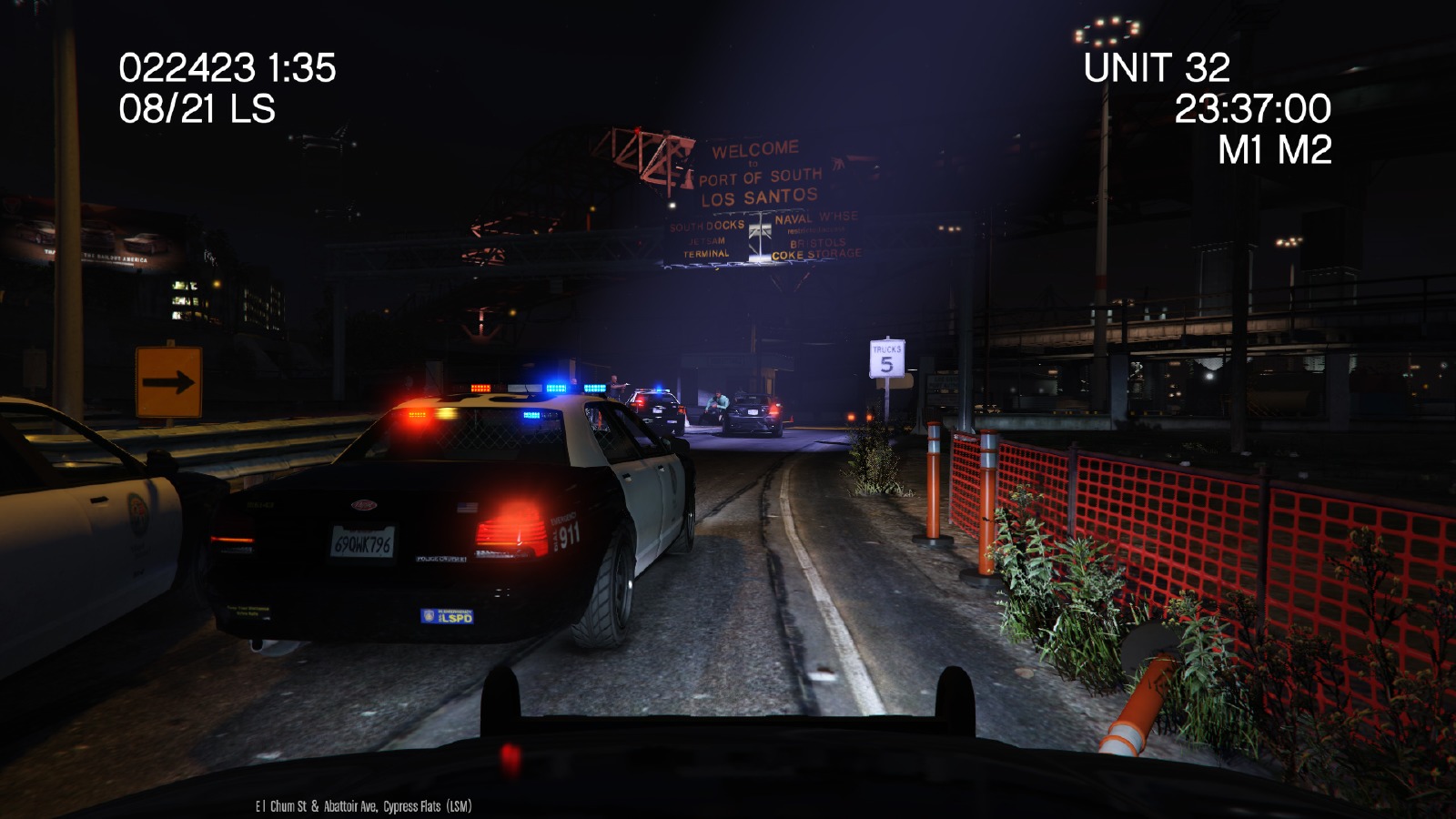
lilmisschloe reacted to PieRGud for a file, Dashcam VDashcam V is a RageHook plugin that simulates emergency vehicle dashcams used in real life.
Note: An unfortunate downside to the method of centering the camera is that you cannot freely rotate it. In terms of immersion, however, it makes sense because most dashcams do not rotate. In light of this, the dashcam no longer replaces the first person vehicle view, so you can use it whenever you desire.
Features
- Grayscale filter: looks like the department's on a tight budget
- Two layouts: a regular dashcam layout and a remake of Sniper296's IVDashCam layout
- Remote view: view your vehicle's dashcam while on foot by pressing Ctrl + E or the Left Thumbstick + Left Shoulder
- Dynamic unit numbers
- Configurable settings: use the .ini file to adjust the following...
- Unit number/name
- Department name/colour/logo
- Imperial/metric
- Date format
- Layout style
- Remote view controls (both gamepad and keyboard)
- Grayscale filter
Installation
1. Download & install the latest RagePluginHook from http://ragepluginhook.net/Downloads.aspx if you haven't already.
2. Pick a folder. If you like the vanilla agencies, pick lore-friendly. Otherwise, pick real agencies.
3. Drag & drop "DashcamV.dll" and "DashcamV.ini" into the Plugins folder of your GTA V directory.
4. Using OpenIV, place the logos.ytd in update\update.rpf\x64\textures\script_txds.rpf (use your mods folder if you have it).
Find and open the file "startup.rphs". Once you open the file, start a new line and put the following...
LoadPlugin "DashcamV.dll"
This will make the modification automatically load when you start the game. If you do not want the modification to automatically load, launch the game and press F4. Once you see a panel, put in what you see above.
Known Bugs
- When entering a vehicle that you left on dashcam view, your view will reset
-
lilmisschloe reacted to TitanSloth for a file, Crazy Callouts!NOTE: All Callouts are now enabled! Remade the famous Kidnap Callout!
FEATURES
Aggravated Assault Callout! Driver on Drugs Callout! Kidnapping Callout! Active Shooters Callout! General:
Keep checking for updates!! This mod will update more frequently!
THANK YOU for all the help everyone has given me!
-
lilmisschloe reacted to Albo1125 for a file, Arrest Manager (Grab Peds, More Jail Points, Prisoner Transport & more)https://www.youtube.com/albo1125
DISCONTINUED & UNSUPPORTED - COMPATIBLE WITH OLDER LSPDFR VERSIONS ONLY - FEEL FREE TO HELP UPDATE THE CODE
Arrest Manager is now open source. https://github.com/Albo1125/Arrest-Manager
Welcome to Arrest Manager! This script modification for LSPDFR greatly enhances the way you can deal with your suspects and their vehicles. Are you tired of driving all the way to a jail to deal with a suspect? Would you like to be able to call for reliable prisoner transport units at any time? Arrest Manager provides this, and more. In short, a complete overhaul to the way you can deal with your prisoners!
Requirements - some of these are included (credits go to their appropriate authors):
LSPDFR 0.4.2 (not included) Albo1125.Common 6.6.3.0 or higher (included) RAGENativeUI 1.6.3.0 or higher (included) RAGEPluginHook 0.51 or higher (not included) A legal copy of GTA V (versions 1.0.1011.1 or higher1).
Installation instructions and further feature documentation are included with the download.
Support - what to do if you encounter a bug or have problems:
Watch the installation video for my modifications here. Use this tool: http://www.lcpdfr.com/files/file/9755-lspdfr-troubleshooter-by-albo1125/ Read the documentation file if you're having trouble getting a specific feature to work. Suggestions can be made here. If all else fails: Please leave a comment (not a review). Include your RAGEPluginHook.log file, located in your Grand Theft Auto V folder. Also, please provide an accurate description of what happened. This allows me to help you as fast as possible. -
lilmisschloe reacted to CheekiBreeki0 for a file, Bank CalloutsBank Callouts is a pack of bank robbery related callouts. So far it adds 3 new callouts inspired by GTA Online heists. These callouts are rare, so don't expect to see them very often.
New Callouts:
Fleeca Bank Robbery Pacific Standard Bank Robbery Blaine County Savings Bank Robbery Planned Callouts/Features:
Union Depository Blaine County Savings Bank [ADDED] Even more banks if i find any Ability to take money back to the bank [ADDED] Add more randomization Requirements:
LSPDFR 0.2b RageHook 0.20 Known Issues:
Sometimes robbers have issues getting into the escape car Have fun!
-
lilmisschloe reacted to Stealth22 for a file, Code 3 CalloutsCode 3 Callouts
"Attention all units, officer needs assistance. Shots fired. All available units, respond Code 3."
This is a plugin that I have been planning for ever since I started writing scripts for LSPDFR. Now that the LSPDFR API has come out, this idea has now become a reality!
The focus of this plugin is to create a realistic experience where the player needs to do some actual police work. Police work is not always about flicking on the lights and sirens and flying down the road at 100 MPH. Nor is it always about pulling out an AR-15 and emptying a clip on a suspect.
In fact, most of the time, police work is all about dealing with people. Hearing both sides of the story. Figure out who is lying, and who isn't. Sometimes you have a helping hand when you have an eyewitness, and sometimes not. Or sometimes you will get eyewitnesses who contradict one another. Bob says the bank robber's car was blue. Jane says the car was red. Turns out, Jane was on her cell phone, and wasn't paying attention. Oh, and Bob was in the bathroom, so he didn't actually see anything. You later find out that the car was actually green.
The first version has four different callout scenarios. Each will have their own degree of variation, so you will not have exactly the same situation every single time!
Code 3 Callouts is designed to work alongside other callout plugins, to create the most exciting and realistic experience possible.
It is YOUR job to determine what actually happened based on the evidence. Its time for your shift, Officer. Gear up, and move out.
Requirements
You MUST have the latest version of Rage Plugin Hook installed, as well as a legal copy of GTA V. YOU MUST HAVE VERSION 0.39 (OR NEWER) OF THE RAGE PLUGIN HOOK! This plugin has been tested on v757.4 of Grand Theft Auto V, but will work with newer versions. You must have at least v0.3.1 of LSPDFR Features
TEN different callout situations, each with their own varying scenarios. Fully integrated dispatch audio, to create a realistic experience. Requires the player to investigate each call, and do some actual police work to determine what ACTUALLY happened. Remember, just because someone called 911 to report something, does not mean that's precisely what happened. Altered suspect behaviour based on the response of the officer NEW - AMBIENT EVENTS! NEW - INTEGRATION WITH LSPDFR COMPUTER+! Credits
A very special thank you to...
@LukeD - Lots of helpful advice, and helping me get comfortable with the API! Plus working together to ensure our callouts can work alongside each other! @FinKone - Same as above, plus testing and showcasing the plugin for me! Erwi - For helping me out with some code issues! @DCP1293, @LtFlash, and @Straysify - Testing earlier versions of Code 3 Callouts for me! Thanks a lot! @Albo1125 - For graciously sharing some of his code with me, helping me out with the CAD popup windows, giving me the idea for the new suspect vehicle search logic, and for helping me testing this version! @JFavignano and @Bayareabuggs - For being my guinea pigs... I MEAN testers, and giving me lots of useful feedback! Both of you have contributed a lot towards the success of this plugin, whether it be testing things for me, or just showcasing the callouts! Your guys' videos gave me lots of ideas for things to fix and improve!! @Zachary Houseknecht and @Polecat324 - Thanks a lot for showcasing the callouts, and for testing beta versions for me!! I really enjoy watching your videos! @goigle - For giving me the idea of the Assault observation window...which in turn led me to think of the CAD popup idea! Thanks a lot! @MulleDK19, along with all the other dev's on the RPH IRC channel - For being patient, and helping me out with code issues that I had difficulty with, plus testing things out for me!!
My sincerest apologies if I missed anyone! Callouts
Most of these callouts are "Code 2" calls, meaning, they do NOT require a "Code 3", or "lights and sirens" response. Part of police work is to actually drive at normal speeds, and obeying traffic laws and red lights while driving to a call!
If you're stuck in a traffic jam, you can use your lights to get yourself through an intersection, and then resume driving normally. But be careful about using the siren...you don't want the suspect to know that you're coming, do you?
See the PDF documentation for more information on all of the callouts included.
Future Development
Follow this thread on the forum for future development plans!
http://www.lcpdfr.com/forums/topic/52452-rel-code-3-callouts-add-a-new-layer-of-realism-to-lspdfr-screenshotsvideo-added/
-
lilmisschloe reacted to Qwerasdzxc for a file, BreathalyzerThis is a script that gives you an option to test Los Santos citizens for Alcohol in their blood.
Note:
- Script is totally re-written for Rage Plugin Hook and doesn't support ScriptHook.NET anymore!
- When you want to do a test on a person in the vehicle, simply walk to the driver's window and press the key for activation!
Changelog:
Featuring:
- Stand by the person you want to test for Alcohol and press SHIFT + O (you can change it in the BreathalyzerRAGE.ini), test will start and display the results!
- Script is fully compatible and designed for LSPDFR and works excellent with Traffic stops
Known bugs:
- Report possible bugs in the comment section bellow, NOT in the review section!
Troubleshooting:
- Before you say in the comments that it's not working do the following:
1. Download and install newest version of RagePluginHook!
1. Copy everything from BreathalyzerRAGE.rar to your Plugins folder, located in your main GTA V directory!
4. Start the game!
Donations:
- To support my work (and give me motivation for more modding) go to here and press Donate button at the top!
Donators:
- Be the first one to donate and support this mod!
Video:
https://www.youtube.com/watch?v=gsAQgo0rkDk
Credits:
Author - Qwerasdzxc
Help - Straysify
Developer note (for Breathalyzer compatibility with other plugins):
-
lilmisschloe reacted to Lt.Caine for a file, Train Simulation ModTSM–Train Simulation Mod is a script modification that allows the player to operate trains in San Andreas while offering unique features, such as custom GUIs, stops, and speed limits.
DESCRIPTION
− Take control of any train in San Andreas.
− TSM attempts to strike a balance between realism and casual gameplay.
− Features a unique custom GUI for both train types, stations/stops, speed limits, sounds, and a unique control scheme.
− Features dynamic acceleration and braking values based on the actual layout of a given train.
− TSM takes engine power, train mass, friction, and inclination into account.
− Features an additional view mode (to look behind).
− Online, players riding a train under the user’s control will be notified via game SMS of the next station or stop.
NOTES
− Consult the DEFAULT CONTROLS file to view the list of default TSM control keys.
− Consult the FEATURE INFO file for some useful information regarding TSM.
− Press Alt + F12 near any locomotive to enter it. Once inside, press F12 to take control.
− Reverse the above process to exit the train.
− If improper information is displayed in GUI, the train must be calibrated by approaching a station.
− In single player, the metro train should be exited at a station rather than between stops.
− Players using the PLD mod should temporarily disable it by pressing Alt + Ctrl + L.
− Speed limits are still a WIP.
INSTALLATION
− A GTAV ScriptHook must be installed for any .asi modification to work. The original may be found here.
− Using script modifications in GTA Online can result in a temporary or permanent ban from the service.
− 1. Place the .asi file provided in the download inside your main GTAV game directory.
− 2. Start your game.
CREDITS
− TSM is coded by Lt.Caine.
− Thank you to Alexander Blade without whose work scripting for GTAV would not be possible.
-
lilmisschloe reacted to FtDLulz for a file, Ped Search - Frisk suspects for illegal items!This plugin is obsolete; you should download PoliceSearch instead.
Information
Ped Search allows you to go up to a ped and press the search key (default: 'G' / 'DPadLeft') to frisk them for any illegal items. It works pretty much exactly as Vehicle Search does, and the ini file is set up in the same way.
Installation and Usage
You need the Rage Plugin Hook for this to work. The newest version has been tested with Rage Plugin Hook version 0.34.862.6641 ONLY and may not work with older versions.
When you have that installed, drop both the .dll and the .ini into your Plugins folder. Once you're in-game, press F4 to bring up the Rage Hook console, and type 'LoadPlugin PedSearch.dll' (without the apostrophes). After that, simply press the search key (default 'G' / 'LeftDPad') when near a pedestrian to frisk them.
Configuration
In the included .ini file, you can edit things such as the button/key mapping, what items you can find, and the odds of finding an item. For more advanced users, you can change the animation your character uses as he searches.
Planned Features
Better animation. Want to suggest one? Ability to find a weapon if the ped actually has one and remove it. Working on it.
Please, give me any bug or crash reports. I'll try my best to fix them.
-
lilmisschloe reacted to Stealth22 for a file, Keep Calm - Reduce AI panic attacks when shots are firedKeep Calm Plugin for GTA V
Copyright (C) 2015 Stealth22. All rights reserved.
Any unauthorized modification, reverse engineering, or distribution (including re-uploading of any kind) is strictly prohibited.
PLEASE DO NOT PM ME WITH SUPPORT REQUESTS, OR POST A NEGATIVE REVIEW WITHOUT ADDRESSING THE ISSUE WITH ME FIRST.
FOR ANY SUPPORT RELATED ISSUES, PLEASE POST A COMMENT ON THIS PAGE, OR POST IN THE KEEP CALM FORUM TOPIC.
** NOTE REGARDING RPH CRASHES **
If your GTA V crashes to the desktop, and RPH says that the crash was most likely caused by Keep Calm...to put it simply, it most likely was not caused by Keep Calm.
RPH tries to detect which plugin caused the crash by calculating which plugin was running at the time of the crash. Keep Calm runs constantly in the background, so naturally, RPH will think that Keep Calm is the culprit whenever you have a game crash.
GTA V can CTD for any number of reasons. Keep Calm does not do anything heavy enough to cause a game crash...I am not saying that it will never happen, but it has never happened in the history of Keep Calm's development. Anyone who has reported a CTD crash so far has had their issues stemming from elsewhere.
If you get an RPH crash that says Keep Calm was the cause, try un-installing Keep Calm, or disabling it from starting in the RPH settings. If the crashes persist, your issues are being caused by something else.
If the crashes go away, then re-install Keep Calm by downloading the latest release from LCPDFR.com. If the crashes then return, we need to diagnose the issue further, and you should post a comment here (or in the forum topic) so we can look into it.
** IMPORTANT NOTE REGARDING THE ENTITY PERSISTENCE MOD!! **
If you use the Entity Persistence mod by FtDLulz, you need to do ONE of two things...
If ped persistence is enabled, ensure that it is set to only 'persist' dead peds, not live ones (this is the default setting, to my knowledge) OR...Disable ped persistence entirely
If ped persistence is enabled, and set to 'persist' LIVE peds, then Keep Calm will have NO effect at all!! (Not to mention that you will have performance issues if you do that!)
YOU HAVE BEEN WARNED!!!
Requirements
You must have at least version v0.41 of the RAGE Plugin Hook installed, LSPDFR v0.3.1, as well as v1.6.0.1 of the Stealth.Common DLL, which is packaged with this release. Keep Calm will check these versions on startup, and will refuse to run if older versions are installed.
You must have a fully legal, non-pirated version of GTA V.
Installation
- Copy the Keep Calm.dll and Keep Calm.ini files into the Plugins folder of your GTA V directory.
- Copy the Stealth.Common.dll file into your main/root GTA V directory.
Features
- Nearby drivers and pedestrians should not panic in the event of gunfire (police officers are excluded)
- Some customization is available via the config file
- Peds spawned by LSPDFR and LSPDFR plugins are excluded, to eliminate conflicts with callout plugins
Usage
- Press the toggle keybind (CTRL + 9 by default) to start/stop Keep Calm
- Keep Calm will start on it's own by default, unless the auto-start is disabled in the config file
Known Issues
Please note that GTA V does not always provide access to every pedestrian and vehicle in the area, and some peds may spawn AFTER the "calming" function has already been triggered. It runs in the background continuously, but each ped has to be modified individually.
As a result, some drivers and pedestrians may still panic in the event of gunfire. This may improve as new versions of the RAGE Plugin Hook are released.
This plugin has been released with the intent of minimizing the panic attacks experienced by the AI.
The panic attacks will NOT be eliminated completely, however, this plugin should hopefully minimize them enough to make the game more enjoyable. The main intent with this plugin is to not have drivers run officers over when they are in the middle of making an arrest after a pursuit.
-
lilmisschloe reacted to alexguirre for a file, Spike Strips VSpike Strips V
Check the Spike Strips V Configuration.ini file to check the controls and change them and enable/disable the animations and the deploy from police vehicles option.
Source code avalaible at GitHub.
Installation
-Install RagePluginHook(Open Alpha - 0.47). Not tested with previous versions.
You can download it from here:
http://ragepluginhook.net/Downloads.aspx
-Drop the folder "Plugins" inside
the main GTA V folder, where GTA5.exe is.
-
lilmisschloe reacted to Lt.Caine for a file, Player Location DisplayPLD–Player Location Display is a script modification that displays the player's current location (including street name or intersection, area name, and region) at the bottom-left corner of the user's screen.
DESCRIPTION
− PLD displays the player’s current in-game location on the screen.
− Location includes street name or intersection, district name, and region.
− PLD also displays the current in-game time.
− PLD allows the user to toggle the size of the radar and provides some informative multiplayer** features.
NOTES
− Consult the FEATURE INFO file to learn more about PLD and its features.
− It is recommended that you disable subtitles (PAUSE > SETTINGS > DISPLAY > SUBTITLES) when using PLD to prevent overlap.
− **Multiplayer is understood to be a 3rd party multiplayer mod, such as FiveReborn.
INSTALLATION
− A GTAV ScriptHook must be installed for any .asi modification to work. The original may be found HERE.
− Using script modifications in GTA Online can result in a temporary or permanent ban from the service.
− 1. Place the .asi and .ini files provided in the download inside your main GTAV game directory.
− 2. Modify the .ini file as you see fit.
− 3. Start your game.
CREDITS
− PLD is coded by Lt.Caine.
− Thank you to Alexander Blade without whose work scripting for GTAV would not be possible.
