




Albo1125
Insiders
-
Joined
Everything posted by Albo1125
-
Traffic Stop Backup Required
-
 Thank you very much Please use this comments section exclusively for matters related to Arrest Manager. If you have problems there's a forum for that here: http://www.lcpdfr.com/forums/forum/888-support-information/
- 1,915 comments
- 242 reviews
-
-
 I wouldn't take time from my exams. Luckily, they finished this morning
- 3,646 comments
- 306 reviews
-
-

- 1
-
-
5.2.0.21 released. Updated for the latest RPH and GTA V. Enjoy!
-
 Will be featuring this on Arrest Manager's download page very soon if you don't mind
- 26 comments
- 8 reviews
-
If you decide not to, at least give us the option to block that annoying dispatcher shouting the location every 2 secs. It really gets under my skin after a while.
-
The code you have given is not complete enough to assess your problem. I suggest adding a .WaitCompletion() after the task, like so: myPed.Tasks.EnterVehicle(v, 10000, -1).WaitForCompletion(); This will wait till the task finishes and times it out after 10secs.
-
Good stuff, thank you Glad you've joined the LSPDFR hype! Thank you, I'm flattered Probably the latter in 90% of the cases. The other day, I got a comment on my installation video why it was showing up and where he could find the installation instructions...His own English was good, though
-
Ability to toggle off and to change the frequency is included - you know me from Traffic Policer, right? :p I will take your ideas on board. I'm rather busy at the moment with getting the current stuff done and more importantly my exams, so I don't know if and when these ideas will be started on. VIP transport specifically had been on Traffic Policer's list for a while. I may move that to Assorted Callouts, I'll have to see. There's a good chance of it appearing in one of them,though. As always, thank you for your valuable suggestions!
-
The closest I'll get to a 'release date' is already in the post lol
-
You need to provide some more WaitTime I think. Maybe you could try Sleeping the GameFiber for 500 ms or so every tick? Also, although I'm not sure in this case, I don't recommend clearing the ped's tasks every time.
-
Instead of using all those natives, use the following: NPC.BlockPermanentEvents = true; NPC.Tasks.FightAgainst(Game.LocalPlayer.Character); //something like this, can't remember the exact function name You can simply remove those flee things you added in, they're not necessary.
-
If you want precise locations, the best thing is to collect the location data yourself. You can oppose vehicles and officers with RelativeLeft or relativeright and relative front or relative back respectively.
-
Vector3 o1 = officer1.GetOffsetPosition(Vector3.RelativeFront * 3f); Same can be done with Vector3.RelativeBack etc.
-
 Excellent! Thanks a lot for letting me help you out. I think it turned out really well! This is definitely one of the essential plugins with all those highly dangerous civilians around
- 89 comments
- 36 reviews
-
-
- 3
-
-
I originally tried doing this, but unfortunately it isn't possible (yet) due to GTA V limitations. That's the reason I added the Traffic Stop Assist: Run the Light. Thanks a lot for the donation
- 3,646 comments
- 306 reviews
-
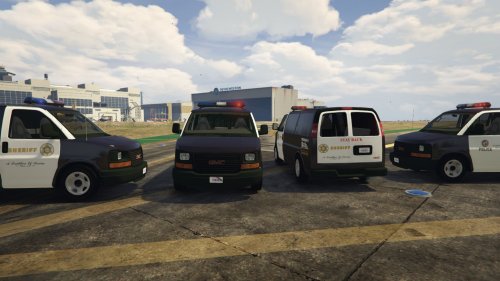
Awesome! Glad to see some love being given to Prisoner Transport Vans You did a pretty good job! My only suggestion is to make the 'screens' folder a separate download or to remove it from the RAR file, as I personally don't want to wait longer for screens while they're also on the download page.
- 26 comments
- 8 reviews
-
I cannot make any guarantees. I'll take a look it this is achievable code wise and release wise without causing too much grief for the rest of my code: lots of things currently are dependent on positioning. Thanks! Good old days :p I was thinking of adding something similar to traffic policer - hint hint!
-
I will check to see if there may be some kind of possibility to add this in without impacting performance too much. As @CaptainSugarFree has said, thanks a lot for the idea!
-
That is exactly the reason I chose to only add blips to the bank entrances and Captain Wells
-
Hey, you shouldn't get discouraged by other people's creations! Keep in mind that I only started coding as a hobby at the end of July this year! It is extremely fun to do and once you get the basics of C#, it really isn't as daunting as you'd make it out to be now. We have lots of developer resources around the forums and we have a GitHub with examples, so if you feel like doing it, give it a try!
-
Thank you so much for the kind words! When I started developing this, I knew I didn't want to do it all alone. People have so many good ideas and creativity I simply cannot implement all myself. Teaming up with others who are willing to help has really proven to be essential for the icing on the cake - had I not done so, the voice audio and perhaps even the whole bank heist callout idea wouldn't have existed today. Im glad you like my other mods as well :) a fun fact is that the length of the Pacific bank heist callout code I've written is now almost twice as long as the entire Arrest Manager Plugin. Hue! Thanks for the support!
-
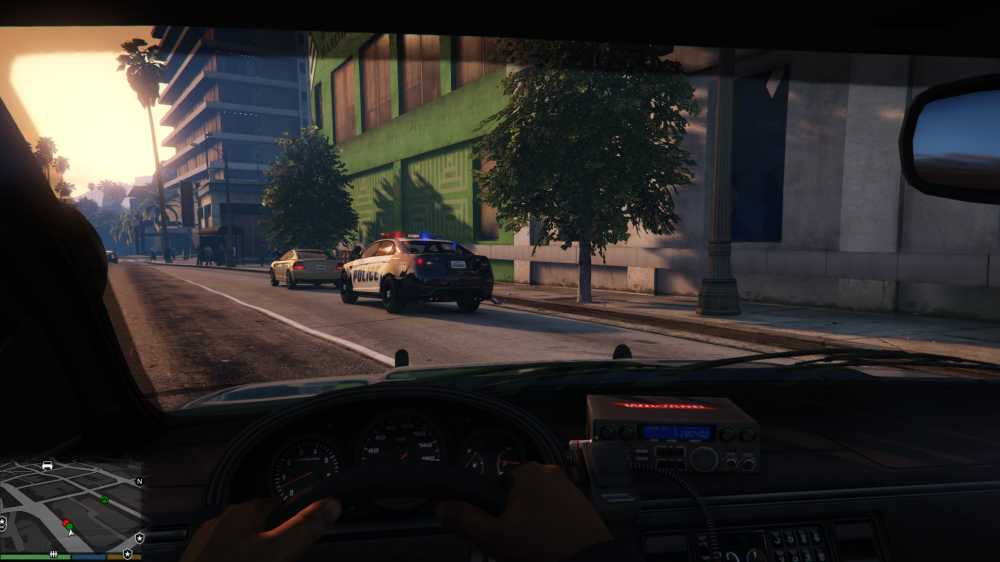
Quick Update #1 I'm excited to announce a new callout in progress: Traffic Stop Backup Required! @TheUniT is collaborating with me to make this callout lots of fun and realistic The Pacific Bank Heist callout is pretty much done. After various testers gave me feedback and created videos, I have improved the overall flow of the callout and improved the AI of both the robbers and the SWAT teams. Amongst other things, this means the SWAT team isn't stuck outside when it seems there aren't any more robbers to kill (aren't there? ). Thus, I have more or less completed the Pacific Bank Heist callout. @CaptainSugarFree is still working on recording voice overs for the various other characters that have dialogue, which I will be sure to include. I'm sure you'll love it! As for the release date of the first public version of Assorted Callouts, my estimation lies around the beginning of the new year. This is a rough estimate that is influenced by various other circumstances, so it may be released earlier or later than the said release date. There might be another round of beta testing before release; it is therefore possible you'll see some more high-quality pre-release videos appearing - thank you to all the amazing YouTubers that have featured Assorted Callouts in their videos! Thank you for the continued support! If you still have any suggestions, please let me know so I can take them into consideration!
-
Hey there, thank you very much for your elaborate suggestions! I particularly like the subway and drugs raid ideas - a sniper callout is already available in High Priority Callouts, I believe. I find these 2 ideas of yours extremely interesting! I'm currently working on some other ideas (check the main post) but I'll add these two to my list. Thank you very much! And if you could PM me the images and locations you were talking about, that would be much appreciated!


