



FtDLulz
Members
-
Joined
Everything posted by FtDLulz
-
The entitlement is strong with this one.
-
Getting the same error as above. Tried both imgur link and the local copy. Neither work.
-
Guys, they've got the performance problems down as best they can, and the only problem they're having (that I know of) is a script crash. Be patient.
-
 Any suggestion is always nice! If I get the time I might just work on something like that. In the v2.0 version I'm working on, there's a separate drug list (meant to work with FinKone's Police Radio) that could also be used for something like that.
- 342 comments
- 49 reviews
-
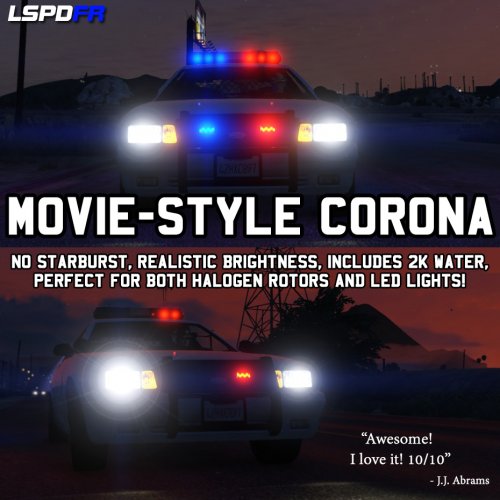 For some reason the police cruiser's lights are more 'washed-out' than the Buffalo and Interceptor. Did I install it wrong? I followed the read-me exactly. Edit: I should be specific and say that it's LED lights are washed out, not the rotators. Edit 2: Screenshot I don't mind either but the discrepancy is a bit off-putting.
- 3 comments
- 1 review
-
Sam, you and the whole team are just amazing. There's no need to apologize considering how hard you all are working to fix this issue. Great work.
-
If I were to guess, the banner's down either because they couldn't meet the release date, or because they're uploading it right now. Key words: guess.
-
 Will you be using the GetAllPeds() method now that it works with v0.16? It would probably improve it, but I haven't tested anything like this, so I can't say for sure. Great work though, I didn't really think of doing a plugin that does this!
- 268 comments
- 44 reviews
-
 I should actually clear this up in the main post. It really depends on the ini settings. The default settings allow for travel a reasonable distance away before cleaning up. Each entity has a radius, which, once you exit it, will clean up and delete the entity. There's a max setting so you can limit how many things can be made persistent at once. If this limit is reached, nothing else will be added to the list, which means it's GTA V's job to clean it up (which it does so almost as soon as you look away). The default settings also only allow for dead peds and unoccupied vehicles to be stored in memory, lessening the impact on performance. Anything that is cleared up by something like FinKone's coroner or tow truck will be removed from the list and therefore from memory. The default settings should not impact performance (maybe 3-4 frames lost) and still provide functionality. Once you unload and remove the plugin, everything will be back to normal, so you can test it out and see if it works fine for you. Sorry I didn't get to your comment sooner, the site doesn't seem to be notifying me of these things. Send me a PM or comment if you have any further questions. Thanks! Huh. That's odd, as I don't ever call an OnscreenWarning. You're using the newest Ragehook v0.16, yes? I'll see what I can do to fix it. Edit: I can't seem to replicate this. Have you tried re-downloading Ragehook and the plugin? That's pretty awesome -- do you mind if I add your screenshots to the file page?
- 91 comments
- 21 reviews
-
-

- 1
-
-
I'm hoping for an API so us developers could create custom callouts and the like. :3
-
I have absolutely nothing to do except maybe try and fix some positioning in a plugin. I'm bored and lazy. :P
-
Not confirmed that I know of; the only confirmed time is "tomorrow" (which is now today).
-
0:00 UTC is 5:00 PM my time, PT. Only have ten and a half hours to go...
-
It will be, as the new Ragehook update that came out today fixed that, and 0.2 of LSPDFR is going to be using that.
-
Oh man, the v0.16 Rage Hook has a ton of new goodies for us developers :3
-
There's no newer 0.1 version, so I'm almost 100% sure it's just going to be 0.2 right off the bat.
-
You scared me for a second, as I thought that said it would never support script modifications. It'll be fixed in a few days.
-
Exactly what I was thinking. The Ill Gotten Gains Part 2 update doesn't seem like it would break too much, but there's a lot of behind-the-scenes going on in these updates. I liked your old, cute avatar better ;-;
-
 If you go into your GTA V main directory, you can find startup.rphs. Inside this file, you should see a LoadPlugin "LSPD First Response.dll" line. Above that line, put 'WarnOnPluginLoad false' (without the apostrophes) and then below, put 'LoadPlugin OverlayAway.dll'. It should then load right as you get in-game.
 -
Information Have you ever chosen a police model with a hat or glasses, only to find those props actually obscure your vision when in first person? No more. When using this plugin those annoying props will be automatically removed when going into first person and restored when going back into third person. Now you won't have to forego putting on those aviators just because they blind you even more than the sun ever would! Installation and Usage You need the Rage Plugin Hook for this to work. This has been tested with versions 0.16.607.3592 and 0.15.552.2608, though it should work with earlier versions. When you have that installed, drop the .dll into your Plugins folder. Once you're in-game, press F4 to bring up the Rage Hook console, and type 'LoadPlugin OverlayAway.dll' (without the apostrophes). If you're using a version of Rage Hook earlier than v0.16, it will probably say something about the plugin not being verified. Just hit the up arrow, and then enter again. It should load correctly. The plugin will take care of everything else automatically. When you go in first person while wearing glasses or a hat, they'll be automatically removed from your character but saved. When going back into a third person view, the props you had on will be automatically restored, as if they were there all along. If you put props on in first person, they might block your view until you switch out of first person and back again. If you like being in first person a lot and don't mind the awful name, than this plugin's for you. Planned Features None at this time. Miscellaneous Please, PM me any bug or crash reports. I'll try my best to fix any unseen issues that might happen. Thanks!
-
Did you also replace your ini file? I'll give the code another look and see if I can't come up with why that's happening. Edit: If you could PM me your own crash log, that'd be great, with your computer's language in the message.
- 342 comments
- 49 reviews
-
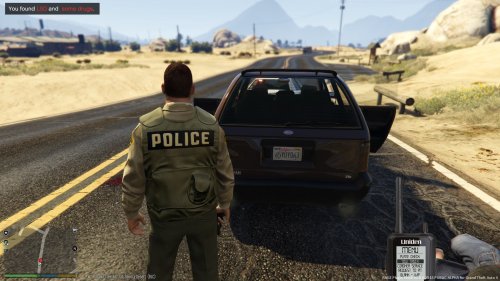 A great add-on for my plugin if you feel like the default items you can find are too bare-bones. This expands them so that there are multiple types of weapons, drugs and anything else, legal or otherwise. While there is a lot of options in it that are insignificant or uninteresting, you always have the option to take them out yourself, and for those who want those items, it's a nice touch. Certainly something you should consider getting if you like Vehicle Search but think it needs more depth.
 -
The only problem with making the item find chance 7/7 is that the game's notification/help text cuts off anything after a certain length. In 2.0 of Vehicle Search I'll hopefully have an option to limit the items you can find or something such as that. One thing I'd suggest is taking out the ones that are less specific. It's a bit odd that you can find LSD but also 'some drugs', as one is specific and the other is pretty generic.
-
The update's like a bomb and LSPDFR 0.2 is the bomb squad.
-
Do you have the latest version? (When you click download, it's the bottom-most one.) I'll check if I added any float values without adjusting for culture info. Edit: I don't see anything I added in the newest version that would affect that, check if you have the latest version.
- 342 comments
- 49 reviews


