Alex_Ashfold
Insiders
-
Joined
-
Last visited
Everything posted by Alex_Ashfold
-
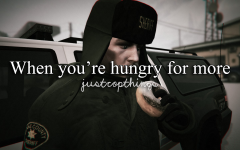
From the album: Dank cop memes ( ͡° ͜ʖ ͡°)
© justcopthings
-
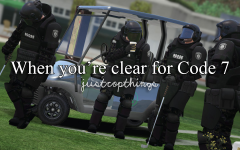
From the album: Dank cop memes ( ͡° ͜ʖ ͡°)
© justcopthings
-
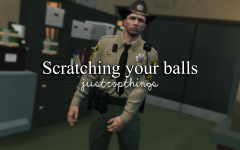
From the album: Dank cop memes ( ͡° ͜ʖ ͡°)
© justcopthings
-
From the album: Dank cop memes ( ͡° ͜ʖ ͡°)
© justcopthings
-
From the album: Dank cop memes ( ͡° ͜ʖ ͡°)
© justcopthings
-
 By default, you press F11, but also make sure ragehook loads EUPClothingmenu.dll on the start up
- 2,346 comments
- 236 reviews
-
@999firstmada Ok EUP doest't affect your car in the game, but RDE does. with RDE are cars are listed in RDE dlc So simply do the car edits in update/x64/dlcpacks/rde/dlc.rpf/x64/levels/rdevehicules either delete the car you want from the archive example remove all police.ydd and ytd or replace your modded car files there For more assistance, refer to:
-
Did you installed RDE too?
-
-
Absolutely! You can add outfits in the category you want. As for the menu features, the menu will receive additional and more comfortable options to save/load outfits, change you face details and shape. We are trying to get rid of the current Skin Control's dependency.
-
Maybe you didn't but you can change EUP Clothing menu to fit your style! So I'm providing a little guide to make edits in your EUPClothingmenu.ini in case you didn't know how Change the EUP Clothing menu presets 1) Locate your EUPClothingMenu. ini (*your gtav folder*/plugins) 2) Make a backup of the original EUPClothingMenu.ini (I bet 70% of people won't) 3) Take a screenshot of your desired outfits with the skin control menu open (clothing tabs) 4) Get yourself Notepad ++ it's not mandatory, but will facilitate your edits 4) Now edit your EUPClothingMenu.ini (right click --> Edit with notepad++) 5) You should have something like this, I suggest you fit the two windows to your screen Gender=Male/Female Category=Main Apparel/Winter Apparel/Tactical Apparel Category2=LSPD/LSSD/BCSO/FIB/NOOSE/CASUAL etc. (ONLY INCLUDE THIS IF ABOVE CATEGORY IS MAIN APPAREL) All IDs are in the format Model:Texture For example, model 78 with texture 3 would be 78:3 In this example, I'm editing the Male FIB Jacket, but you can edit any of the outfits. I Strongly suggest that you practice yourself on the casual outfits first as they are not uniforms, the default EUP casual clothes are only suggestions, so change those to your liking first ;) 6) Make the ID changes in notepad++ and save the file I'll update this tutorial with time DONT ASK FOR SUPPORT ON EUP ISSUES OR INSTALLATION HERE, YOU WILL BE IGNORED For support go here
-
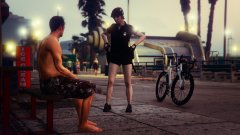 dem shorts
 -
Just redownload it and retry if it says error (can happen sometimes) just retry, but please don't mess with the file! leave it as is.
- 2,346 comments
- 236 reviews
-
Your issue was already answered in the FAQ of the support forums, if your issue persists after. Post on the Support forum
- 2,346 comments
- 236 reviews
-
 Glad to hear
 -
-
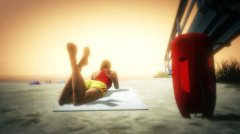
From the album: Emergency Uniforms Pack WIPs
© EUPTeam
-
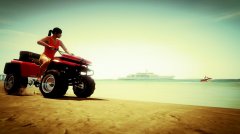
From the album: Emergency Uniforms Pack WIPs
© EUP Team
-
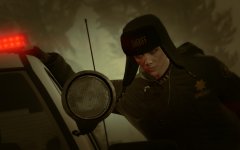
From the album: Emergency Uniforms Pack WIPs
-
From the album: Emergency Uniforms Pack WIPs
-
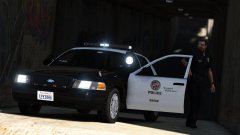 Mmm.. roger that
 -
Animation comment in 1..2..3 @Lundy I don't think I ever saw this animation, maybe it's a more complex animation than the regular cop intimidation, may a cutscene animations in the paleto bank heist?
-
-
-
Humm...dafuck, I'm looking at your screens and in my head there is like absolutly no reasons why it wouldn't work, you done everything like you should. By curiosity do you have a a screenshot of your dlclkst.xml location