


Creators: Due to background reprocessing of files, approvals and file security checks may be delayed. Thanks for your patience.


Alex_Ashfold
Insiders
-
Joined
-
Last visited
Everything posted by Alex_Ashfold
-
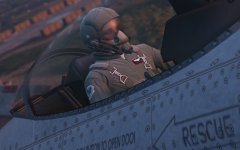
From the album: Emergency Uniforms Pack WIPs
-
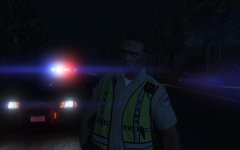
From the album: Emergency Uniforms Pack WIPs
-
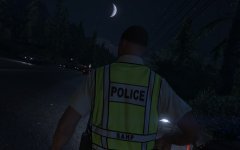
From the album: Emergency Uniforms Pack WIPs
-
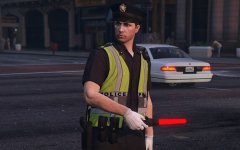 The one with a metallic badge on his shoulder ''Yo! You got to move on these bikes''
 -
Made it just for you
-
-
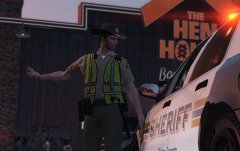
From the album: Emergency Uniforms Pack WIPs
-
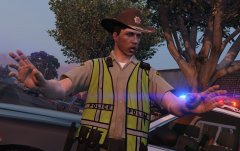
From the album: Emergency Uniforms Pack WIPs
-
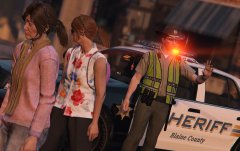
From the album: Emergency Uniforms Pack WIPs
-
It's not possible
-
From the album: Emergency Uniforms Pack WIPs
Ladies please hold your orgasms! -
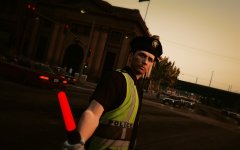
From the album: Emergency Uniforms Pack WIPs
-
I don't see how it can be a problem... What textures? What are trying to do?
-
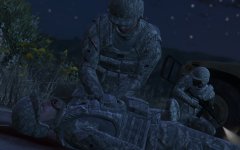
From the album: Emergency Uniforms Pack WIPs
-
-
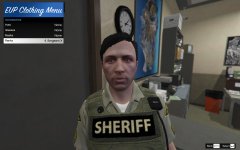
From the album: Emergency Uniforms Pack WIPs
Credits to PieRGud for making this awesome menu for EUP -
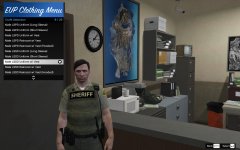
From the album: Emergency Uniforms Pack WIPs
Credits to PieRGud for making this awesome menu for EUP -
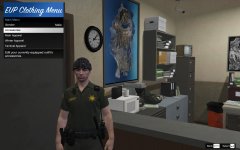
From the album: Emergency Uniforms Pack WIPs
Credits to PieRGud for making this awesome menu for EUP -
I'm sorry about this, this file is outdated. It was uploaded during the early versions of the mod, I should remove it. More models will be available on the next update with a new easier sytem and proprer instructions. But for now here some instructions* 1) Here's the correct path for LSSD Shirts mods\update\x64\dlcpacks\eup\dlc.rpf\x64\models\cdimages\eup_componentpeds.rpf\mp_m_freemode_01_male_freemode_valentines\ Replace one of these file, with yours ( In edit mode) jbib_diff_000_a_uni.ytd jbib_diff_000_b_uni.ytd jbib_diff_000_c_uni.ytd jbib_diff_000_d_uni.ytd * I read you haven't tried installing the mod, I just gonna warn you, if you don't install it and try to the follow the instructions below you're gonna have lot of trouble.
-
Welcome to EUP Support Topic. Rules and Guidelines Read all the information provided in this post, before you submit your support request Provide as many details as you can Describe the problem/issue with clarity Make sure your problem/issue is not already listed in the FAQ If you never installed any mods, read this before you install any mods or ask for help. No matter what mod you're using, you need the latest version of ScripthookV To edit your GTA V files (Peds, cars, textures, weapons and etc.) you need to install and activate OpenIV You are gonna need a mods folder, follow this tutorial here EUP Menu works with RageHook plugin, so make sure you have the latest version Before you install this mod you are gonna need. - A trainer I recommend simple native trainer and/or Menyoo ____________________________________________________________________________________________________________________________ How do I install EUP? - Using OpenIV, go to Tools > Package Installer, browse to the EUP Law & Order OIV and click Install. - To install Serve & Rescue, follow the same steps but navigate to the EUP Serve & Rescue OIV. - Make sure to install Law & Order BEFORE Serve & Rescue. How do I fully uninstall EUP? Using OpenIV, follow same steps above but browse to the Uninstall OIV that comes with the download. EUP isn't working correctly or the menu says I don't have EUP installed. What gives? Follow these steps: 1. Ensure your GTA V installation is fully up to date and you're running the latest RAGE Plugin Hook. 2. Using OpenIV, navigate to /mods/update.rpf/x64/, and check for a folder named eup (and if you have Serve & Rescue, a folder named sup). 3. Ensure you don't have improperly installed mods within dlcpacks (Ex. installing a vehicle modification into patchday3 but it doesn't load correctly). To fix you must either remove those mods or fix the vehicles/dlcs not loading correctly. 4. Ensure you are running the latest version of EUP and EUP Menu. Type "EUPMenuVersionInfo" in your RagePluginHook console (without the quotations of course), the versions should be EUP Menu 2.2.0.2 and EUP - Law & Order 7.5. If you have a different version for any of these you need to upgrade. If you've checked all of these, it is likely that your mods folder might have a mod or lingering file that conflicts with EUP. In this case, make a backup of your mods folder, and start from scratch. Install EUP first and ensure it works. Then install the rest of your mods. The menu says I'm missing a vanilla DLC. What gives? - EUP makes use of various content from the base game and online DLCs. Without a particular DLC, EUP won't work correctly. - To troubleshoot this issue: 1. Ensure the game is fully up to date. 2. Remove all edited vanilla DLCs in your mods folder. Chances are an edited DLC is conflicting with EUP. 3. If you're still having issue, backup your mods folder and start from scratch, installing EUP first. Verify that the issue is resolved and add your mods back one by one Does EUP work on the latest update? Chances are it does. If any compatibility issues arise, expect an update to be released very soon. Does EUP work on FiveM? EUP does work on FiveM. Both client sided and server-sided. Mirrors for server and client sided can be found in the beta area. When I die I turn into Michael? What’s up with that? This is a fail-safe created by another mod (not EUP). It is to combat the game going into an infinite load screen when dying as an NPC. Technically this isn't required for freemode characters, but some trainers still apply this fail-safe to them. After respawning as Michael, I keep falling through the ground. Help? Reload a savegame or restart the game. Does EUP work with Cop Holster? Yes. Make sure you're using Cop Holster latests. or use the config shared on EUP mod page EUP crashed. What gives? First, look through the support thread and see if someone has already posted about the crash you got. If not, please make a new post and include the part of your RagePluginHook.log that contains the crash message. Are you gonna include... To know about future development, follow this Gallery, or joind our Discord there is much more activity. For more specific support follow this link to our Discord Server: https://discord.gg/aTQfepT
-
 Not yet, I'm working on a new custom nametags system thanks for the tip I'll test that, tonight.
- 2,346 comments
- 236 reviews
-
-

- 1
-
-
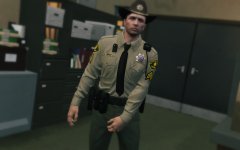 No luck with the campaign one :( and yes next update + clothing mod menu
 -
-
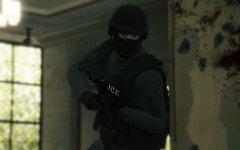 It's for the next addon, it's a new vest model.
 -

