


Thomas199920
Members
-
Joined
-
Last visited
Everything posted by Thomas199920
-
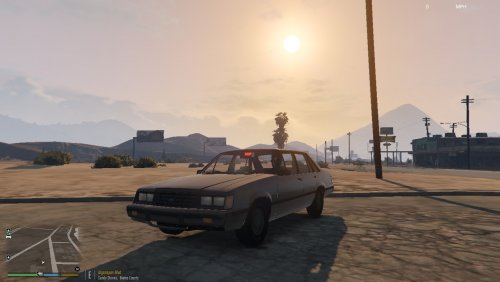 A unmarked Ford LTD Known bugs: Glass doesn't break. Steering wheel doesn't move.
 -
A Whelen Liberty
-
Looks nice!
-
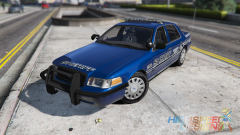 I need this in my game!
 -
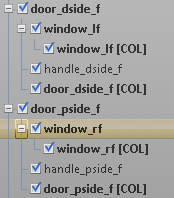
The chassis[col] disappeared when i pressed export. And the motorola and touchmaster are dev models and work like this so i didnt rename them.
-
This is the whole hierarchy.

-
When i make a vehicle in zmodeler it gives an error about the chassis [COL] not having a bone. And when i get in game the doors don't open. How can i fix this?
-
-
Can't wait to use it!
-
Fifteen.
-
.thumb.png.e436e916367dd5b950520057d9057b55.png) The car is amazing, The only thing is that the rambar is a bit too high. But still it is amazing.
The car is amazing, The only thing is that the rambar is a bit too high. But still it is amazing.- 50 comments
- 23 reviews
-
The mod needs to be updated to ragehook 0.34.
-
Everyone is trying to download LSPDFR 0.3 so that is why the site is slow.
-
-
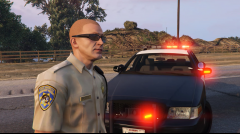 Will this be released? If so, i can't wait!
 -
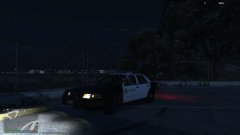
From the album: LSPDFR Patrols
Using the LSSD cvpi that Bxbugs123 made. -
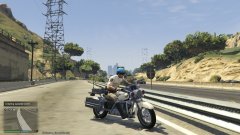 Its a amazing bike to do highway patrol's with.
 -
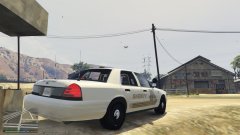
From the album: LSPDFR Patrols
Using the slicktop cvpi that Bxbugs123 made. -
From the album: LSPDFR Patrols
-
From the album: LSPDFR Patrols
-
From the album: LSPDFR Patrols
The SHiPs Bike that Lundy made is AMAZING! -
Can someone make a Tesla Model S police vehicle? For GTA IV. With a Whelen Liberty light bar for ELS 8.5
-
I found the first version of LCPDFR: http://www.gtagarage.com/mods/show.php?id=7619




.thumb.png.e436e916367dd5b950520057d9057b55.png)

