FRGamer
Members
-
Joined
-
Last visited
Everything posted by FRGamer
-
-
-
-
-
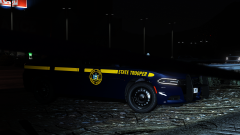
From the album: FR Gamer's GTA V Images
Gm @RobertTM @t0y Censored the computer screen in photoshop as a citizens information was on display, and that cannot be leaked to the public! -
-
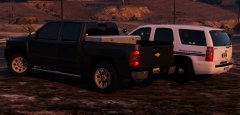 My suggestion is never to drive through here at all, if you are make sure you don't have narcotics and especially large sums of cash. They have a habit of seizing it without probable cause.
 -
-
 I am going to update the readme with installation instructions. For the meantime look at the above post.
- 60 comments
- 37 reviews
-
It seems fine to me, and I use addon slots so I just randomly chose police3 for people to install it into, not a big deal.
- 60 comments
- 37 reviews
-
-

- 1
-
-
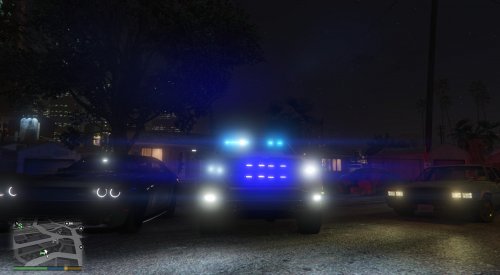
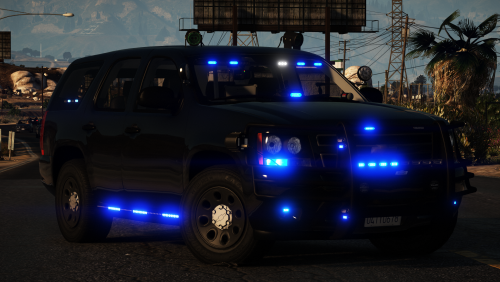
Exclusive releases will be on my Discord server: https://discord.gg/cgc85cX I have returned.. with a 2016 FPIU. There are two variants to this model as shown in the screenshots. You can choose whether you want to have it with the Westin bar which adds lights to the rambar as well, or the no rambar variant which to replace the rambar lighting adds a light stick in the grille. The ALPRS can be toggled with extra_12. All blue and red and blue versions are included. Credit to @Mr.DudeMan for the ELS VCF! If you find any bugs, please let me know in the comments.
- 60 comments
- 37 reviews
-
-
-

- 39
-
-
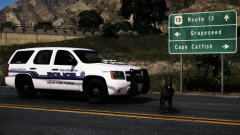
From the album: FR Gamer's GTA V Images
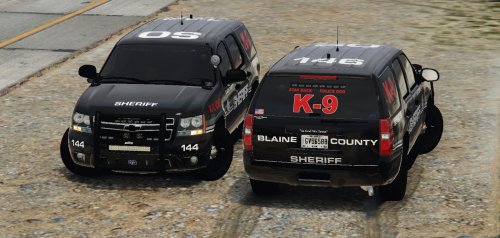
What began as a simple traffic stop for a vehicle and traffic law violation on US-13 turned out to be a huge narcotics bust. Thanks to K-9 Ajax, 11 kilos of Cocaine and large sums of cash were seized. It is typical for narcotic dealers to have large sums of cash on them from selling. The transportation of narcotics on US-13 is strictly prohibited and will not be tolerated by any means. Shoutout to Gump for the model! -
-
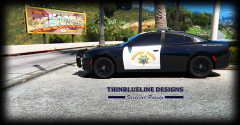 love same spotlight positions on every car
 -
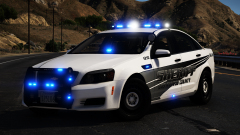 Hey there, I think you need to check your eyes again!
 -
From the album: FR Gamer's GTA V Images
-
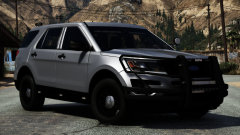
From the album: FR Gamer's GTA V Images
-
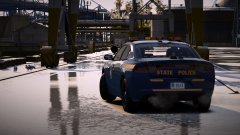 Yes, but I'm stating what's wrong before release so the release can be perfect! I'm in these cars a lot so that's my excuse, if it is one. I'm very picky with NYSP.
 -
Is the comment section not to comment whats on your mind? I’m stating what’s wrong with the model so it can be fixed.
-
The TA is too low and the front/rear radar antennas are incorrectly mounted.
-
-
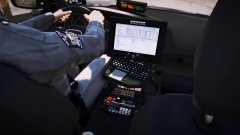 The Patrol Data is scaled wrong, and the leg is going through the inaccurate keyboard lol... That's not a legit PD screen either. Incorrect radar placement for 3G14 too, the rear antenna as well. Good attempt, though.
 -
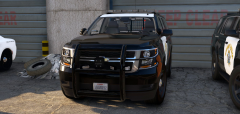 Those spotlights are mounted way too low.
 -
-