purplepotatoes14
Members
-
Joined
-
Last visited
Everything posted by purplepotatoes14
-
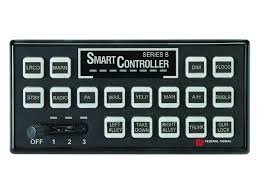 In regards to your reply to my review, what I mean is that I can hear some noises in the siren. Peaking means that you're reaching the loudest the sound can go and it creates other distorted noises. But, other people are wanting it louder, so maybe I'll just suck it up.
- 15 comments
- 6 reviews
-
Wonderful job on this siren! My only *tiny* gripe with it is that the wail seems to peak, maybe find a way to smooth that audio out. However, it's okay the way it is too, doesn't stop me from using it!
- 15 comments
- 6 reviews
-
-
-
-
-
-
-
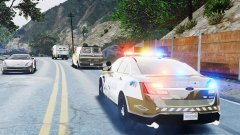 Oh I see, so that's what the police cars in Heaven look like ;)
 -
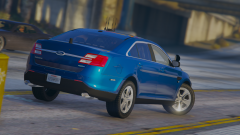
-
-
-
-
-
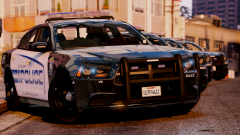
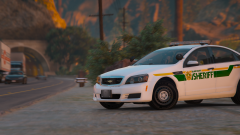 Yup they are, here you go.
 -
-
-
After a hour of digging around the files, I think I've found which .awc file you should look in. Head to "RESIDENT.rpf>frontend.awc" and click on the files that are "16,000 Hz" because those are the police scanner beeps and various noises that play in the game. I don't think your "DISPATCH_INTRO_01" is in there though, however, this file is a start. Hope this info is helpful to you!
-
This is so exciting!!
-
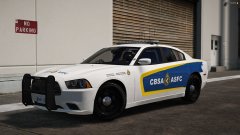 Of course I can't answer for him about it being lore friendly or not, but as a fellow Canadian to him I can answer your second part. CBSA is the Canada Border Services Agency (ASFC is the French translation). They basically protect the borders of Canada, like the American Border Services.
 -
I've always wanted to use an engine sound mod that sounds like the FPIU and Sedan, however, there doesn't seem to be any to be found. I've attempted to create a sound mod before using YouTube videos of these vehicles accelerating, but they never turned out because GTA would mess with the sounds. They would sound distorted and unclear. Instead, I've been using the "Benefactor Schwartzer" in-game engine sound, and I think it sounds pretty close to the FPIU/Sedan. For those who haven't heard it before, I created a short video demonstrating the sound. All you have to do is go to your vehicles.meta file and locate the vehicle you want to modify, and change the "<audioNameHash> tag line to "<audioNameHash>schwarzer</audioNameHash>". Hopefully some of you find this useful!
-
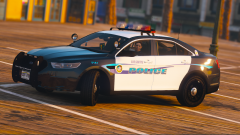 Yes, here you go.
 -
 I love that little graphic for each area of the city, nice touch!
 -
-