


OfficerFive0
Members
-
Joined
-
Last visited
Everything posted by OfficerFive0
-
no just something i did when i was bored
-
its nice but u can tell theres a space between the lights and modules
-
to use lspdfr u have to run ragepluginhook not GTAVLauncher, and u have to launch it thru the default location
-
are you launching from the default location or you copied folder? are you launching it thru GTAVLauncer.exe or rage plugin hook
-
-
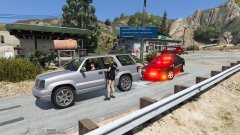
the lapd cvpi? im not sure atm. but the ram was just a side project it wasnt for the cvpi
-
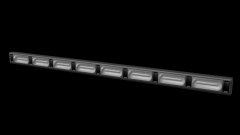 lol np will it be released for gta 4 or 5?
 -
anyone want to do some testing for the cvpi?
-
looks awesome!! only thing is the middle parts between the lights ( i have no clue what its called) seem a bit too tall or thin also dont you mean linz6?
-
true. idk maybe lundy or sub68 would know a way to get it working
-
maybe try the lifeguard sirensetting
-
finished the winch
-
knock knock
-
able 2 lighting i made for gta 4 going to convert it to 5 any devs want to test it out for me?
-
progress update going to take a break now , ill finish it later
-
@PimDSLR progress so far https://gyazo.com/5a51b2c9c13da4fc32433e12e5f9a6ee
-
want this exact one?
-
i meant of the car winch
-
can i have a picture as an example
-
you also want a battering ram?
-
idk maybe a custom liberty? with colored glass?
-
first test ingame
-
i was actually thinking of doing a charger after the cvpi ;)
-
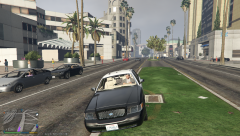
From the album: OfficerFive0's gta 5 album
first test of lapd slicktop/unmarked cvpi video can be found here https://youtu.be/uq8ddHBlTSQ -
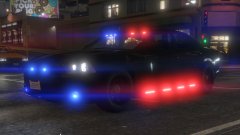 ah ok
ah ok


