


OfficerFive0
Members
-
Joined
-
Last visited
Everything posted by OfficerFive0
-
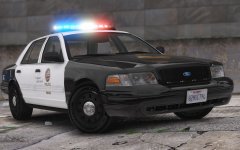 video coming soon!
 -
From the album: Five0 WIP
FedSig Arjent s2 by OfficerFive0 photo and video taken by @steinberg4145 -
after seeing this video i got an idea of how to get the park mode lights to work with default lighting,(ive yet to test this theory) what ever lights you want on the whole time, copy them and set them as extralight_1/2 that way the lights will work noramlly but when you go park mode just turn on the takedowns and it will cover the other lights that are flashing
-
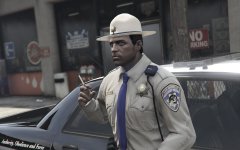 ever considered making a ped like this?
 -
its most probably textures
-
-
I don't plan on doing a public release but if someone needs it for a project then msg me
-
on the sunvisor is a whelen Flatlighter. on the bottom of the dash is a whelen led slimlighter/ or a slimmiser its hard to tell the rest i cant tell. if you give me any more picture of videos i may be able to though
-
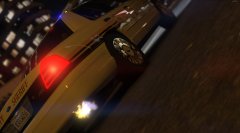 Spiting Fire
 -
better texture for the tricuda optic
-
yea the cause of the problem is unknown so i put it on hold
-
we were having problems with the van it kept crashing the game, we even tried 0takus version
-
a little update on the cvpis, i had a minor setback when switching from underwoods cvpi to murphys. i have fully switched over though heres a few pictures courtesy of @steinberg4145 https://drive.google.com/open?id=0B6ZJriHhV83AMnZqNmtmV2I4VU0 i wanted to test out for brighter lights, i dont like the results and i think ill redo the leds again. i redid the front strobes, but the right side won't work, still working on that https://drive.google.com/open?id=0B6ZJriHhV83ATzhkZjlwMHh1U2c i think eventually i may add a setina partition after seeing a photo of them using it in a unmarked. but that will be much later as i dont have the time to make on now.
-
what do you have against fire?
-
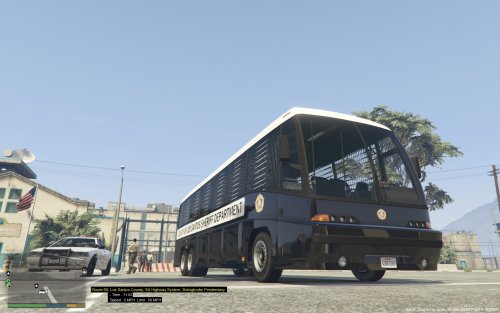 i have a whelen m4 but i dont know if i want to give it out at this point.why not go with the lighting of the irl bus?
- 14 comments
- 9 reviews
-
motorola speaker for the same project
-
finished a whelen pioneer nano for the same project. made a fedsig 3300 Series Perimeter Light for @M67v
-
looks promising! only thing i have to say so far is the rambar looks odd all white. id suggest looking at blackjesus's laguna cvpi and referring to that
-
 i see your using leos stuff, how many millions of polys is the car? lol
 -
hes changed his named to kane104
-
I don't know how to do the anyenna,but to get a steady burn, copy the light you want steady burn and name one siren7 and the other siren8. That way when siren7 is off, siren8 is on and vice versa
-
.thumb.png.90a7c3cbeab905405aad5c0b0d8b90bb.png) no problem :)
no problem :) -
 nice dual pistols ;)
 -
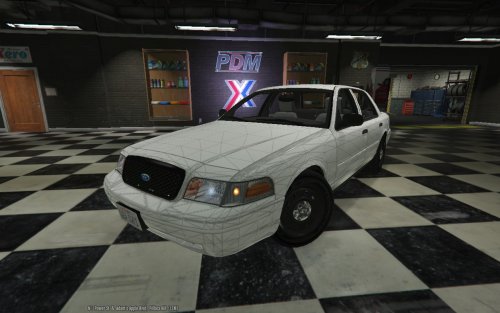 so i found police badges and sheriff lights in police.ytd but couldn't find grill. but i was included in f544s cvpi so i used that. also its missing the emerglights texture. and after loading up the car again, (from a z3d) the white trim is now black :)
 -
ok good. another thing, im missing the police_badges and grill texture. is that a default gta5 texture?



.thumb.png.90a7c3cbeab905405aad5c0b0d8b90bb.png)
