




CouthInk4
Members
-
Joined
-
Last visited
Everything posted by CouthInk4
-
It sucks to live in Australia:( I have to watch season 4 and onwards online cause It only on TV once in a while... And when it is it's just goes from season 1-3:(
-
Only if they're unlocked and you know how to use Zmodeler. If not than you may be able to ask someone who knows how to do it. But if they're locked you won't be able to do it.
-
I created a thread before about this... My graphics card driver was updated and now GTA 4 lags like hell. I downgraded the driver and now my problem is the same. I think my problem is Direct 3d when i press the ` button in game it comes up, Direct3D Device Created Direct3D Device Lost Direct3D Created. Before i never had this show up... So is there any way i can disable it so it doesn't come up?
-
http://www.gtagaming.com/downloads/gta-iv/vehicle-mods/13116 I don't know if it has a template.. I'm pretty sure it does tho.
-
Yeah like GTAIVCode3 said. To make them brighter you'll need ti use the luminescence mod.
-
Try Alt - F11. If that dosn't work i suggest giving Bravehearts Policing script a try.
-
Check the Australian Emergecny Textures thread of at GPM. Chances are they'll have what you're looking for.
-
Ok thanks:) I'll try it and see if it works:)
-
So my current installed update is 314.07... So i just downgrade to 314.06 or whatever the previous update was?
-
Hi I've been playing GTA 4 for a while and about a week ago i had an update for my graphics card (Nvidia) and ever since then my game is practically unplayable. It lags and i only get like 2-3 FPS. So I was wondering if anyone else has had this problem and have found a work around for it. If there is a work-around for this problem please give me the solution:( I miss playing LCPD:FR and all my car mods (and before you say take my mods out. I've tried it with and without my mods... It still lags like hell) I've Googled this problem and a few others have had problems with it on both AMD and Nvidia.
-
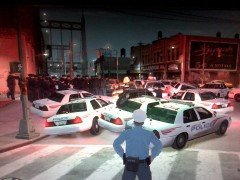 Holy crap that's alot of cops... What happened someone steal the last donut in Liberty City? xD
 -
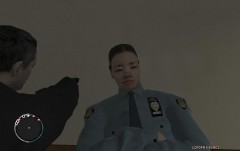 All I can say is... If i saw that cop chasing me I'd immediately surrender.... Or run like hell xD
 -
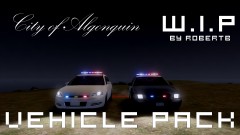 Nice, I'll definitely download when it is released:)
 -
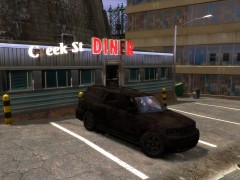 It's the god of all cars... Gets destroyed and it stills runs xD
 -
I never heard of Southland until a few months ago, Now i absolutely love the show. It is now my favorite police show! Sadly I've only seen up to Season 3 because it hardly ever airs here in Australia:(
-
Congrats guys on your new responsibilities. I've seen you guys around the forums and you're all doing a great job so keep up the good work:)
-
Stupid idiots are lucky they weren't killed. feel sorry for the person who nearly got struck by the cruiser.... And i feel real sorry for the officers who have to fill out the incident report. Some people these days are so idiotic... Whats the fun in stealing a police cruiser and hitting multiple cars?
-
I use Fraps for my videos. The only problem is i have some lag spikes here and there.. But it only lasts for a few seconds. Just make sure you have some hard-drive space cause it takes a lot.
-
I have encountered this problem in the past. You can just scroll through until you find one with the belt or if you Simple Native Trainer you can go into the clothing menu and change the 'lower' section... Chances are a belt will show:)
-
re-download the model... Or just extract the file package again.
-
I've never heard that problem before. My best bet is to use google and see if there is a fix.
-
I can't find it.. Chances are he might've removed it. I have found 6.2 here - http://www.gtavision.com/index.php?section=downloads&site=download&id=3032
-
I have heard of a few people having this problem so it could be a bug with the script. Downgrade and use v6.4.. I'm using it and having no problems with 6.4.
-
Please don't hijack other peoples threads. Instead make your own. It gets confusing to the people who're trying to help the posters problem. @bigdaddym54 check to see if your game is at patch 1.0.7.0 and run as administrator. Your computer may not meet the requirements the game needs etc.
-
Sure i'll add it to the list and i'll try to use them in future episodes:)

