
alphabravo.
Members
-
Joined
-
Last visited
Everything posted by alphabravo.
-
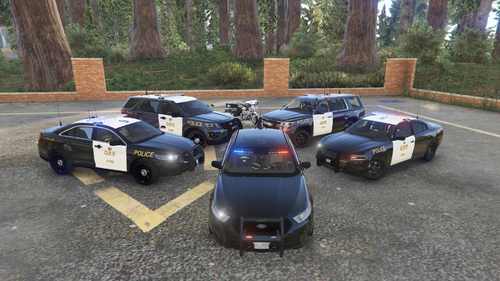 Based on the Ontario Provincial Police Service (O.P.P.), the second-largest police service in Canada. Textures included: 2011 Ford Crown Victoria 2014 Chevy Tahoe 2016 Ford Taurus 2016 Ford Explorer 2018 Dodge Charger 2019 Chevy Tahoe 2020 Ford Explorer All vehicles come with both marked & stealth textures and have multiple liveries (different car numbers) for variety. I currently do not have plans to create skins for the 2014 Dodge Charger or the Chevy Silverado that are also included in Ripple's Legacy Pack. Potential Future Updates: Lore-friendly versions (SAHP/State Trooper) FOLLOW this file to be notified of future updates. ***** PLEASE DO NOT MODIFY, RE-UPLOAD, OR RE-SHARE THESE FILES ANYWHERE ELSE ***** These textures are made for vehicles from Ripple's awesome LSPD Legacy Pack: Pairs well with some of my other OPP downloads:
 -
 That's hilarious. I bet you're good at finding easter eggs (not the "easter bunny" kind).
- 12 comments
- 4 reviews
-
-

- 1
-
-
'Medic Escort' callout is the first in this pack (and currently the only callout in the pack). More callouts may be added later depending on community feedback. You need to respond to an Ambulance's location and escort them Code 3 to the nearest hospital. It's meant to be some driving fun - lights & sirens the whole way. FEATURES: Over 250 different spawn locations throughout the GTA V world! 6 hospital destinations Uses your LSPDFR XML configuration to spawn the appropriate ambulance & medic peds depending where on the map they're located Configurable key to 'warp' the ambulance behind you if they get stuck somewhere I only have so much control over the AI driving the ambulance, but feedback is welcome! If you have any issues, please use the COMMENTS. Hope you enjoy it! Want to see the callout in action? Check out the review below from @OfficerBenzo to see his YouTube video (callout starts at 2:05).
- 12 comments
- 4 reviews
-
-
-

- 8
-
-
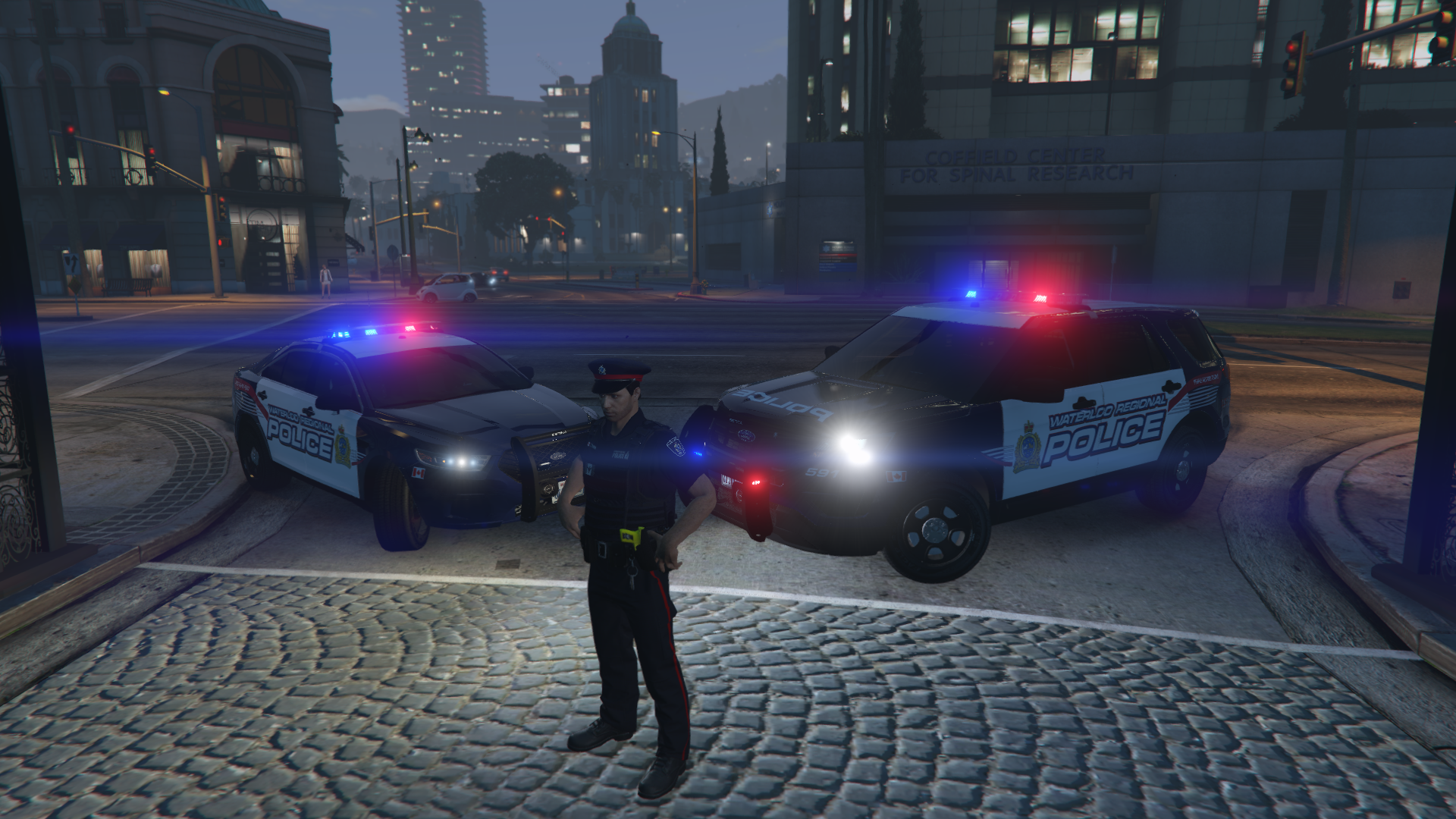
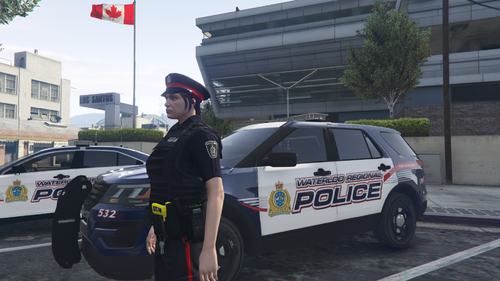 Based on the Waterloo Regional Police Service (WRPS) in Ontario, Canada. Are they perfect? No. But they still make the game more fun. OIV installation file included for easy installation as its own DLC pack! Uniforms included: 1) Front-line Officer short-sleeve & long-sleeve 2) Special Response Unit (SRU) short-sleeve & long-sleeve 3) Front-line Officer jacket & gloves Be sure to 'Follow' this download so that you receive notifications when updates are posted! IMPORTANT - these texture files will overwrite some of the default EUP textures, so it may "break" some of the default EUP uniforms (they will look weird). As always, please back up any files before modifying them! Of course, this download being its own DLC pack, it is very easy to uninstall if you decide. What is included in the download? 1) OIV installation file 2) LSPDFR outfits.xml file so that you can easily enable AI officers to use your new WRPS uniforms (you must edit your own agency.xml and backup.xml files) 3) EUP Menu wardrobe.ini file so that you can easily dress your own character in your new WRPS uniforms *** PLEASE DO NOT MODIFY OR RE-UPLOAD ANYWHERE OR TAKE CREDIT FOR THIS WORK! *** This is what you'll need: (I also highly recommend EUP Menu) This works well with some of my other WRPS downloads available...
 -
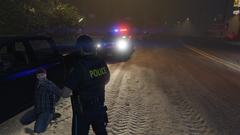
From the album: Ontario Police
Observed driver run a stop sign. Upon approaching vehicle, noticed an odour of narcotics. Drugalyzer test confirmed positive traces of cannabis. Also, the driver looks high as a kite! -
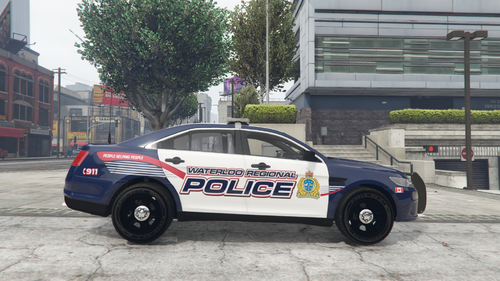 Based on the Waterloo Regional Police Service (WRPS) in Ontario, Canada. Textures included: 2016 Ford Taurus (marked & stealth, including solid blue and black) 2016 Ford Explorer (marked & stealth, including solid blue and black) 2020 Ford Explorer (marked & stealth, including solid blue and black) ***** PLEASE DO NOT MODIFY, RE-UPLOAD, OR RE-SHARE THESE FILES ANYWHERE ELSE ***** Made for vehicles from Ripple's awesome LSPD Legacy Pack: Pairs well with my WRPS 2019 Ford F-250 skin:
 -
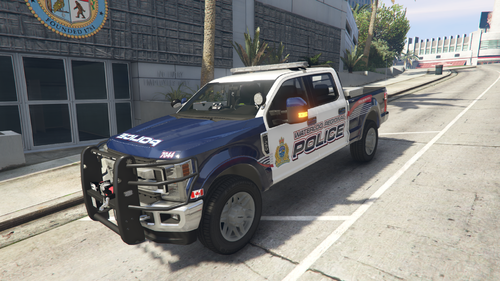 Thanks! It's a beautiful model that you've created. When I saw it, I knew I had to create a skin for it!
 -
-
This is a Waterloo Regional Police Service (WRPS) texture made for Ripple's ELS 2019 Ford F-250 (part of Ripple's San Andreas State Parks Mini Pack vehicle pack). Installation instructions are included in the download. There is an additional, optional texture that makes the hat (on the back of the passenger seat) black so that it is less noticeable, since this hat is not the style worn by WRPS. Waterloo Regional Police Service is located in Waterloo, Ontario (Canada). ***** PLEASE DO NOT MODIFY, RE-UPLOAD, OR RE-SHARE THESE FILES ANYWHERE ELSE *****
-
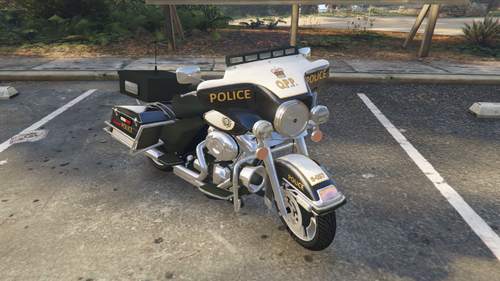 An O.P.P. motorcycle texture for a 2013 Harley Davidson Electra Glide. Is the texture a perfect representation? No, but it's close enough. I may tweak it over time to bring it closer to an exact replica of the OPP liveries. The Ontario Provincial Police (O.P.P.) is the second-largest police service in Canada. ***** PLEASE DO NOT TAKE CREDIT FOR MY WORK OR RE-UPLOAD/RE-SHARE THESE FILES ANYWHERE ELSE ***** The texture(s) provided are intended to be used with this vehicle model:
 -
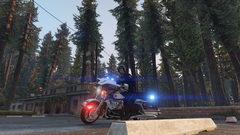
From the album: Ontario Police
-
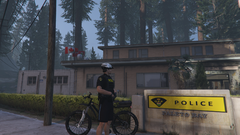
From the album: Ontario Police
-
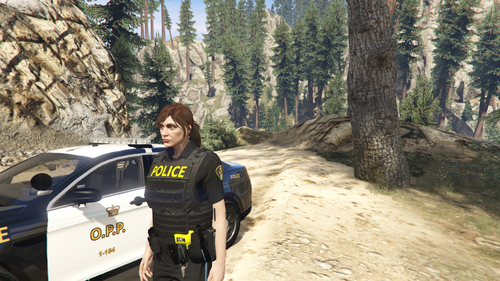 Thanks for the compliment! I have really enjoyed making these. Adds a lot of fun to the game for those of us from Ontario.
 -
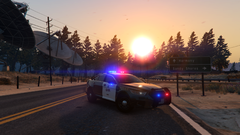
From the album: Ontario Police
-
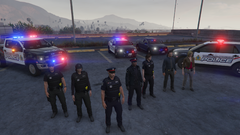
From the album: Ontario Police
Our fleet of Waterloo Regional Police Service vehicles and the dedicated men & women of WRPS. -
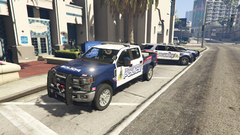
From the album: Ontario Police
Waterloo Regional Police Service, Ford F-250 -
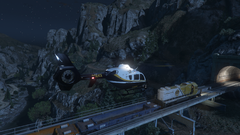
From the album: Ontario Police
Ontario Provincial Police (O.P.P.) EC-135 chopper in pursuit of stolen freight train. -
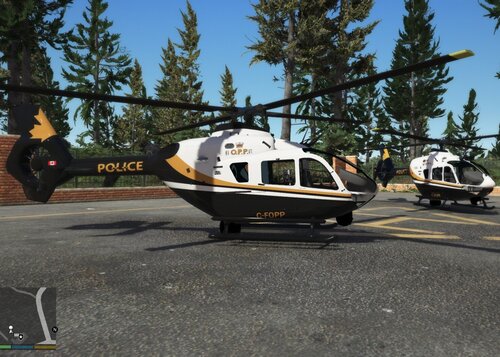 This is hilarious... I too released an O.P.P. EC-135 texture only a few hours before you released yours! How funny is that? I used a different vehicle model than you and I opted not to include the golden maple leaf on the tail (I found some pics with and some without it). You did a great job on yours! Congrats on your first public texture release. Here's mine:
 -
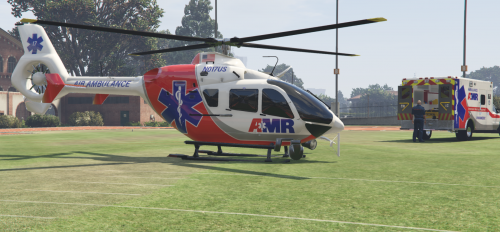 This is a fantastic model! Great detail inside & out. Working spotlight. Thanks for your hard work! I re-textured it as a police chopper since it was the exact model I needed for my local police service. The template provided worked fantastic.
- 35 comments
- 3 reviews
-
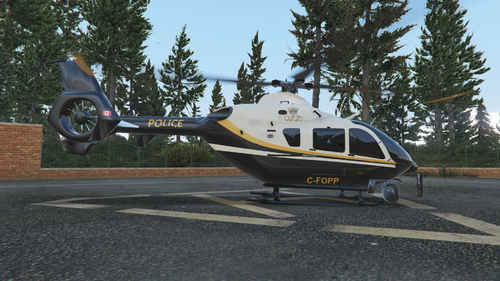 An O.P.P. texture for the Air Ambulance MedEvac Helo EC-135 by Candice. The Ontario Provincial Police (OPP) is the second-largest police service in Canada and has two helicopters in its fleet that are used mainly for Search and Rescue. *** PLEASE DO NOT MODIFY OR RE-UPLOAD ANYWHERE OR TAKE CREDIT FOR THIS WORK! *** This is the vehicle that you'll need to install: This works well with some other OPP downloads available...
 -
For all the Ontario, Canada players out there looking to add some more realism to their LSPDFR experience! These are some Ontario Provincial Police (O.P.P.) uniform textures for EUP. Uniform components include hats, shirts, pants, and vests. I created these uniforms for my own enjoyment but have had several requests for a download link, so here they are! Are they a perfect representation of OPP uniforms? No - but they're the best we can get with the standard EUP clothing models and they still make the game more fun. OIV installation file now included for easy installation as its own DLC pack! Choose between black or dark navy blue uniforms. There are many types of uniforms included: 1) Front-line Officer short-sleeve & long-sleeve uniforms 2) Commissioned Officer (white long-sleeve shirt & tie with vest) - available on the Male model only 3) Commissioner (white long-sleeve shirt & tie, no vest, with epaulettes) 4) Motorcycle Uniform 5) Bicycle Uniform 6) Marine Uniform (not accurate - but the best I could get with the base EUP models) 7) Auxiliary Uniform Be sure to 'Follow' this download so that you receive notifications when updates are posted! IMPORTANT - these texture files will overwrite some of the default EUP textures, so it may "break" some of the default EUP uniforms (they will look weird). As always, please back up any files before modifying them! What is included in the download? 1) Two OIV installation files: 1 each for black and dark navy blue uniforms - you pick which one to install. Dark navy blue is more accurate, but black looks really good! 2) LSPDFR outfits.xml file so that you can easily enable AI officers to use your new OPP uniforms (you must edit your own agency.xml and backup.xml files) 3) EUP Menu wardrobe.ini file so that you can easily dress your own character in your new OPP uniforms *** PLEASE DO NOT MODIFY OR RE-UPLOAD ANYWHERE OR TAKE CREDIT FOR THIS WORK! *** In order to use these uniforms, you will need to have EUP Law & Order 8.1 installed. NOTE: These uniforms do not work with the recently-released EUP 8.2 update. I will try to update this pack for the latest EUP version when I can. For now, you will need to find an older download of the EUP 8.1 (hint: search on YouTube). This works well with some of my other OPP downloads available...
-
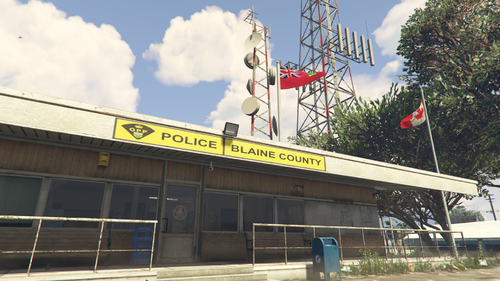 Customize the Paleto Bay and Sandy Shores police stations to look like Ontario Provincial Police (O.P.P.) detachments. OPP is the second-largest police service in Canada. Updating the flags will change all USA/LSPD flags in the game to Canada/Ontario flags. SANDY SHORES Changes: - sign above entrance PALETO BAY Changes: - sign above entrance - sign out front - billboard - mural on side of building Installation instructions are included in the download file. *** PLEASE DO NOT RE-UPLOAD ANYWHERE OR TAKE CREDIT FOR THIS WORK! ***
 -
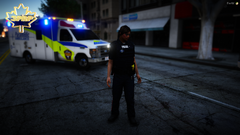 Which ambulance model is that? Do you have a link?
 -
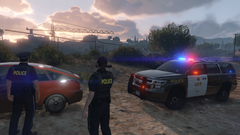
From the album: Ontario Police
Two O.P.P. officers investigating an abandoned vehicle at sunrise. -
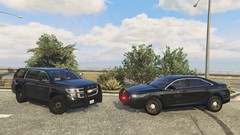
From the album: Ontario Police
OPP ready to catch some speeders in their ghost/shadow cars