


Spitfire7
Members
-
Joined
-
Last visited
Everything posted by Spitfire7
-
Hey I found it. Okay so nice job and you put a lot of work into this so very nice. I realize you didn't care to much for the other rear option I mentioned before where it goes B--AAA-, but I just realized could you make this in the C6 position as an option? Even if you cant use that one light on the right outside for an amber light, you can just make it B-AAA-- instead and call it close enough. That would be really cool to have both C1 and C6 as options. This seems very doable. Also, this is the honest truth, Rarely to never do I ever see them leave the car in code 3 parked position. I would make the blue light off in secondary position and just have all solid reds in the front. Those are my two cents to spice up an already good car mod. Thanks Sgt. Kanyo.
- 25 comments
- 13 reviews
-
-
Yeah there's nothing I can do about that. It use to be shirt sleeves that I painted skin tone colors to look like a short sleeve shirt. Looking for a distance looks great, but up close you will see the cuff of the sleeve With this model, thats the best that can be done.
- 11 comments
- 8 reviews
-
This is the most realistic LAPD uniform with high quality badge and uniform. Comes with white and black officer.
- 11 comments
- 8 reviews
-
-
Kanyo, you didn't tell me you had these. Wow I have been waiting for a good one. Nice work. Thanks
- 20 comments
- 14 reviews
-
Hey you are doing a great job and maybe I can help just a tad for more realism. I live here in LA and see the CHP all the time. You got the code 3 down perfectly. Great job on that. But when in traffic stop mode they usually just go to solid red lights and no blue in the front. Also in the rear for traffic stops, its only just Blue and amber always. I have never seen it done another way in Los Angeles, CA. So the rear lights in traffic stop mode should be BBAAAA**. *= off. I have seen the amber and blue flash back and forth or most commonly solid blue with traffic left ambers. If you can achieve that, then I would say you got yourself a pretty spot on replica. It must be a challenge to work with this stuff, so i admire your work, but just wanted to say you are doing great and wanted to throw in my two cents or realism in there. Thanks. Oh here is that link to the most realisic rear style I see every time is see a LA CHP. http://www.smugmug.c...3371390&k=mFNQH Thanks.
- 13 comments
- 17 reviews
-
Hey Sgt. Kanyo, its Spitfire again. I helped you with some details on the MX7000 since I live here in LA. I see you have a new 2008 LAPD with FedSig very nice. Just wanted to point out your work is amazing, but for one touch of added realism, the rear amber lights are different from the MX7000 in that instead of just one light on each side flashing, they use two lights on each side for the Arjent FedSig when front steady burns are on. Should look like this. 00---- and ----00 back and forth when in 2nd position on the light bar switch (ELS Secondaries) for traffic stops. Here's a video to show you what Im talking about. Also I made this to specifically show you what Im talking about, Here's the breakdown. The LAPD Fed Sig Arjent bars do come with the 0------ and -----0 option, but rarely to hardly ever will they use it. This is when the switch is in the 1st postion which only lights up just the two outer rear amber lights and NO front steady burns. I reiterate, they hardly to never use this option. Whenever I see an LAPD car on the side its always 00---- and ----00 with front steady burns ON and that will be in the 2nd position for the control switch. So if you want steady burns ON the front then its the 2nd switch postion and the rear ambers look like this 00---- and ----00. Then the 3rd switch position is then of course full code 3. So this is just for added realism. Like I said again, every since I have lived in LA I have never seen the LAPD FedSig Arjent bar with only the first 0----- -----0 option. They always use the 2nd option so that the front steady burns are always on. Dont mean to sound redundant just want to be super clear. Here's the working light system. 0 = On or flashing rear front 1st: 0----0 -------- 2nd: 00--00 --O--O-- 3rd: 000000 00O00O00 Hope that helps. Heres a video to inistrate this exactly. Keep in mind 1st position there are no front steady burns. If you want steady burn on in the front the rear has to look 00--00 flashing back and forth.
- 22 comments
- 13 reviews
-
Im still having a blast. Its the best version I have seen out there and I dont get any crashes except when a hundred police cars come crashing into me while taking down a suspect. Still awesome for what it is though.
-
Awesome great info thank you sir. Is there any way within game, or in the fold to turn off all the call outs. I actually use Num1 as my run feature and have gotten used to it over the last 3 years. Every time I want to run bla bla bla bla especially in a sprint blablablablbablablablabalb. Secondly is there a way to not have other cops help me when in a pursuit? Sometimes I feel they are a bit to aggressive and it turns into the 3 stooges blocking each other, tripping over each other and doing more harm than good. Many times I cant get to the suspects door because another cop car is smashing into it and then I get run over and the ped dies. Its becoming more of a hassel than cool. Any ideas?
-
"There used to be key customizations in the .ini configuration file, but those options were taken away ever since verison 0.95 came out. And also, the new features with a menu for "E" that includes holding suspects, frisking suspects, etc. only appears for the 0.95 RC2 version. (I thought you were still trying out the 0.95 Beta 1 version?) In 0.95 Beta 1, you can only frisk peds using the old method, which is by pressing "ALT+R," and then "Y."" Oh nice, I didn't know it was Alt R. Thank you so much. I am still using .95 Beta 1 and it works so great. Thanks Tom and Raggio for answering my questions. On another note, I accidently hit ctrl P to activate FR and it says "Forced Duty". What does this do and mean? Edit: Okay so I have tried the Alt R and it works but only sometimes. I run up to someone and press Alt R and nothing happens. So I aim my gun at them and hit Alt R and nothing happens so I aim and then hit E. The ped goes into arrest mode. Then I hit Alt R and then at the bottom of my screen it says press Y to get him to stop. He's already stopped. Then after I hit Y many times moving around until it works then it says Press Sprint to frisk him. This is weird and I usually have to do a run attach move toward the guy sprinting at him ending right infront of him to then begin to frisk him. If I turn and sprint in the other direction it he begins to frisk the air. So whats the best way to do this?
-
So I am seeing there is a conflic with my letter E with other mods. Is there any way to pick another letter in the FR.ini to arrest and access the computer? The ini seemed to have little to no options. Edit: Also I cant seem to ever be able to frisk someone. I walk up to them and press E. This never works. Am I doning something wrong? If focus on the person with no weapon still nothing. Then if I aim my gun at him then my only option is to arrest them. Any helpful tips?
-
Raggio, you were absolutely right. Im using the beta with 1.0.4.0 and it works absolutely fine. I've been playing for an hour now with not crashes. Now that I have mentioned that, I didn't notice something weird. When I activated the gun flashlight I got a script error. This then seemed to disable most options for me. I couldn't pull anyone over anymore with the shift. I could arrest but not frisk. Call outs no longer worked. But no crashes and that is awesome. I haven't had that in a long time. Have you had error or bug before? [6/7/2012 9:16:50 PM] [PULLOVER] Error: Object reference not set to an instance of an object. Source: MergedFirstResponse.net TargetSite: Void eval_LCPDFR-0(System.Object, System.EventArgs)StackTrace: at FirstResponse.LCPD.PullOver.eval_LCPDFR-0(Object A_0, EventArgs A_1) [6/7/2012 9:17:41 PM] [CALLOUTS] Error in mission set-up. Mission: Robbery. Reason: criminal or criminal2 didn't exist.
-
Much appreciation, thank you very much. Crossing my fingers you find something. I want to play!
-
Thanks Break. Still on the lookout for a .95 Beta version and cant seem to find one anywhere online. So it looks like my best bet is if someone has a copy on their computer I can try it out and see if she runs. This topic has been helpful and I did get a lot of good info from it. Just want to keep adding to it and learning from it. Thanks guys for understanding.
-
This is not what I meant. Let me clarify. I know .95RC2 is made for and runs best with 1.0.7.0, but what I was saying was that since I only have 1.0.4.0 and am very happy with it, my best bet is using the original .95 Beta for 1.0.4.0. Some have said that .95 Beta was the most stable version for 1.0.4.0 and .95RC2 is even less compatible and less stable with 1.0.4.0.
-
Would you have prefered I start a barnd new thread/topic on this or ask the right guys in the right place that will most likely know even if its 3 months old? I found these by the good old google search. See if I didn't spending time searching on google and just posted a new topic everyone would be mad because I didn't do a search and research. Now I do a search and you are still not pleased. What should I do then?
-
I am right there with Raggio. Same stuff happening for me. +1 for a 1.0.4.0 version. I did hear in another thread that someone was saying the Beta 95 version ran best for 1.0.4.0. I cant confirm that since I dont have it, but I saw that on a few different occassions. Does anyone have a link or an old copy of Beta .95 version? I would like to test this out for myself. Please let me know. Thanks.
-
II understand its an old Beta, but I hear its the most stable for 1.0.4.0. Does anyone still have a copy of it? Please link or PM me or get in touch some how please. Thank you.
-
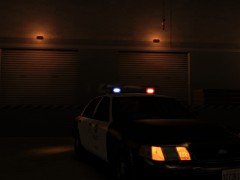 Where can we download your version with the steady burns?
 -
Any update with fixing this issue yet?
-
Send it to me too if you can please because I was also having that problem Thanks.
-
Also, is there a way to see what the mission is again after it quickly appears for 5 seconds and then goes away? Any way to see what it just said again?
-
Yep am also having the same problem. I later installed version 90F H1 and there is no box at all in the top left corner. Not sure if the top left box is only a new feature for 91 or not, but still cant see it either way. Also, is there a way to see what the mission is again after it quickly appears for 5 seconds and then goes away? Any way to see what it just said again?


