Spitfire7
Members
-
Joined
-
Last visited
Everything posted by Spitfire7
-
-
-
-
-
-
-
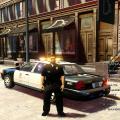
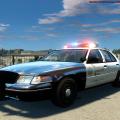 This is Spitfire7's Los Angeles Sheriff department 2003 Crown Victoria. This has the correct front RED steady burns as well as correct secondary patterns. This is best utilized for ELS7, but works just fine with ELS6 Video of the car in game. Here is a link to a video I made of the real life actual car. This is ELS-H and best rear pattern is C-01 Whats new for V2: -Fixed one missing light texture -Fixed rambar from a distance appearing off. Credits: --------- - Ford Crown Victoria made by Ubisoft (Driver San Francisco), converted to GTA IV by f5544, edited by Sgt.Kanyo - Spotlights and Inmate Divider by Bxbugs123 - Sheriff skin pack by Lonestranger - Rims by Bxbugs123, Textures by Lt.Caine, hubcaps by EVI/yakadafi. - Code 3 MX-7000 Lightbar by Lt.Caine's unlocked Dodge Caravan police, Complete overhaul an re-texture by Spitfire7 - Rambar by freakingmusket, grimm and reckless, edited by Spitfire7
- 24 comments
- 13 reviews
-
-

- 1
-
-
-
-
Haven't thought about doing the Taho, but if there is an unlocked one out there that I could get started on that would be cool and I would be interested in doing that.
- 54 comments
- 19 reviews
-
-
-
-
-
Best fix for all that would be if they added arresting and pullover support for this Policing Script.
- 356 comments
- 140 reviews
-
-
-
-
-
-
-
-
-
Okay guys, thanks to SHawkins' info I have updated the Slicktop. I have added the steady burn lights as well as made them look more colorful and brighter.
- 30 comments
- 14 reviews
-