


Sgt. Jackson
Friends of LSPDFR
-
Joined
-
Last visited
Everything posted by Sgt. Jackson
-
 Hahaha, epic!
 -
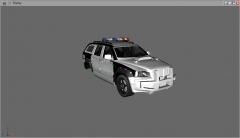 Oh yes I remember them, trying to stop you by ramming your car! I miss them so much!
 -
![International JERR-DAN Wrecker / LCPD [WIP]](//s3-gallery.int-cdn.lcpdfrusercontent.com/gallery/album_657/sml_gallery_8683_657_259851.jpg) I just can't find the appropriate words...
I just can't find the appropriate words... -
Yeah, on Battlelog it says the M27s "entered service alongside the M249 in the Marine Corps in 2011," so that means they're just an addition, not a replacement. And no, they're not meant to replace the M4A1s. ACRs or SCARs will most likely replace them.
-
It's actually based on the HK/M416 (which is itself an improved derivative from the M16), which I think will replace the M16 as an assault rifle. It's also one of my favorite weapons in Battlefield 3, since it has a 45-round magazine, is much more accurate than the M240B/M249 SAW, and has a faster reload time. But that's just a game, and I'm not a Marine, so I can't tell you what's best for the support gunners. @unr3al: The ACR doesn't really look like an M16, although it's got a similar shape, since it was based on it and was heavily modified by Masada. Neither does the SCAR BTW.
-
The motherboard you've chosen requires DDR3 RAM modules (actually, they all do now), you'll need to upgrade as well. The mobo itself looks kinda cheap, but that's what you get for that price, and I guess you wouldn't need anything else, anyway.
-
The Rhino's back! That and the APC? Hell yeah, baby! Yep, true. Edit: "Hind", REALLY? Holy ****, if that's true, that's just awesome!
-
 How could I have missed that? :ohmy:
 -
![[WIP-AC] MTL TWL3000-AC](//s3-gallery.int-cdn.lcpdfrusercontent.com/gallery/album_555/sml_gallery_29023_555_101015.png) I. Love. You!
I. Love. You! -
-
-
 Yep, and I already love it! :wink:
 -
That's why I like it a lot! :biggrin:
-
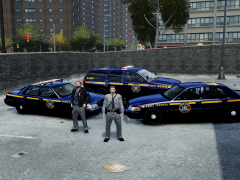 Release? :biggrin:
 -
More suggestions: Power supplies: Seasonic (X-Series power supplies) Memory: G.Skill
-
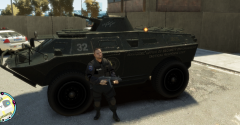 Yes, indeed he did, but the wheels were way too shiny...
 -
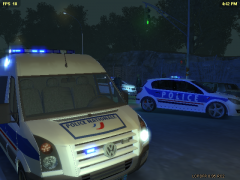 Great job! :wink:
 -
 I want! :yes:
 -
You can use Action!, but it's not free (you can download a 30-day trial version if you click on the link). Otherwise you can try Dxtory (you'll find many tutorials on YouTube).
-
 Holy sh*t!!! :woot:
 -
Well, I really hope they're better than the previous WHQL version, 'cause it made Battlefield 3 lag at some point using my GTX 580 with Ultra settings, which forced me to switch back to version 285.62 If anyone plays BF3 around here, it'd be nice to tell me if he's having any issues with the game using these new drivers.
-
-
-
Here's the non-edited archive, as uploaded by KevinDV, part of the backups I made a few weeks back (as Content Manager of GEM): http://www.mediafire...rgqen6ts98182m5 @gangrenn: The next time we play Battlefield 3, we'll speak English, all right?
-
Why wouldn't you build it yourself? Or at least get someone to do it for you if you don't know how. It would be cheaper, and you'd have the ability to choose every single component of your rig, to make it really unique. In my opinion, that'd be your best option because this system is still not balanced as you have one of the best CPUs available on the market, BUT a low/middle-end graphics card. For decent gaming (especially with games like GTA IV), I'd recommend at least a GTX 560Ti. :wink:
![International JERR-DAN Wrecker / LCPD [WIP]](http://s3-gallery.int-cdn.lcpdfrusercontent.com/gallery/album_657/sml_gallery_8683_657_259851.jpg)
![[WIP-AC] MTL TWL3000-AC](http://s3-gallery.int-cdn.lcpdfrusercontent.com/gallery/album_555/sml_gallery_29023_555_101015.png)
