


Sgt. Jackson
Friends of LSPDFR
-
Joined
-
Last visited
Everything posted by Sgt. Jackson
-
Just watched the whole Xbox conference, next is EA's in about an hour!
-
Hmm... This is a Battlefield game, so... No.
-
I don't think the LAPD have actual cannons on their SWAT trucks anyway.
-
Yeah, it's Roy Earle from L.A. Noire.
-
I was reluctant about Origin two years and a half ago. In fact I hated it for refusing to download the game for several days when it was released in October 2011. Now, I've had so much fun with this game that I just don't care about Orgin anymore. If I'd given up, I would have been missing out on something, really.
-
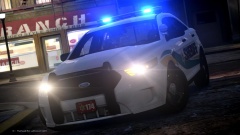 You mean FPI, right?
 -
Honestly, it looks rushed... Doesn't look very good. Let's just hope Ghost Games will be of sufficient help.
-
http://www.youtube.com/watch?feature=player_embedded&v=0WHMCa1FbWE I'm still hesitant... Should I be excited? On a side note: notice what appears to be LAPD Caprices, most likely in reference to Heat.
-
I heard rumors a few months ago and was like "what the hell?"... Melee weapons, a Taser? If it was April 1st I wouldn't buy any of this... Unfortunately, it doesn't look like a joke...
-
MODERATOR NOTICE Moved to Grand Theft Auto IV Support Requests.
-
Pre-ordered it from Steam. I have a pretty good feeling about this game. I may be wrong though, and I might regret my purchase in a few weeks.
-
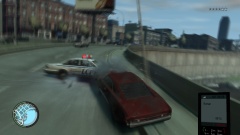 Wait, were you drunk?
 -
Greetings from Shawinigan, Quebec! (This photo was taken about two weeks ago.) Look at this beauty! Very nice-looking car, isn't it?
-
If anyone knows of any, I'd be interested as well.
-
MODERATOR NOTICE Topic moved to Grand Theft Auto IV Support Requests.
-
What? I've only had mine for a month but I'm very happy with it.
-
If it were up to me, it would be long gone. But I share this rig with my family, and given the way I was practically hated for installing GRUB along with Linux Mint (now they just have to wait 5 more seconds till XP boots up since it's currently default — what a change!), I guess things will stay that way.
-
Windows 7 Home Premium SP1 on my main rig Windows XP SP3 (yeah...)/Windows 8.1/Linux Mint 16 Petra on my second rig Windows 8.1 on my ASUS Transformer Book T100
-
You can also use the video editor to pause the action at the right time and move the camera with more ease. I'm not sure it will work great with ELS (haven't tried it) since the extras that are activated are selected randomly each time the scene is reloaded in the editor, but that's how I used to do. Or, if it doesn't work as great as you'd expect, you can try messing around with the Ultimate Camera Control mod.
-
Please refrain from speaking French here, we have a dedicated forum for this. Thanks.
-
Happy birthday to the both of you!
-
MODERATOR NOTICE Moved from Grand Theft Auto V Discussion to Grand Theft Auto IV Support Requests.
-
MODERATOR NOTICE Please speak only French in this section. Thank you.
-
The new A-164 is so sexy! If only I could fly planes in this game...
-
If you already have access to a server then Content Management Systems like WordPress, Drupal or Joomla! (wouldn't recommend this one though) might interest you. They're very customizable, easy to set up and use, and more importantly, you don't even have to know how to code.

