
w1lc0
Members
-
Joined
-
Last visited
Everything posted by w1lc0
-
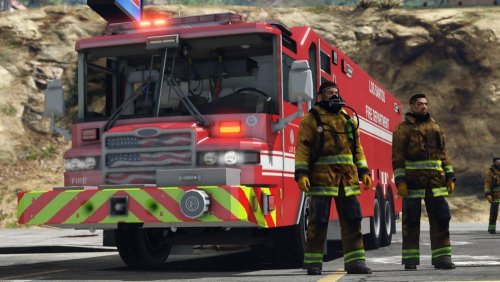 This is not messed up, probably a problem occured installing it. I see two options: You have another carcols overwriting the carcols ID I used for this truck OR you didn't load the resource properly.
 -
🤔
-
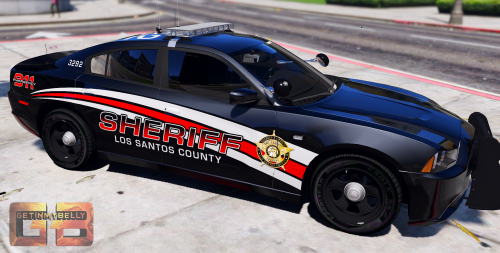
Hello! This is an update version of Trooper Goetz's conversion (with his permission to upload). This includes fixed metas, and most importantly a custom carcols setup. This now includes: - Fixed enviro lighting - Custom realistic light patterns - Optimized and fixed coronas (not showing through bumper anymore) Also, it's ready for use as a FiveM resource. I also do Custom Carcols for any car. Contact me @ w1lc0#0330 if you need help!
-
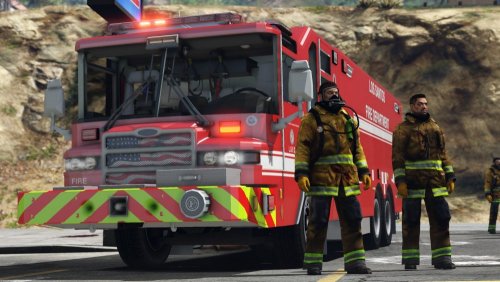 If anyone here needs, I created metas for this truck including a custom carcols pattern. I can upload a full working resource if owner allows. https://i.gyazo.com/e33c5842f9d374d8bab30b18acb2ad6a.mp4
- 41 comments
- 4 reviews
-
-
-
-
-
-
-
Hey guys, I noticed that the lights of most of my cars get ugly and just plain white when I get far from the car. I don't have this issue with BxBugs' cars but all others yes. Any clue ? Is it linked to the LOD distance set in the vehicles.meta ? Yes my PostFX and Shaders are at Ultra. They look super good from up close, but after maybe 50-60feet, they shade away and become white. Thanks, Wilco
-
Then remove ELS from the title, this is EVL. You clickbaited me ;)
-
Will try that, thanks ! Also, it only happens after LSPDFR crashes, it can run 1 hour no problem, but as soon as the plugin crashes, textures disappear.
-
Really ? Then why was it running perfectly before ? lol it's pretty weird but I'll reinstall and see what it does... I might have to upgrade GPU :( Wilco
-
Update, I just noticed it just does it after a plugin crashes (LSPDFR or any other)
-
i7 4770k, GTX760, Z77 Motherboard... Nothing happened, no problems, all other games run perfectly fine...
-
Pretty sure its low graphics memory even though it didnt do that before and my graphics are lowered
-
-
-
-
I think you can now press Ctrl+H and grab his body ! (Traffic Policer or Arrest Manager does this) RIP. lol
-
It would be nice to have this integrated in LSPDFR. +1
-
I do enjoy a lot of lights except for the ''neon-style'' ones below the doors. Wish there was more cars like the 2016 FPIU, and now imagine running ELS with that...
-
Nice videos ! Though I can't help but notice you have lights not working properly , maybe just configure your carvariations.meta and that will be fixed ! Australian police really operate those vehicles ? Fun to see something different than chargers and crown victorias ! See you around
-
Hey guys, I have a sudden problem... Out of no where, after 5 min of gameplay (or a crash), the textures disappear... Never in the last year of playing this game has this happened to me. My specs are way enough to run the game... I searched online, tried a few things people suggested, like verify game integrity, lower graphics, update drivers, remove Vsync, reduce detail distance, etc etc... NOTHING WORKS Anyone had something similar happen to them ? *EDIT* I did try without any mods and it still does it...