


Boozer
Members
-
Joined
-
Last visited
Everything posted by Boozer
-
im trying that now but I can't seem to get the vest on a short sleeved shirt like i had planned.
-
once you get LCPDFR it comes with a file named xlive and that is what disables GFWL and if you want to go back online just replace that with the dsound file and no problem
-
I do but I would prefer something permanent like my own custom ped for myself
-
I personally haven't had any bad experiences with GTA IV off Steam the only thing they ask for after installation is the CD key which you can find on steam and you can disable GFWL if you don't want it on.
-
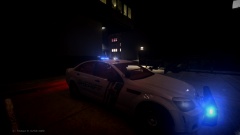
From the album: Amateur Photography GTA Style
-
So I have sheriff peds and police peds and have seen other peds with components I really like...and I want to fuse them in a sense ( Vest on with a short sleeved shirt or gloves or a watch) but I haven't a clue how to do so. If anyone has a tutorial or can lead me in the right direction it would be much appreciated.
-
-
Well I purchased my first MSI Product ever which was a GTX 770 2GB OC and I got it used for about 294 bucks. It's a really good product but as everyone else has said what are your specs?
-
I was looking for something like this thank you!
-
 How would I go about doing so? if you don't mind.
 -
You take request? and that looks awesome
-
No problem
-
I prefer steam....automatically updates it to 1.0.7.0 and stores all your games in your library so no need to go look for a disk just make sure you back up your files.
-
I agree with you though. There are a decent number of rigged "good looking" peds in the vanilla game already and I want to use those heads and add a few other misc parts like shoulder radios etc. and add them to pre-existing peds, even a hand watch to make it look less weird on short sleeved peds. I see your point that looks really out of place and that's basically what I want to do
-
For me its the opposite...I like the heads but there are some components that I would like to change like having short sleeves with a vest on or gloves...anyway hopefully someone helps as I was looking to do the same.
-
Why would buy a computer specifically for one game? It's your money but, I would think you should invest for the future and construct something that handles games beyond GTA 4
-
I hope its moddable too
-
I have LAPD cars installed but, I might just make the switch to LCPD , LCSO and LSPD just so it makes sense in game.
-
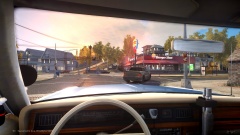 So simple yet so beautiful
 -
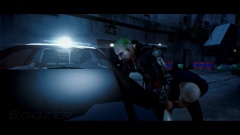
From the album: Amateur Photography GTA Style
Crazy what a few edits can do to a picture. -
-
LOL
-
I see it as future proofing...I did the same thing 2 Years ago buying 32 GB of RAM and the only upgrades I made recently are my video card and upping Windows 7 to 64 Bit.
-
You could probably spend a little less and get dual monitors going but, its just my opinion.
-
Not that I accept this as a black male but, its not a surprise...he's racist.


