


Boozer
Members
-
Joined
-
Last visited
Everything posted by Boozer
-
That looks more like Kate Upton than Lindsey Lohan at least to me.
-
 LOL
LOL -
Looks like Jessica Chobot
-
I got 32 GB of RAM and a lot of other things I probably didn't need back in 2012 but I prepared myself for the future...just purchased a refurbished 770 for 294 bucks works like a charm so you might be able to invest in 780 for less money
-
thank you!
-
I watched the show its so good and that girl is from the Original Power Rangers I can't think of her name though
-
-
-
That cab is sweet and I could use a new show to watch so might give it a try.
-
I want to talk to the LCDMV...whoever issued the Driver's Licenses to these officers were asleep on the job.
-
I'm being cheap and buying it refurbished
-
Ah I got it now so I was kinda right
-
I definitely understand and that's the thing I want this card to last long term plus going from a 630 to a 770 I don't even want to take the risk yet until I need to
-
I guess he didn't reference that forum post my mistake but I understand why it was cleaned up
-
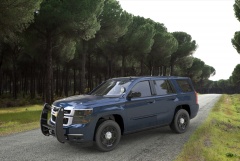 I really can't figure out if this is a video game or a picture or something
 -
Won't be doing that then...thank you
-
I probably should have googled this but can you overclock a Factory Overclocked Card?
-
-
I see I am not the only one upgrading my Video Card...I'm going from a GT 630 to a 770
-
I probably shouldn't say I have a i7 with a GT 630
-
I never looked in the right folder....thank you for this
-
Yeah I would need to get the Diagnostics Tool which I could never find on here.
-
Is there a link to this so I can find out how to do it?
-
How do you bring up the menu to toggle lethal force and all of that??
-
 or YES!


