


Nutt
Members
-
Joined
-
Last visited
Everything posted by Nutt
-
Make sure your vehicle.ide and handling.dat lines are correct before starting the game.
- 35 comments
- 9 reviews
-
I hope so... or SAM gets the ball rolling faster with his mod. Just saying Sam... :dry:
-
- Make sure your GTA 4 main directory and its subfolders are not set for read only. Also, some .wtd files are sensitive to change or just plain corrupt
-
Inputting these lines doesn't make ELS work on that installed vehicle. Ok, it doesn't work... oh well again! :sad:
-
What? How?
-
Oh well... :sad:
-
Installing Skins Download Spark IV Run Spark IV - Select GTA IV - Open the vehicle image within GTA 4. Browse and select the correct police .wtd file that you're going to edit. Replace one or more of the police vehicle skins (2048 x 2048 texture) by importing the downloaded .png skin for the correct vehicle and click save in the upper right corner. Lastly, rebuild and save image. You can associate most .dat files with a simple text editor/reader like notepad or something beefier like Word
-
I will quote myself... lol
-
-
LOL... I have no issue spawning them or getting them installed. My issue is getting ELS working on them... :sad:
-
... For all the great and beautiful police cars that are available and coming soon. That being said
-
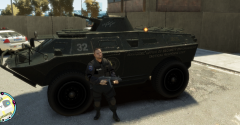 If I’m not mistaken, I believe Yakadafi/EVI revamped this model from TBoGT with a nice ELS setup... I have the file somewhere.
 -
Very nice… probably next time, you may want to find and use the CVPI template (Bxbug’s ) that has the Ford oval trunk emblem on it and space the words around it. Other than that - very nice work!
- 3 comments
- 4 reviews
-
-
-
Thanks Slimory... I don't mind criticism or trolling - that's just life. Actually in-game they look very decent for v1.0
- 27 comments
- 7 reviews
-
-

- 1
-
-
Yup! The best CVPI in my honest opinion... good job Nic! More Pics: http://photobucket.com/Nics_New_CVPI
- 35 comments
- 9 reviews
-
-
- 2
-
-
The game keeps crashing with the no-rambar version. The rambar version is sexy.... :devil:
- 35 comments
- 9 reviews
-
-
-
This mod is for those looking for an U.S. Border Protection officer as a standalone install. This character model is from TBoGT (m_y_cop), imported into my stock version of GTA 4 as a separate character (m_y_borderpat). This standalone mod is geared towards those who have police3, police4 and policeb installed - but need a specific Law Enforcement Officer driving them. In my case, police4 is my U.S. Border Protection enforcement. The uniform has been texturally cleaned up, given proper colors and the U.S. Border Protection markings needed. Being my first ped-mod... it's good enough for what's needed. lol How to Install: - Use Open IV to install or create image for the needed files within the Componentpeds.img and Pedprops.img - Next, add these lines (below) accordingly to their files within the common files folder. pedgrp.dat pedpersonality.dat pedVariations.dat peds.ide
- 27 comments
- 7 reviews
-
-
- 1
-
-
lol... Just one question though
-
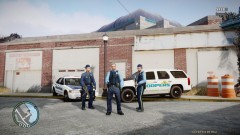 I believe Stevetrackboyz made them... the guy posting these wonderful shots.
 -
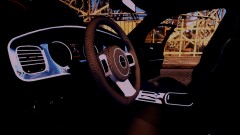 Finally a 2011-12 Charger with some awesome interior texturing... Good job EVI!
 -
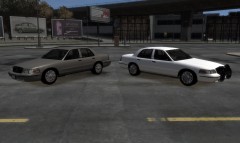 Finally! A CVPI with HG2 runners... good job!

