


Nutt
Members
-
Joined
-
Last visited
Everything posted by Nutt
-
Sounds like a illegal copy issue... If not, have you installed any new mods lately, especially ones requiring asi/.net protocols?
-
Thanks bud, I try my best on creating them and representing Michigan law enforcement as a whole. I may create some Georgia law enforcement skins in the future, since I previously lived in Norcross, GA for about 5 years and served with ATL PD during that time period. @Tiglet, I use the New York City mods as well...
-
1) It's a Camaro I acquired from James2012... a mod NickieB and I need to start working on soon. Once completed, LCPDFR board members will be able to download it. 2) It's a mixture of settings, files, and tweaks that I combined. Thanks!
-
The integrated screen is nice, hopefully there's an option to unlatch the LCD from its recessed location with a swivel arm-mount. Also, the solar powered panels on the FS-Valor is a nice "green" touch.
-
Thanks bud...
-
Thanks Comp... Another sneak peek at the multi-city livery pack. Hazel Park Police (97% completed). Hazel Park Police...
-
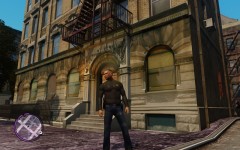 Sure. Great model for vice needs...
 -
Currently working on a multi-city livery package for some buddies... it will also be available for LCPDFR members once completed. Sneak peek...
-
Sheriff, we have a few tools here that do exactly that... it's just a matter of choosing the LEO ped you want during the LCPDFR selection or player spawn selection. So, if you want to do traffic enforcement, select the ped you want and use Abraxas Towing mod or Police Helper and Braveheart's Policing script. Or am I missing something from your comment? Braveheart's script: Abraxas script:
-
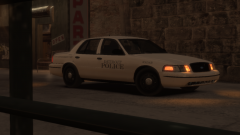 Looking devilish... lol Updated skin anyhow:
 -
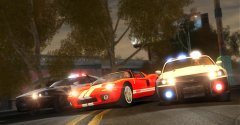 Yes I believe... over at gta4mods.
 -
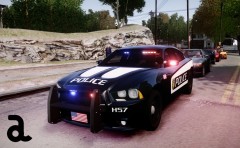 Looking good Cj...
 -
@NIK set the detail distance to 100 and the view distance to 1 within the game settings. Trust me, view distance is somewhat useless from what I been working on recently. I'm crafting a new ENB file...
- 61 comments
- 10 reviews
-
-
Redhat you'll get better as time goes on. Anyhow, you can use "Sheriff Police" on vehicles as they do exist ...not Sheriff State Police. But then again, livery designs can be whatever you want ...it's just up to the downloader preference (taste).
- 15 comments
- 7 reviews
-
-

- 1
-
-
The alternating flasher or wig-wag pattern as it called, is built into the modelers vehicle (so no, on your answer). However, some car modelers have choose not include this in some of their vehicle models.
-
-
Meh, still has a lot of car ass in tight cornering maneuvers... a whole lot less though compared to the CVPI boat'ish tendencies during high speed maneuvering.
-
-
Wayne County Airport Authority Police liveries available.
-
-
This livery pack contains six (6) Wayne County Airport Authority Police liveries in black and deep-blue color schemes. Outfitted for EVI's Ford Police Interceptor Utility & CVPI models... and one other CVPI livery fitting most other models. Enjoy!!! About WCAA: http://en.wikipedia.org/wiki/Wayne_County_Airport_Authority Vehicles used: * EVI's FPIU and CVPI package: * Bxbug's CVPI: http://gtapolicemods.com/downloads.php?do=file&id=459 * Bxbug's: http://gtapolicemods.com/downloads.php?do=file&id=460 * Bxbug's slicktop CVPI: http://gtapolicemods.com/downloads.php?do=file&id=7
- 10 comments
- 7 reviews
-
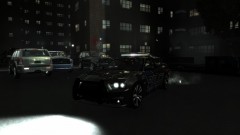 Legit enough for me anyhow...
 -
-
Why??? The models are just similar - probably from the original assets from Forza or NFS series. Conversions from these original assets aren't going to be all that different from crew to crew... maybe for a slight difference in texture quality and poly-mesh reductions on fitting a certain MB file size. No need to read more into it... Anyhow, Firefighter767 model looks similar to BPM, Voodoobie model, and seven other crews models. Not a big deal... the more the better. Tired of all the CVPI anyhow.

