Fonespiders
Members
-
Joined
-
Last visited
Everything posted by Fonespiders
-
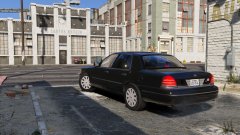 Love how clean and simple it is!
 -
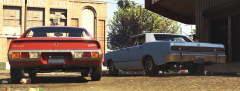 Love your lore cars!
 -
.gif.67f97e2d727f2a0d8f97497ee135a44c.gif) Love it!
Love it! -
-
You have to remove script hook from the folder till you have a update the asi file.
-
@Batrob77 ok I installed the car (love it by the way) everything worked right off the bat, so my solution is to install albos MODDING folder for addons and replacements it makes it easier to replace cars and with some coaching editing the meta files are easy too I could message you some steps but albo'S thing is pretty through.
-
I'll try installing it tomorrow after I get home and see what's up.
-
Who's the author so I can see the install location, how old it is, and yeah I could tell since your in this article lol and stuff.
-
Which car is it your installing? Btw that would help too.
-
Are they ELS or not? If not then I'd look at the car col, if they are ELS did it come with ELS setting for that car usually named after the car your installing.
-
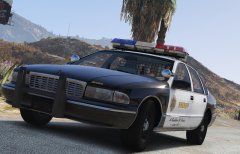 Yass!!!
 -
yeah I figured it gets confusing after doing it for a while all well.
-
That's a good pack but I want something like that but ELS enabled vehicles
-
thank you!
-
I don't want to sound lazy but I spoiled myself after I stumbled upon the OIV packs before els was released with all the "els" style lights, I've used the search feature but I'm not getting anything back from it really just want to know if I'm missing any packs out there.
-
-
-
-
 You could run "security" if you want to swing it that way honestly, but still it's lspdfr.com for a reason.
 -
 @Mike P818 I learned how to add cars and stuff by opening up the main files for the cars, car variation, vehicle.meta, and looking at how they work just a idea for you too try.
- 779 comments
- 187 reviews
-
Tried that still vanilla only and the addon cars like Lundy's 96 crown victory returns a "invalid model", besides why do I need them in the most recent patch day when they worked before in other patch days? Like I had some in mpchristmas and patch 10 with no problems, I'll try again but still don't understand completely. Just when I thought I had this figured out too.
-
When I updated my game to the newest version the game now only spawns vanilla cars, I thought it might be Openiv having a problem but when I put the mod car files in the original files they still spawn vanilla, I've tried different patch days, deleting mod folder and coping new update back in and replacing with car mods, everything except a clean slate which I don't see why that would make a difference when I take the mod fold out and replace the original models with what ever mod I choose it still spawns vanilla and any car that's a addon returns a "invalid model" error when I use a trainer even the new vehicles they added for the update also return invalid model. any help is great idk what else todo really.
-
Same here, placed them in the latest folder which was patchday10 before the updates for they worked fine and the mpbiker, patch day11 and 12 don't contain any updated police cars just new ones even my addon cars are returning a invalid model when I try to spawn with simple trainer. Haven't tried replacing them in the original files yet, lost power due to hurricane but that was my next step In trouble shooting.
-
 Same here, I did what I usually do when a update occurs but this time no cars in the "mod" seem to be working in thinking its a Openiv thing and something needs to be update in there end cause I've tried everything except replacing the originals files cause I try to have that be the last thing I do but I lost power due to a hurricane and haven't had the chance to test that theory.
- 445 comments
- 108 reviews
-
 Love it!
.gif.67f97e2d727f2a0d8f97497ee135a44c.gif)