


Kenobi91
Members
-
Joined
-
Last visited
Everything posted by Kenobi91
-
Open Skin Control menu,pick the "Freemode male" skin. It will be a bald guy. Edit character appearance as you see fit using Skin Control features. Close Skin Control Menu and open EUP. Gear your character as you see fit. Open Skin Control again and SAVE your edited character so when you load your game you just have to load your saved character. You can then use the "ForceDuty" command. This is what I did and what I do and I have no problems with Skin Control and EUP.
-
Do you know a guide for such thing? I don't know how to add a vehicle to a police slot. EDIT: What if I simply replace the police bike model with another bike? Will it have siren?
-
I will :)! Thanks :)
-
Do you have Skin Control? Without it you can't edit a custom character! It's written on the Mod's page!
-
I think you should customize a character or load it first and THEN you use the ForceDuty Command.
-
Thanks for answering! What about adding a siren? Can that be added to a bike and can be a bike added to a police slot? I am not skilled in modding so I don't know how to put my ideas into practise xD! The sign is not that important to me so basically I was suggesting the vehicle :) !
-
Hi! I have opened a similar topic in "Modding Discussion & Information". Now I am opening this to suggest pro vehicle modders an idea. At least in Italy (and of course in other countries), there are some units that use unmarked bikes to stop crimes (like burglaries, in small alleys to reach places that police cars can't) and pursuit criminals. It would be so nice to see an agile unmarked bike in GTA V for an undercover officer gameplay. What do you think? Is it possible? I hope so :) ! I attach some images:
-
Thanks for the answer! I'll try this (but first I have to learn how to edit in paint xD) or ask a fellow modder! Thank you again :)
-
 Not just few cars,they tend to pile up in the yellow area. Anyway,thanks for the anwer! I'll try that feature more and I'll keep you updated :)
- 338 comments
- 46 reviews
-
Hi all! I was wondering if there are some kind of unmarked police bike. Of course they are part of many police departments in many countries but I can't find one of these models for GTA V. Anyone has found something? Or perhaps some skilled modder can actually make one :)
-
Thank you! :)
-
Amazing update! New in-game menu is fantastic! Great job,as always :) EDIT: Just a question: when I use the menu to stop all traffic (except emergency units),other cars still enter in the yellow area (reaching often the middle) and then they stop due to the stop-command given by your mod. Is it a bug or not? Thank you :)
- 338 comments
- 46 reviews
-
.thumb.jpg.839c9476ae8ad03d6c703fab6ea3df7e.jpg) Hi! Your work seems amazing! Unfortunately I can't make it work. I have installed many vehicle mod and it's the first time I have this issue. I have installed (replaced sheriff2 in "patchday3ng " and added the car variation file as told in instructions) and it works. When I paste your files over the sheriff2 ones (in "patchday3ng" OR in "patchday8rng) I get weird texture vehicles... Like all gray or something similar. Do you know how can I fix this issue? I have followed your instructions in the readme files but I can't make it work :S
Hi! Your work seems amazing! Unfortunately I can't make it work. I have installed many vehicle mod and it's the first time I have this issue. I have installed (replaced sheriff2 in "patchday3ng " and added the car variation file as told in instructions) and it works. When I paste your files over the sheriff2 ones (in "patchday3ng" OR in "patchday8rng) I get weird texture vehicles... Like all gray or something similar. Do you know how can I fix this issue? I have followed your instructions in the readme files but I can't make it work :S- 12 comments
- 1 review
-
 What? No more rampaging drivers? No more officers and suspects thrown away by a scared driver? No more suspence destroyed by drivers' panic? Than we can just love your mod! Amazing! :)
- 268 comments
- 44 reviews
-
-

- 1
-
-
-
 This callout pack is really a must have! A greate range of callouts and situations that totally improve LSPDFR experience. The last update is amazing and confirmed author's skills in moding. Keep up the good work and keep updating this fantastic mod :) !
- 422 comments
- 73 reviews
-
-
- 1
-
-
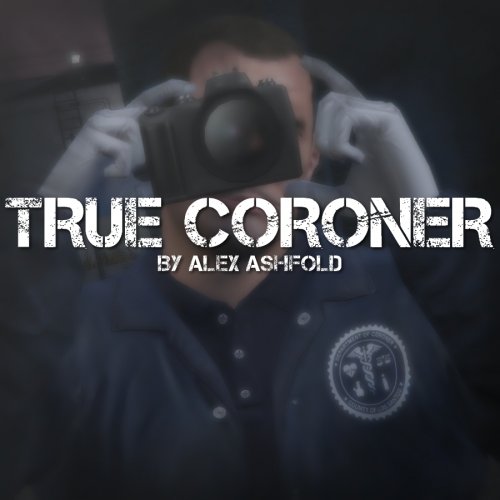 Detalis can only be loved and appreciated! Those new coroners look so damn fine! Great job :)
- 23 comments
- 18 reviews
-
-
 Lovely tool! It keeps tracks of any useful information and you can adjust those infos as you like! Great job :) !
- 200 comments
- 22 reviews
-
-
- 1
-
-
 Lovely callouts! They add some spicy content to the game! Good job,really! :)
- 174 comments
- 46 reviews
-
-
- 1
-
-
 Unfortunately I didn't sign up in time for the beta. It looks so promising :) ! Hope you release it soon! Good luck :)
- 130 comments
- 28 reviews
-
-
- 1
-
-
Thank you :) ! Matter of fact is that after I put on some armor,the character walks normally again!
-
 Hey! Your mod looks great but unfortunately I can't use it properly! I use the RPH console to load the mod but as for other users,console blocks the mod! I get the snow from the sky and a different light (really cool) but I don't have snow on the ground and on cars. My Frame Scaling is already disabled so I don't know what to do... Any ideas? RagePluginHook.log
- 85 comments
- 33 reviews
-
Hi! Sorry for the stupid question that I am going to ask you but you are the only one I can ask to. I have played with Skin Control and your mod and nothing went wrong. Unfortunately I have installed a mod that messed some files in my GTA5/mods folder so I had to delete that folder and install again some stuff like cars and your mod. I went into the game and loaded a character with the Skin Control menu but now any character loaded walks,runs and stands idle silly. He looks like...drunk or like Trevor when wakes up in underwear totally smashed up during story mode. Can you help me with that? I hope so! Thanks for your help,really!
-
 I don't know where to start! This mod is clearly a must have in your LSPDFR experience! Callouts are amazing and could lead to multiple endings. New features are very nice and really improve the "wilderness" gameplay. Really? Air ambulance?Hunting license? An aircraft crashing near Sandy Shores?Simply AMAZING! Great job,really :) !
- 302 comments
- 66 reviews
-
-
- 1
-

.thumb.jpg.839c9476ae8ad03d6c703fab6ea3df7e.jpg)



