



mtloya
Members
-
Joined
-
Last visited
Everything posted by mtloya
-
 @dbock1989 This might be a stupid question, but how do I get an additional livery to work with the pobison2? I've created my own skin using your template, imported it to the .ytd, and renamed both the sheriff (original) texture and my new texture to "bison_skin_1" and "2", but only the sheriff skin is appearing in game, and according to my trainer, the other skin apparently doesn't exist. I added "flag_has_livery" in the vehicles.meta file as well. I'm pretty stuck.. Any suggestions?
- 371 comments
- 38 reviews
-
@Desmond98 Thank you very much good sir.
-
 Not only does it add to the realism of the entire LSPDFR experience, but it adds convenient shortcuts to the many additional mods that one might have installed. This mod is an absolute must-have!
- 1,196 comments
- 127 reviews
-
Anyone know of anyway to change the controller binds to the left or right triggers on a controller? I don't see either as an available choice in the .ini... Also, I don't believe the Right Thumb bind is working correctly. I tried it, but got nothing.
- 1,196 comments
- 127 reviews
-
Hi all, This might be a long shot, but I'm looking specifically for the Canis Mesa carvariations & vehicle metadata, because I'm trying to install Deputy P's version of it as a separate additional vehicle via Albo's DLC modding pack. Only problem is, I don't have any of the metadata to work with, and I know the original vehicle metadata is in an encrypted file that we can't really access.. Is there anything out there that would work as a fair substitute? Perhaps anything related to a jeep? I'm open to suggestions, just right now I can't think of my next move. Thanks in advance! -M.L.
-
 @Albo1125 thank you for the mod! Works like a charm! The only issue I'm having is trying to figure out how to bring in custom siren settings in a carcols file. Any suggestions? I placed a carcols file with the new siren settings in the correct directory relative to the other dlc packs, but no luck in-game. Siren sounds, but the lights don't work as they should.
- 267 comments
- 36 reviews
-
Hi all, First and foremost, if this is a dupe topic, I apologize, I wasn't able to find anything similar to the situation I have with both the site's search nor google. Now that that is out of the way, here's my dilemma/question: I am currently trying to add an additional vehicle to my game, specifically cp702's "Emergency Utility Truck". I have everything up to date: RPH, SHV, the game (retail version), OpenIV, etc. I followed cp702's readme directions to a T, until the section where I needed to edit the "update/x64/dlcpacks/mpheists/dlc.rpf/common/data/carvariations.meta" file. Instead of doing this, I updated the carvariations.meta file in the mpgunrunning directory thinking that the most recent the file, the better.. After doing this and attempting to start the game via RPH normally, I was greeted with the launcher window trying to install an update, 3.something gigs worth of data. Is the game trying to update because I altered one of the most recent files? I did not proceed with the 'update' since I just now have everything working how I want (apart from this vehicle addition)... Should I revert my changes to the carvar file in the gunrunning directory and attempt to do it in the heists as directed? I'm just curious as to why the game suddenly decided it needed to update after I messed with these files. I imagine my theory is correct, but if anyone knows, please indulge me. Edit: Upon searching through the directly with OpenIV, the mpgunrunning directly is empty. This being said, I assume the game wasn't happy that I edited the carvar file and decided it needed to download that entire directly again. So that brings up a new question: Will I be able to install this vehicle at all, as long as I do it the "correct" way as per the instructions? Any idea as to why it must be a specific update dlcpack to make changes to? Edit 2: I allowed the game to "update" so I could get access to the directory again. I tried to install the vehicle again following the instructions correctly, and once again, the launcher came up redownloading the directory that I changed. How do I properly add additional vehicles without the game redownloading the directory? This is honestly annoying because every change that I make, the game just redownloads and overwrites. It's also eating up my bandwidth constantly redownloading all of the game content. Any help to permanently install an additional vehicle would be appreciated. Edit 3: I am going to attempt to install Albo's Modding DLC Pack to see if it will make a difference, or if the game will consider that to be altering it's files and it'll just redownload some files to clear out my changes. I will post the results following the experiment. Edit 4: Albo's Modding DLC Pack did the trick. Since then I've added and successfully spawned in quite a few vehicles. I highly recommend using this method to install your vehicle mods. Thanks, mtloya
-
Been checking on here and the GTA forums (as well as Alex Blade's site) every day now... The lack of progress or any new news really makes me anxious... I unfortunately updated my game and RPH, which reformatted my game backup, and then when I tried to revert to the backup, it wasn't supported by the version of RPH, so I deleted the backup. So now I'm kinda hosed because I'm not too familiar with the rollback process and I'd hate to have to reinstall it all. I'm hoping a SHV update is released seeing that it's not directly related to OpenIV.. But anyway, at this point, I'm still angry about the whole ordeal since it feels like a stab in the back, but at the same time I'm beginning to accept that perhaps this is a new era of GTA V (or GTA in general) modding. Still hoping for the best... Until the next bit of news, Take care all.
-
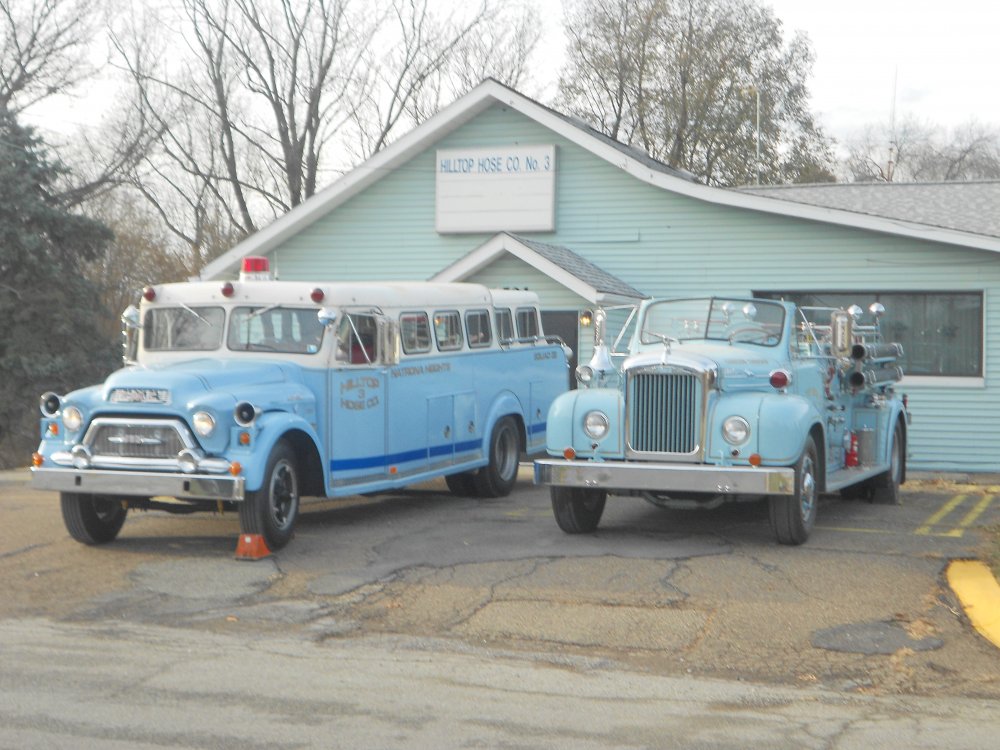
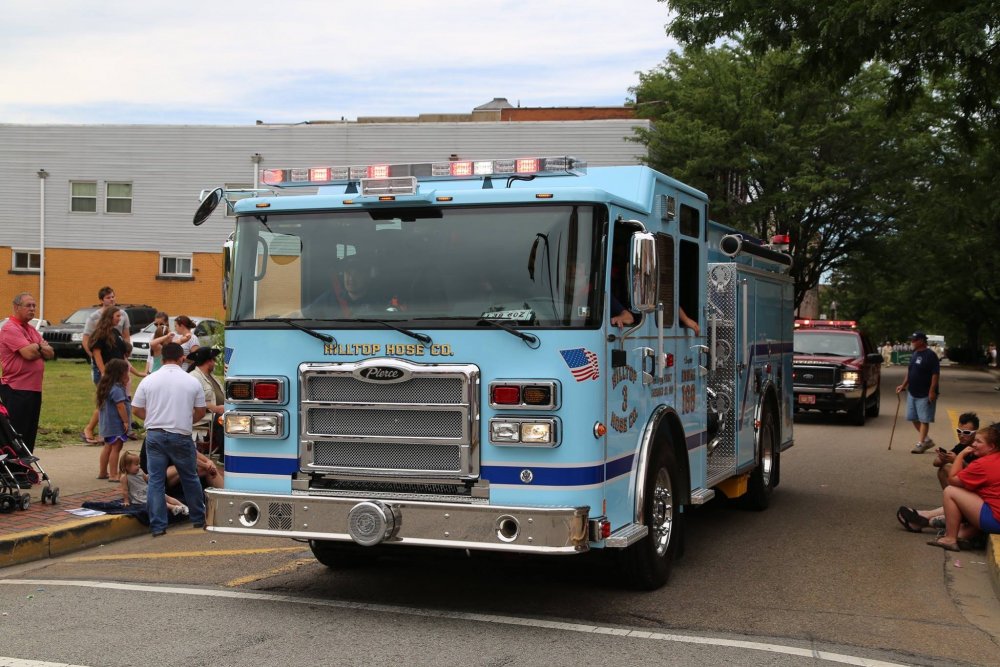
The game case claims that you will need at least a quad-core processor with at least 2.4GHz speed. However, I ALSO HIGHLY suggest upgrading your video card if you do not already have a decent one. Also, the game requires 8GB of RAM. I tried playing with just 4, and it froze and ran like garbage, of course. ANYWHO, I'd love to see my company's rigs in-game, but I know that'll never happen: YES, THEY'RE BLUE!! 2009 American LaFrance Eagle 100' Aerial Tower. (Now this is a REAL truck! ) 1976 American LaFrance Century Series Engine (Pumper) 2001 HME/Hackney Special Services / Ladder Tender Unit 1959 GMC/Gerstenslager Squad Vehicle, 1954 ? Mack B-75 Pumper And our new engine replacing the ALF, a 2016 Pierce Enforcer Pumper.
-
-
Hey, thanks for the reply. The newest files/mods that I added right before these crashes started were the custom additional car and the simple native trainer to spawn it. I will try to remove those from my directory and the models and I will get back to you. I'll also remove that oldsession.fr Also, I didn't necessarily upgrade my ELS, but I recently reinstalled the game onto my machine because I upgraded to Windows 10 from Windows 7 (Probably not the smartest move but eh..) and I wanted to make sure it would all work, so in doing so I just installed the latest version of ELS, but I will also try to downgrade to an earlier version. I'll keep ya updated EDIT: Okay, so I removed the trainer and the vehicle model, carcol, handling, and other data from the files, and so far so good. I did experience an LCPDFR crash, but it's completely unrelated and honestly the first time the mod itself has ever crashed on me. I'll continue playing and tweaking my settings to see if there is anything else causing my crashing. But, as of now, it appears it was the trainer or the added vehicle. Second Edit: I was able to play for about half an hour then crashed again, same error code as before. I'm not sure what it is this time, though. If I had to guess, it would probably be ELS, so I'll continue tweaking settings, turning off AI capabilities and such... To be continued... Third Edit: Again was able to play for about half an hour, another crash, same code. I don't believe this was an ELS crash. This is extremely frustrating.
-
Hi all. I've been having issues that just seem to have started today. I am not able to play for more than 8 minutes without crashing, every single time with a C0000005 error. I don't believe it is ELS-related, because it never happens when I'm spawning models with the SNT, or when I'm actually using ELS. I also tried disabling AI ELS, with no prevail. I am running Windows 10 64-bit, and GTA IV 1.0.7.0 is running in compatibility mode as administrator. The game runs smooth on my machine, but the technical details include: i3-2120 processor, 4 gigs of RAM, and a 1GB AMD Radeon HD 7700. I have the following mods installed: LCPD:FR 1.1, ELS 8.5 (along with 8 ELS-enabled models), Policing 2.6.2 (I believe), TowService 2.0, Coroner 1.0, Police Helper 1.2.1, and Traffic Flow V1. (And of course the Simple Native Trainer) I also have 1 additional custom car model installed, and it is not high-poly. Yes, it is loaded into my game and I have it saved at the Bohan safehouse. This however does not effect anything as when the game takes me to where LCPDFR saved last, I am nowhere near the safehouse. With the Diagnostic Tool, none of my dependencies are invalid, missing or outdated. I will post the log file. You will want to pay attention to the final 8 entries, as all others are earlier gameplay and aren't involved with this issue necessarily. I'm not sure what all I can do, and I'd prefer not to start from scratch.. Any help would be appreciated. ----------- EDIT, ADDITIONAL INFORMATION: I read that AdvancedHookInIt is optional, so I attempted to remove it. Didn't change a thing, still got the same error, only this time the fault module was AdvancedHook.dll, instead of GTAIV.exe. In the AdvancedHook log, it just gave me the same error that it has been during this entire time, except for it being the .dll instead of the .exe. Further, I changed my draw and detail distances to 18 when they were mid-40s. No change there either. My GPU has been able to play on high settings, so this wouldn't be an issue. (I currently have all my settings for the game set to medium just to make it smoother.) Please note that the log files posted do not mirror these changes. ----------- Thanks Diagnostics_26.8.2016_23_54_25.log AdvancedHook.log AdvancedHookInit.log LCPDFR.log ScriptHook.log ScriptHookDotNet.log vdh_Errors.log
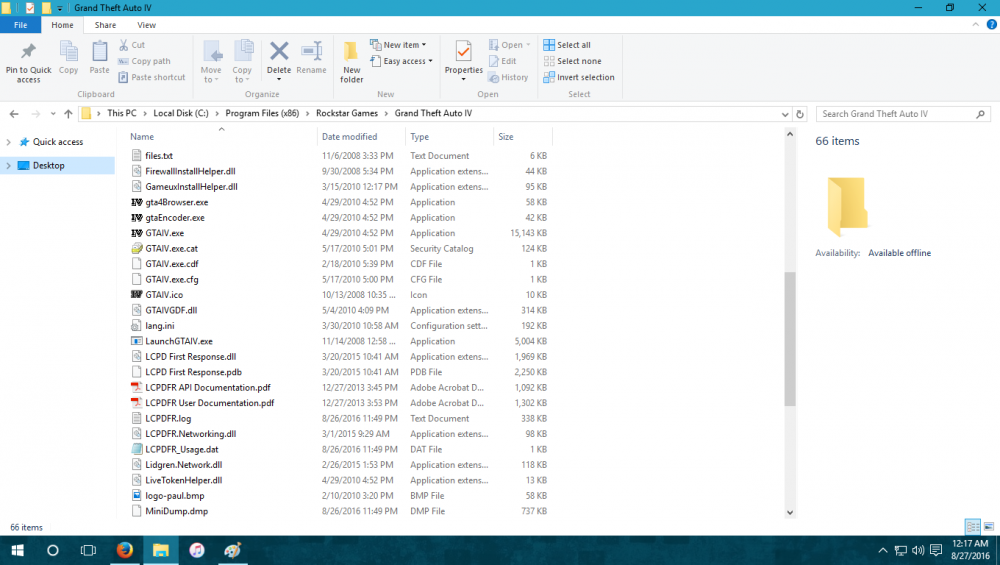
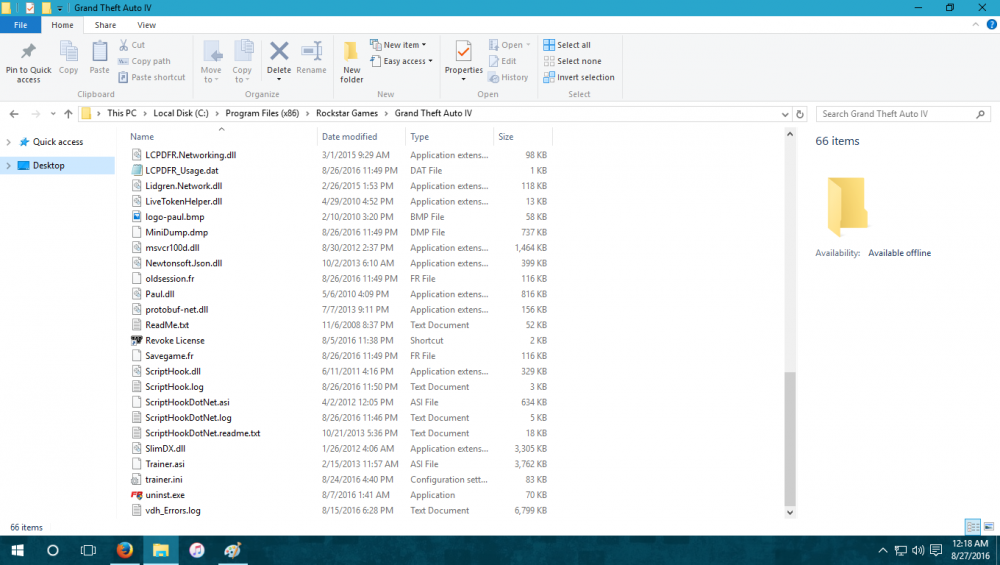
-
Video down. Any chance you could reupload?
-
Problem solved, just having a few bugs now.
-
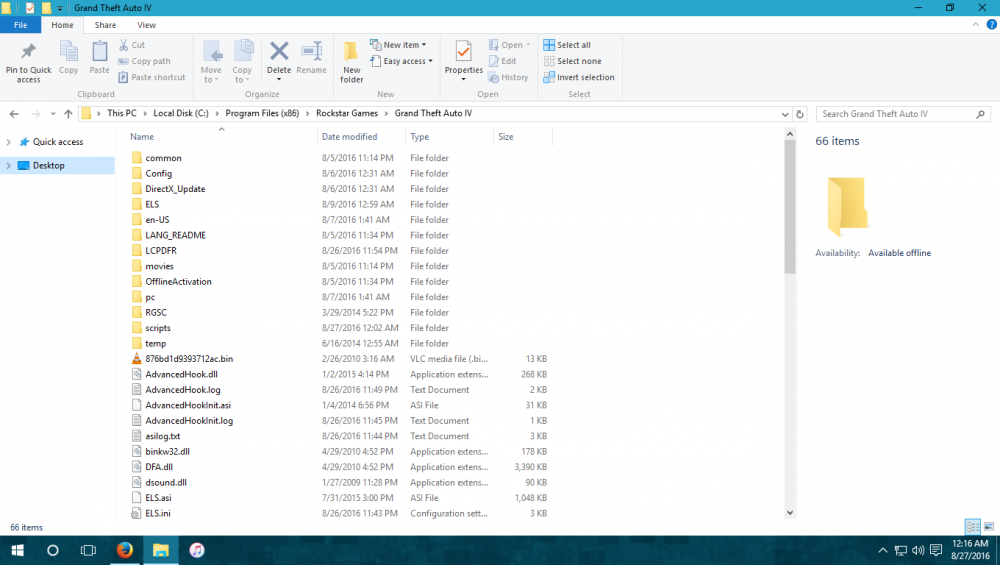
Hi all, I'm having a bit of trouble running some mods including LCPDFR. First off, I'm running Windows 10, and specs aren't an issue as the game runs perfectly fine (and has before with the mods, but on Win7. I recently upgraded the OS.) I have the retail/CD version of the game. I have the following mods installed: LCPDFR, ELS, PolicingMod, Skorpro Brake Lights Mod, Police Helper, Medical Examiner, and Tow Service. Currently, everything BUT LCPDFR seem to be working. (I mean, there are a few bugs but I'm dealing with them as I go.) I've checked the logs, and I will post them below: AdvancedHook: AdvancedHookInit: LCPDFR: ScriptHook: ScriptHookDotNet: Please note, I deleted the Indicator script files shown above because I attempted to change the keybinds for them and it didn't work, so I didn't feel like it was completely necessary at this time. And finally, I ran the LCPDFR Diagnostics Tool and it told me that I had a problem in the log, which is shown above. (I didn't want to copy the diag. log because it's pretty much redundant. The only thing that I raised an eyebrow at is my .NET framework version apparently being below 4.5.1.) I'm not entirely sure what to do. If it helps find a solution, I should mention that for whatever reason, my GFWL does NOT connect my account to the internet, despite the game needing it and me obviously having the capability and being connected via ethernet. Could it be that the entire game is blocked via my firewall or similar? Anyone have any information to shed some light? Thanks all in advance. Here's my game directory:
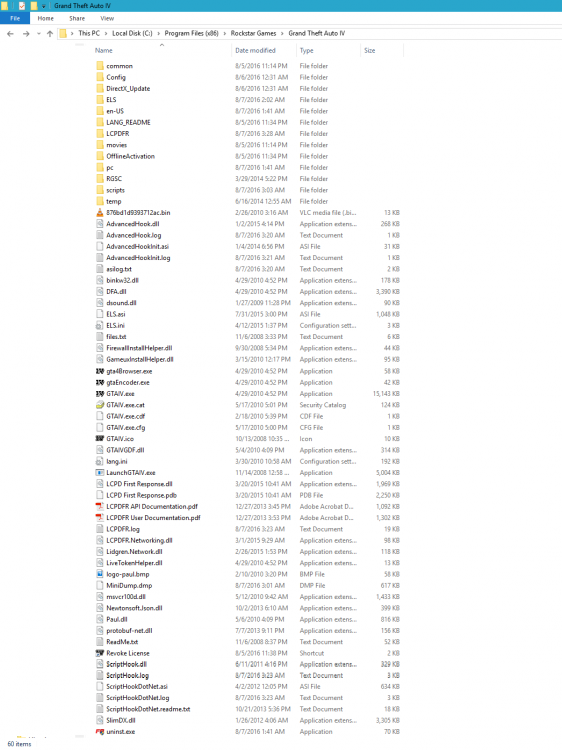
-
Alright. So I removed the TowService and Traffic Flow scripts, but kept ELS and the Police Station mods (only because I was lazy) and the game seemed to work okay for a little while.. However, I almost immediately got the Taxi bug and I crashed due to what I assume is another memory bug. Here's the last bit recorded from the ScriptHookDotNet log: 2014-04-20 13:39:28 - Error during NetHook.Tick: System.AccessViolationException: Attempted to read or write protected memory. This is often an indication that other memory is corrupt. at Scripting.NativeContext2.Invoke(SByte* name, NativeContext2* cxt) at GTA.Native.Function.BaseCall(String Name, Parameter[] Arguments) at GTA.Native.Function.Call(String Name, Parameter[] Arguments) at GTA.Native.Template.Invoke() at GTA.ScriptDomain.RemoteEvent(RemoteEventArgs ev) at GTA.ScriptDomain.ProcessRemoteEvents() at GTA.ScriptDomain.Tick() at GTA.NetHook.Tick() 2014-04-20 13:46:35 - Error during NetHook.Tick: System.AccessViolationException: Attempted to read or write protected memory. This is often an indication that other memory is corrupt. at Scripting.NativeContext2.Invoke(SByte* name, NativeContext2* cxt) at GTA.Native.Function.BaseCall(String Name, Parameter[] Arguments) at GTA.Native.Function.Call(String Name, Parameter[] Arguments) at GTA.Native.Template.Invoke() at GTA.ScriptDomain.RemoteEvent(RemoteEventArgs ev) at GTA.ScriptDomain.ProcessRemoteEvents() at GTA.ScriptDomain.Tick() at GTA.NetHook.Tick() I feel that at 13:39 was the first time I realized that every vehicle was a taxi, and I am aware that that is a sign for a lack of memory available...
-
Hello all, I just installed 1.0 yesterday after completing the storyline, and I've run into a few bugs and (many) crashes since. I ran into the .loader error as well, but managed to resolve that myself. Anyways, today, I've been troubleshooting and just trying to get some time into the mod to see how things work, but the game crashes anywhere from 5-15 minutes after starting the mod. I have checked all the log files, and I've found numerous things that I'm not too confident are "good". Two of these things, which are both located in the main LCPDFR.log file, include a "Critical error during mainloop". Both instances seem to be different, as well. Other errors are located in the ScriptHook.log, ScriptHookDotNet.log, and AdvancedHook.log files. I will include all of the log files, however. Also, upon using the diagnostic tool included, no problems have been found with the installation. I have a few mods installed currently, those being ELS 7 R-130506, vDH TowService 2.0, vHD Police Station - Broker 1.0 and Traffic Flow V5R2. I also have 8 modded vehicles installed, 7 of which are pro-ELS. Other info: Running Win7 64-Bit, 4GB RAM, however, RAM doesn't seem to be that much of an issue because I don't have any lag at all with the settings that the game currently runs at. GTA IV 1.0.7.0. Retail version, no crack or anything. (I can't think of any other info needed). I'd like to thank anyone who is able to help in advance because I've played the PS3 version of the game and known about the mod, and since I installed the PC version, I couldn't wait to installl it. Update: I was able to play for about half an hour, and I crashed this time during a drunk driver pursuit. I attempted to order the driver out of the car with "e", when it crashed. In the main log, this was the last thing recorded prior to: "[ERROR - 10:23:25 PM] [CPedExtension] GetPedFromPool: Invalid handle: -6019158" And in the ScriptHookDotNet log, this was the final thing recorded: "2014-04-19 22:23:25 - Error during NetHook.Tick: System.AccessViolationException: Attempted to read or write protected memory. This is often an indication that other memory is corrupt. at unmanaged.NativeContext3.Invoke(Int32 nameptr, Byte[] args, Int32 argnum, NativeContext3* cxt) at GTA.ScriptDomain.RemoteEvent(RemoteEventArgs ev) at GTA.ScriptDomain.ProcessRemoteEvents() at GTA.ScriptDomain.Tick() at GTA.NetHook.Tick()" The included files were not updated to include this, but if anyone needs them to be, I will gladly upload the most recent versions.




