



Jethro McCain
Members
-
Joined
-
Last visited
Everything posted by Jethro McCain
-
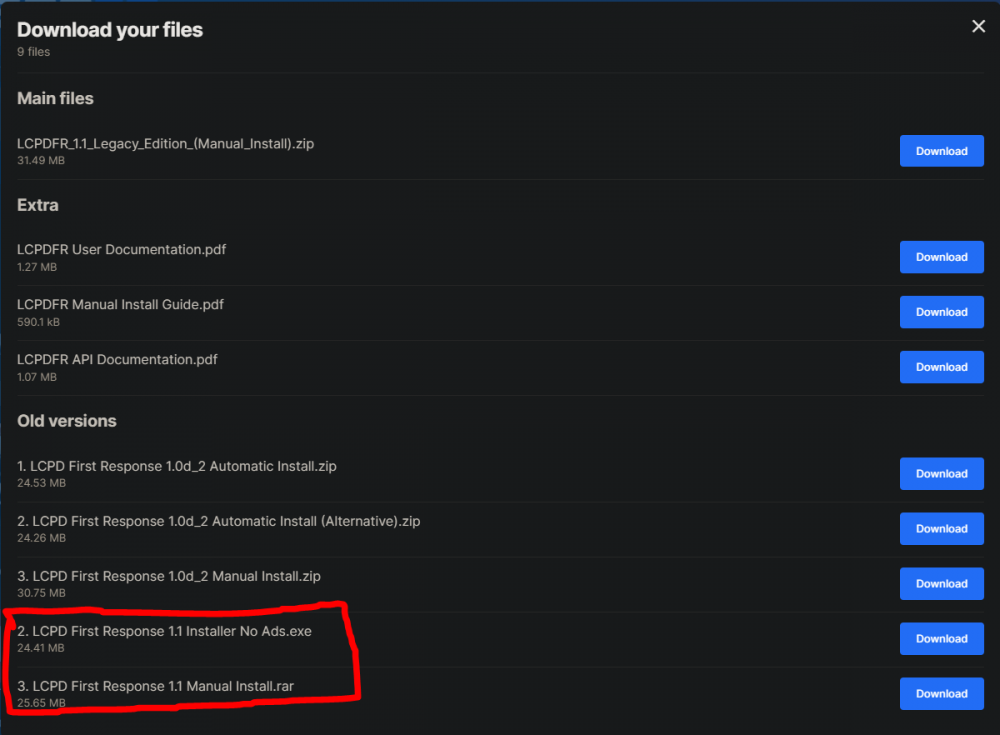
Hey Tom, Lade bitte einmal die normal 1.1 version von LCPDFr herunter und installiere diese. Zuvor aber die Legacy Version deinstallieren.
-
Have you installed these? Visual C++ Redistributable for Visual Studio 2012 Update 4 - Microsoft .NET Framework 4.5 I sadly don't know why you have this problem. It's weird since you play on a fresh install of GTA V without any mods besides LSPDFR.
-
If you start GTA V with Rage without LSPDFR and then load LSPDFR ingame, does it crash as well? Did you install LSPDFR using the setup.exe?
-
Kein Problem, immer gerne 🙂
-
Hey FxDx, Take a look at this topic, maybe it will solve your problem : https://www.lcpdfr.com/forums/topic/111605-err_gen_mapstore_2-help/ Also, could you attach your RagePlugnHook.log located in your main GTA V directory?
-
Hey bluebluesky1234, Can you tell a little more about the circumstances surrounding the problem? (For example, Is the location the same or different) Also, do you have any map mods installed like for example MLO's? The Callout Plugin "CountyCalls" shows an error while loading the CountyCalls.ini.
-
The RagePluginHook.log(located in C:\Program Files (x86)\Steam\steamapps\common\Grand Theft Auto V\RagePluginHook.log) is always created. You said, that your game only crashes when requesting a Callout. But the log you posted shows that GTA V was started but not fully loaded (Which usually means you quit GTA V while it was loading) It can happen that the crash-log from Rage will not be created (Located in C:\Program Files (x86)\Steam\steamapps\common\Grand Theft Auto V\Logs) So, just start GTA V, play to the point it crashes and attach again your log.
-
Bitte überprüfe die Einstellung unter Menyoo - Player Option - Ignored by everyone. Diese Option sollte "aus" sein.
-
Hey QuinnStone, Do you play LCPDFR(GTA IV) or LSPDFR (GTA V) (Since you posted in the LCPDFR / GTA IV(4) support section) And do you have a controller connected? (The L with a circle stands for Left Stick on the controller = "Horn" button in-game)
-
The Log you applied doesn't have a lot of information. Could you attach a Log file right after your problem/crash has happened?
-
Benutzt du einen Trainer? z.B. Simple Trainer ( https://de.gta5-mods.com/scripts/simple-trainer-for-gtav )
-
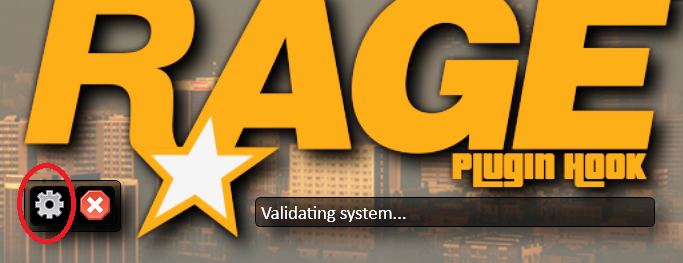
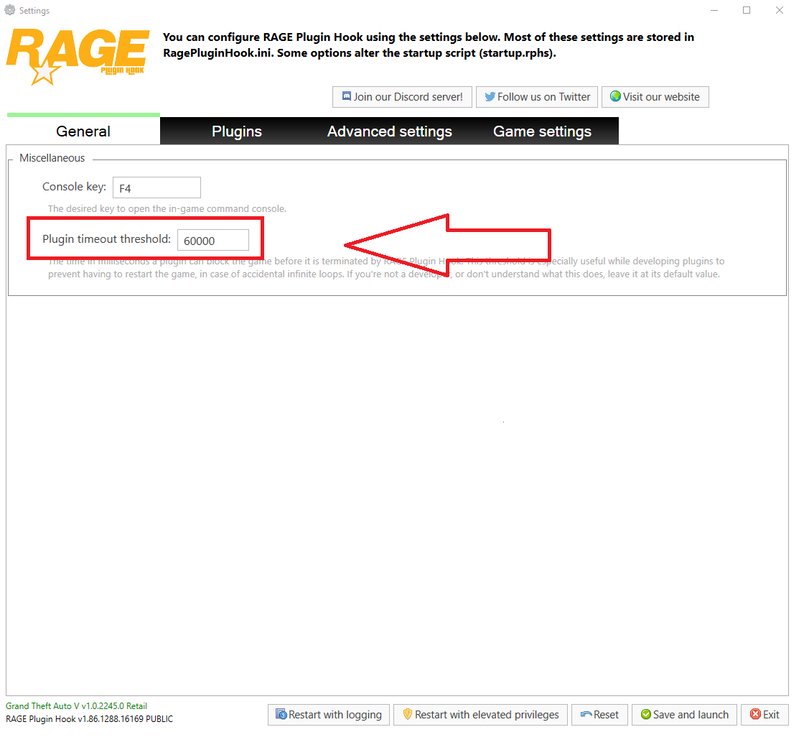
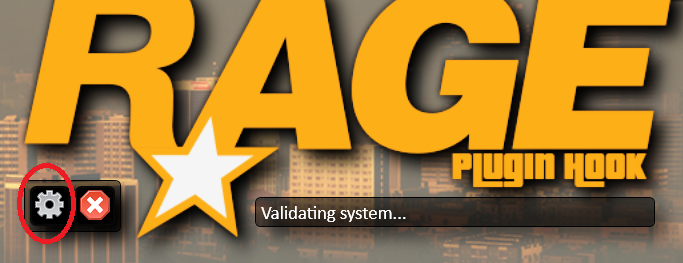
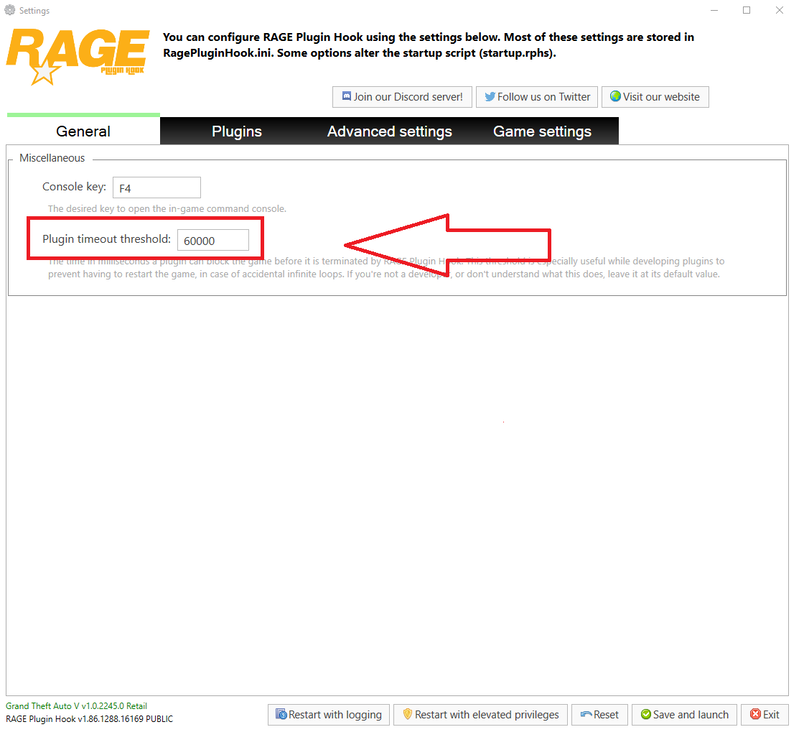
Dein Plugin Timeout Threshold ist auf 10000 gesetzt. Am besten setzt du diesen auf 60000. (Im "Spoiler" habe ich Bilder eingefügt die zeigen, wie das geht)
-
Hey Officer Jane T. Could you attach your RagePlugnHook.log located in your main GTA V directory?
-
Hey Mrs Brown, Could you attach your RagePlugnHook.log located in your main GTA V directory?
-
If you open "OpenIV" and activate the edit mode, it will tell you if you need to update your update.rpf. If you made any changes in your C:\Steam\steamapps\common\Grand Theft Auto V\\mods\update\update.rpf they will be overwritten (So you would need to redo all changes you made in the update.rpf file) No other file will be affected by the update.
-
Dieses Log hilft nicht gross weiter, daher müssen wir ein neues erstellen. Aber ich habe gesehen, dass dein Plugin Timeout Threshold auf 10000 ist. Am besten setzt du diesen auf 60000. (Im "Spoiler" habe ich Bilder eingefügt die zeigen, wie das geht) Könntest du das Spiel starten und normal in den Dienst gehen, danach 2-3 Minuten spielen (Keine Einsätze annehmen, am besten einfach nichts tun) und dann nach 2-3 Minuten über Ultimate Backup einen Streifenwagen rufen und wenn dieser bei dir ankommt das Spiel beenden. Danach die neue RagePluginHook.log Datei hier einfügen (Du kannst die ganze Datei einfach hier in den Beitrag ziehen) (Die Log-Datei wird automatisch erstellet bei jedem Start mit RagePluginHook)
-
Du solltest im Ordner wo sich die GTAV.exe befindet, eine Datei haben die sich RagePluginHook.log nennt (Sieht aus wie eine Textdatei).
-
No, at least I didn't found a way Traffic Policer still works fine for me, but yes it will interfere with STP (You would need to disable some features) Didn't even know this existed, that's exactly the part you would need (I will change to this plugins as well thanks!)
-
I'm pretty sure the cars are the problem Did you install a custom gameconfig as well? Gameconfig I use: Gameconfig (1.0.2245) for Limitless Vehicles - GTA5-Mods.com
-
ELS disableds the Horn button but you could use Traffic Policer which includes a Traffic Stop Mimic option. Traffic Policer by Albo: https://www.lcpdfr.com/downloads/gta5mods/scripts/8303-traffic-policer-breathalyzer-traffic-offences-speed-detection-more/
-
Hey Ch1lly, Do you use ELS?
-
Bitte lese nochmal meine Antwort im alten Beitrag von dir und ergänze deinen Beitrag hier mit den fehlenden Informationen. alter Post: https://www.lcpdfr.com/forums/topic/113801-npc-polizeifahrzeuge-buggen/
-
Hey, Pease list every mod you use and on which game version you play (for example 1.0.7.0) also post all relevant logs (LCPDFR.log, Scripthook.log, ScriptHookDotNet.log, AdvancedHook.log). Located in your main GTA IV folder. also post you commandline.txt if you use any. Located in your main GTA IV folder.
-
Looks good for me and if something would be wrong normally the plugin would crash. But To make sure it's not UltimateBackup just remove the UltimateBackup.dll from the Plugin/LSPDFR folder and test if you still get missing textures. If you still have missing texture after that its highly for the reason I stated before.
-
How long do you play until you experience this texture problem? Missing Texture is a common problem as soon car mods are installed(Especially when the models of the cars are high Poly and/or the livery's/textures are in a very high resolution) There are many suggestions on how to solve it on the internet. But for me I use this Plugin: [WIP] Free GTA Memory (no more ghost car, improve GTA stability) - Script, Ped & File Modifications Showroom - LCPDFR.com It's old but still works for me (You can attach your CustomRegions/DefaultRegions and SpecialUnits files and I take a look at them if you want)




