



Jethro McCain
Members
-
Joined
-
Last visited
Everything posted by Jethro McCain
-
From the album: San Andreas Fire Dept.
-
 Will do this after I made some more Unit numbers on the top and after I made the police version of it which I'm currently working on.
- 17 comments
- 1 review
-
-

- 1
-
-
The only important thing in the video is to rename d3d9.dll to d3fx.dll and also make the changes in the GTAIV.exe. Probably should have said that before. I had the same problem with GTA not launching (after a major update of Windows 10) and if it launched, then only because I removed the d3d9.dll from the main folder. Changing the name solved it for me. But good to hear that you found another solution to the problem.
-
Hey lessien, Sadly there is no way to change that. You have to install it either to "police" or "police2". In GTA IV TBoGT you also could install it to "police3". If you don't replace it with does models the lightbar will not work as it should.
-
Hey everyone, Try watching this video, it should solve your problems:
-
Take the supervillains callout out, then go on duty. Then go ahead and type "start callout mugging" into the console and see if it still crashes.
-
Hey Cron That's an older version of the "Quick Action Menu" which comes with the LCPD:FR mod itself. It has a newer look in LCPD:FR 1.1. Press Capslock while on duty to open the Quick Action Menu. Read this guide for more Information: https://www.lcpdfr.com/legacy/lcpdfr-guide/
-
Hey lcpdsergeant Did you install some callout plugins?
-
-
-
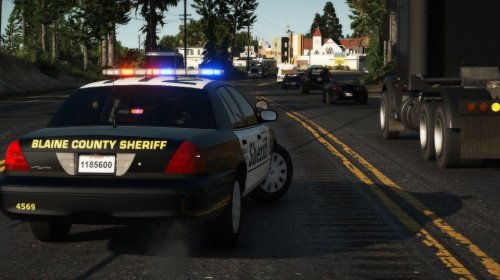
Just some Textures based on the Ventura County Sheriff's Office. Vehicles used:
- 17 comments
- 1 review
-
-
- 7
-
-
Hey Echo442 Can you provide some more Information, like... … are you still able to start/play the game? … can you play the game without LCPDFr installed? … what other mods do you have installed? … tell, what you already have tried to solve this problem and so on... and can you tell me which number comes behind d3dx9_, ist cut off in the Picture
-
Hey Pavelo1993 Remove the Callout+ plugins and try again. Sadly those callouts have some issue. For some people, they work and for other, they don't. If you looking for callouts for LSPDFr take a look at those:
-
Hey THEMIGHTYCB Do you have some visual mods installed like NaturalVision ✪ Remastered? If yes, do this steps: Go to your mods folder. Now navigate to the following path: update\x64\dlcpacks\NVR_emissive\dlc.rpf\x64\textures After you in this folder, search for the sheriff.ytd and delete it.
-
Ok, Start OpenIV Go to your mods folder. Now navigate to the following path: update\x64\dlcpacks\NVR_emissive\dlc.rpf\x64\textures After you in this folder, search for the sheriff.ytd and delete it. Now the car should be fixed.
-
Hey jojoman258CZE Which model does the Vic replace and do you have NaturalVision ✪ Remastered installed?
-
Hey HitTheJuan It could be that Windows 10 is causing the problem with Rage not hooking into the game. Read this Topic:
-
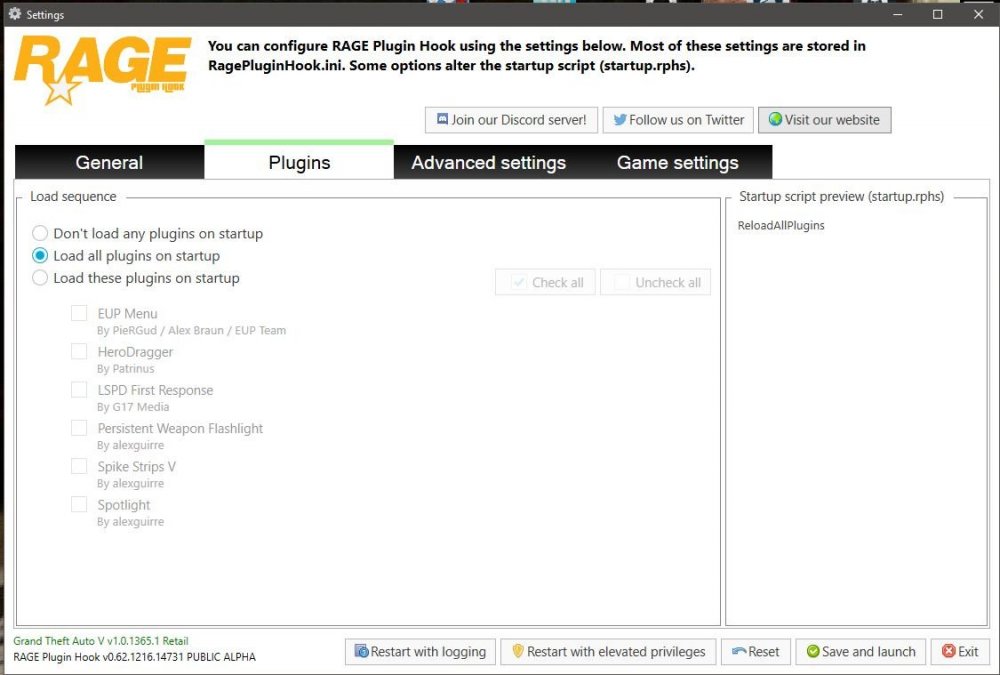
so...I'm a little confused here. Your only Problem is that the EUP Menu isn't installed, right? ...or do you have other problems as well? For the EUP Menu issue: Make sure the EUP Menu is loaded. You can do it in-game via rage console by pressing F4 (default Key) After the console is open, type in LoadPlugin "EUPMenu.dll" and hit enter after that. or you let the plugin load at startup which you can set in the Rage Plugin Hook settings: If that isn't the problem then reinstall the EUP Menu. I would use this video for it:
-
Hey Isaac Duane Did you try to reinstall EUP?
-
Hey IntenseDeer On which system do you play GTA V? (Windows Version) If you play on Win 10, try to disable fullscreen optimization by right-clicking the GTA5.exe, then go to properties, then to compatibility and there you will find it Example: Also, read this Topic:
-
Does your game always crash at startup? What kind of mods do you have beside LCPD:FR? Did you make any changes in the common\data fill? (meaning if you made changes in handling lines or vehicles.ide and so on...) Deleting the savegame.fr which is created by LCPD:FR should not crash your game at all. If you have no other mods installed you can try to reinstall LCPD:FR.
-
Pls watch this Video and probably then you will find it The savegame names are SGTA400, SGTA401... and so on
-
The error message you get is from the LCPD:FR mod. You can disable it by turning Autosave off in the LCPD:FR.ini. Also, delete your "savegame.fr" in your main directory of GTA IV (if you have one) Do the crashes happen when you on duty?
-
Hey kukacember Crashes with a moded version of GTA IV are very common and they appear randomly. But do you game crash always after 5min now?
-
Hey DankM3m3 You should not save your game while on duty. You have to delete your savegame from GTA IV, which is located here: C:\Users\USERNAME\AppData\Local\Rockstar Games\GTA IV\savegames or here C:\Users\USERNAME\Documents\Rockstar Games\GTA IV\savegames

