



Jethro McCain
Members
-
Joined
-
Last visited
Everything posted by Jethro McCain
-
Hey lostmax In the main folder of GTA IV should be a fill called "AdvancedHook.dll", do you have that one? Maybe a screenshot of your GTA IV folder would help
-
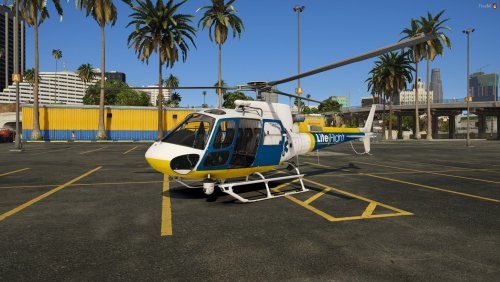 Great job on it! was looking for a livery like that, thank you!
 -
Hey TrooperMedic check out this video for a tutorial how to install LSPD:FR and other mods but to get more help go to the GTA V Support section, they definitely going to help you out
-
Hey Purge pls give this video a try, maybe you made something wrong in the install but LCPD:FR works right? https://www.youtube.com/watch?v=EbGXF4bv_SQ and here is the link for the trainer --> http://www.gtainside.com/gta4/trainers/49982-gta-iv-eflc-simple-native-trainer-v6-5/
-
Hey chrisjoe sadly there is no way to change that, only the person who made the ELS-car can choose in which stage the lights come up
-
Hey GamesBroken Pls read the following topic, maybe it will solve your problem
-
Can you play the game without the mod? download the newest scripthook --> http://www.dev-c.com/gtaiv/scripthook/ and try to run the LCPD.FR installer as an Admin and select the xlive-scriptloader in the installer also watch this video: https://www.youtube.com/watch?v=G4G0f9WkD6s
-
Try the following solutions... 1. Try running the installer as administrator 2. Install the newest scripthook --> http://www.dev-c.com/gtaiv/scripthook/ 3. Make sure you run your game as an Admin and that no Antivirus is blocking LCPD:FR 4. Make sure you tried to switch compatibilitymode of GTAIV.exe, gtaEncoder.exe and gta4Browser.exe to win 8 or win7 5. try to repair ''Microsoft .NET Framework 4.5'' and ''Visual C++ Redistributable for Visual Studio 2012'' in Programm and Features 6. Try reinstalling .NET framework 7. and the last option would be to reinstalling your game and LCPD:FR ...sadly this error could be cost by nearly everything
-
Hey Officer ClassC Did you try the manual install of the taser? and also try to go to the properties of the gtaiv.exe and put the compatibilitymode on windows 8
-
Hey qwertyK Some ENBs out there doesn't work with newer version of GTA IV(1.0.7.0) because there just for version 1.0.4.0 or 1.0.6.0 This two ENBs worked for me, maybe you give them a try:
-
Hey Officer Limitless Make sure you run EFLC on version 1.1.2.0 and the game needs paul.dll, without it, it won't start
-
Hey mori1234 The installation of LCPD:FR for EFLC is the same as it is for GTA IV. Just make sure you have EFLC version 1.1.2.0 installed and then you should be alright
-
I assume that your script loader doesn't work since there are no log files that have been created But I need you to make sure 100% that you have installed the right Microsoft software before we go ahead and search for other reasons for the error Please download the x86 versions of the two files that are linked here: https://www.microsoft.com/en-us/download/details.aspx?id=30653 https://www.microsoft.com/en-us/download/details.aspx?id=30679 after you installed this software you have to restart your computer
-
Hey gansterman04 You can't choose added police cars on the police station, you have to spawn them with a trainer, pls notice that you can't pull people over with an added police car as long there are not named POLICE 3, POLICE4 or POLICEB.
-
Hey AaronMac Pls tell me when this happens, after you hit [ALT]+[P] ? Do you get an Error message in-game called ''LCPDFR Loader.loader error''? Do you start the game as an admin ? Did you try to play LCPD:FR without other mods? pls try to describe your situation as best as you can. Also make sure you ready this topic:
-
did you try the manual installation of LCPD:FR in some cases this solves the problem and pls check that you have every thing installed what LCPD:FR need to work properly also, make sure you run the game as an admin
-
Hey ollie b First, pls make sure that you installed everything correctly and also make sure that you not using GTA IV version 1.0.8.0 Also, read this topic and try to follow every step in it
-
Hey TraxPlays pls make sure you go through this topic first and then try to descript your situation better
-
Hey AionSrLindo So you start the game and after it is loaded and you pressed [ALT]+[P] nothing happened?
-
Hey gaMZZAREBEst pls make sure you have this installed: http://www.microsoft.com/en-us/download/details.aspx?id=30653 http://www.microsoft.com/en-us/download/details.aspx?id=30679 (please only download and install the x86 one) http://www.microsoft.com/en-us/download/details.aspx?id=5555 http://www.microsoft.com/en-us/download/details.aspx?id=35
-
Hey PizzaFox Can you go on duty with the command ''forceduty''?
-
Hey Bogdandjv pls make sure that you have installed the following: http://www.microsoft.com/en-us/download/details.aspx?id=30653 http://www.microsoft.com/en-us/download/details.aspx?id=30679 (please only download and install the x86 one) http://www.microsoft.com/en-us/download/details.aspx?id=5555 http://www.microsoft.com/en-us/download/details.aspx?id=35
-
Hey potscabesaKK Crashes with LCPD:FR happens all the time, also depending on what other mods you using together with LCPDFR. After how many minutes does the game crash?
-
Hey detectivestarshipper Pls read this topic first before posting in a support topic, I can't really help you with just this information.
-
Hey opack10 I can't really help you with just this information so pls read through this topic and make sure you follow the steps in it.

