


lcpdsergeant
Members
-
Joined
-
Last visited
Everything posted by lcpdsergeant
-
Then how did other receive RC3?
-
I have seen multiple videos showing LCPDFR 0.95 RC3 and I'm wondering, was RC3 ever released?
-
Did you delete the folder "LCPDFR Install(ASI Loaders)"? Also the G17 media diagnostics tool does not work for LCPDFR 1.0
-
Is your copy of the game cracked? Please ignore what I just said
-
Yotelex
-
I'm not sure how to respond to that
-
One strange thing I found in the compenentpeds file is a model called superlod
-
While browsing youtube I encountered this video(the song starts at about one minute in),
-
I heard that Fraps kills fps
-
Normally AI cops only use the wailing siren, but is possible to make them use the other sirens such as the yelp?
-
The key to activate LCPDFR is Alt+P.
-
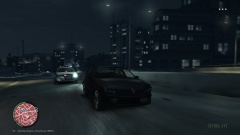 Is that .......A CAR MOD???
 -
This is a simple modification for the police vehicles that changes their design. It changes the text of the cars to mostly white. You are not allowed to distribute this mod anyplace else, however you are free to edit this mod for personal use only. Please note that this is my first mod and feel free to give some constructive criticism or any tips to help improve this mod. Also note that this mod only works for the DEFAULT police cars. Note that if you have Custo's more vehicles mod, this mod will also affect the modded cars so make sure you change the carcols file The screenshots look very bad but it should not look that way in game. . Installation instructions are included in the readme file.
-
You should still be able to run LCPDFR, the folder is located at(C:Program Files (x86)Rockstar GamesGrand Theft Auto IV), and the game's folder size is about 15.1 GB.
-
Does anybody know what siren is used in this video or one that sounds like it?
-
What would I have to type in the carcols file if I want the default police cars to have black body paint and gray text?
-
What ever time gives me the least amount of lag
-
Then there's not much I can do
-
It should be in the LCPDFR folder in the main directory.
-
This happened not too far from my home.
-
What you might have to do is open the LCPDFR ini file, and look for a line called "AdditionalCopCarModels". Then write the car's name in all caps and make sure you add a semicolon after the car's name.
-
LAPD Officer Roberto C. Sanchez was killed when his patrol car was struck by a SUV. The driver of the SUV fled the scene but was later apprehended. View the memorial here: https://www.odmp.org/officer/22068-police-officer-ii-roberto-c-sanchez
-
I re-installed LCPDFR(not the game) using the uninst application in the game's directory.
-
If there were any children in any game like grand theft auto, every government on the planet would try to ban the game
-
I was able to fix the problem. Can a moderator delete this topic?


