


lcpdsergeant
Members
-
Joined
-
Last visited
Everything posted by lcpdsergeant
-
You received the error: Invalid call to an object that doesn't exist anymore, to fix this turn on Preload All Models in the LCPDFR.ini http://www.lcpdfr.com/uploads/monthly_07_2014/post-148590-0-02754400-1406516968.png Mine is set to False but yours should be True
-
Brian May preforming at a concert:
-
Try these http://www.microsoft.com/en-us/download/details.aspx?id=30653 http://www.microsoft...s.aspx?id=30679 http://www.microsoft...ls.aspx?id=5555 http://www.microsoft...ails.aspx?id=35
-
First install these: http://www.microsoft...s.aspx?id=30653 http://www.microsoft...s.aspx?id=30679 (please only download and install the x86 one) http://www.microsoft...ls.aspx?id=5555 http://www.microsoft...ails.aspx?id=35 Then navigate to where you have your GTA root folder and right click on the game folder and select properties and un-tick read only and then apply. Once that's done, download LCPDFR 1.0 automatic install: http://www.lcpdfr.com/files/download/4607-lcpd-first-response/ Once it's done downloading extract the file and right click on it and run as administrator. Then follow the instructions on screen.
-
Try it and see what happens.
-
Check the tutorials section.
-
That's because LCPDFR was designed to work on an un-modified version of the game.
-
Try removing the in game trainer and the vehicle selector and see if that helps
-
Are you using LCPDFR 0.95?
-
Try using the manual install and see if that helps.
-
This about sums up the GTA IV AI:
-
You could always use the default cars.
-
Try removing or using different car mods and see if that helps.
-
Are you using Bravehart's Policing script? That might be the problem.
-
If you look in the LCPDFR folder, there are some API examples.
-
Did you press Alt+P to start?
-
-
You could also disable the windows event log.
-
Thanks man.
-
Is there a way to make in-game radio play in police vehicles?
-
LCPDFR 0.95 is not supported anymore. Use LCPDFR 1.0c : http://www.lcpdfr.com/files/download/4607-lcpd-first-response/
-
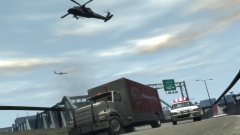 That explains why my character had explosive diarrhea last time he had burger shot.
 -
-
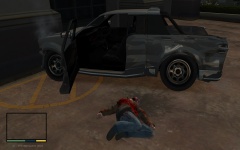 This reminds me of the Pißwasser radio adverts that play on almost every radio station.
 -
When you click on "Configure LCPD First Response" you have to navigate to your LCPDFR folder and click on the LCPDFR file, then you can edit the file. When you click "Check your installation" you have to navigate to your main root folder and click on GTA.exe and it will bring up something like this: http://www.lcpdfr.com/uploads/monthly_07_2014/post-148590-0-10123700-1405626861.png


