


lcpdsergeant
Members
-
Joined
-
Last visited
Everything posted by lcpdsergeant
-
You are using F_Y_cop, use M_Y_cop
-
False The person below me likes biology
-
He also forgot my grandmother's basement. Scary stuff down there!
-
Could you post a screenshot of GTA main folder?
-
Did you fully uninstall .95?
-
Try removing your car mods.
-
That just means that there is no value for that command in the ini file.
-
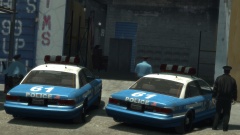
Found this on Youtube: (WARNING: lots of swearing)
 Where can I get those textures?
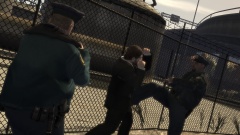 Once the fat cop joins in the LCPD automatically win.It would actually be enjoyable.Sometimes they do.I found another one: http://www.gizoogle.net/index.php?search=https%3A%2F%2Fwww.lcpdfr.com%2Ffiles%2Ffile%2F4607-lcpd-first-response%2F&se=Gizoogle+Dis+ShiznitI just found the greatest thing ever. It's a parody of the lcpdfr website http://www.gizoogle.net/xfer.php?link=https://www.lcpdfr.com/&sa=U&ei=uCEOVLrnL9HhaLL9gcgE&ved=0CBUQFjAA&usg=AFQjCNHKO2gcYK5zILTmycUyk-LumMUWzgI nuke the entire area, my hill.SIngle PlayerThe one and only!I should mention that I had this issue in older versions of 1.0 and it only happen when the taser was present in the game.Sorry for the late reply, but still nobody is fleeing.You could use the strobes mod to make the indicators light up: '?do=embed' frameborder='0' data-embedContent>>This is a very strange issue but, for some reason nobody is fleeing my traffic stops. I literately pulled over 20-30 cars and not a single one tried to flee. This has been happening even on fresh clean re-installs. Make sure you aren't using a crack, legal disk copy. Update GTA IV to 1.0.7.0, it's updated Make sure that you run the game as an administrator, Check Make sure that your GTA IV root folder (and every subdirectory) is not set to "read-only", Check Ensure that ScriptHook.dll, ScriptHookDotNet.asi and Dsound.dll OR Xlive.dll are in the GTA IV ROOT folder, Check Ensure that there is a folder titled 'LCPDFR' in the ROOT GTA IV folder, Check Install these: .Net Framework 4.5, Microsoft Visual C++ Redist 2012, Check Logs:(if they help) AdvancedHook.log ScriptHook.log ScriptHookDotNet.log LCPDFR.logIs your root gta folder set to not "read only"?Are you running the game is an administrator?When you reply to this post click on Choose files, the file explorer will pop up and then navigate to your gta folder and upload a file called LCPDFR. It is in the form of a text document.


