



OSHPTROOPERSHORTY
Members
-
Joined
-
Last visited
Everything posted by OSHPTROOPERSHORTY
-
Make sure you have Net Framework 4.5 and Visual C++ Redistributable for Visual Studio 2012 Update 4. (X86 version) I hope that fixes your problem and if your LCPDFR still will not launch make sure you have Slimdx. If that doesn't work please post a pic of the "Check your installation" page on your LCPDFR diagnostic tool. Best of luck,
-
This topic can be closed. I found I needed SlimDX.dll. Thanks.
-
After doing further research into my LCPDFR diagnostics tool, I saw that i needed SlimDX.dll My version of LCPDFR is working now. I hope it works for you too man. Best of luck!
-
See i have struggled with this for a while as well. When you installed net framework 4.5, did it install for you or did it say you had it or newer versions of it? That's the issue I ran into and unfortunately there seems to be no fix as of now. unless the developers of LCPDFR try to fix the bug (I'm not holding my breath since the mod is old and effectively outdated.), there will be no LCPDFR for Windows 10.
-
I have played LCPDFR for years so I know the ins and outs and what i need to get it running. I'm having an issue when trying to install net framework 4.5. Windows 10 wont let me install it because it has net framework 4.6. My question is what do i do to get LCPDFR 1.1 working? I'm not sure if anyone else has ran into this issue. Thanks for any help provided! OSHPTROOPERSHORTY
-
-
-
-
-
-
-
-
-
-
-
-
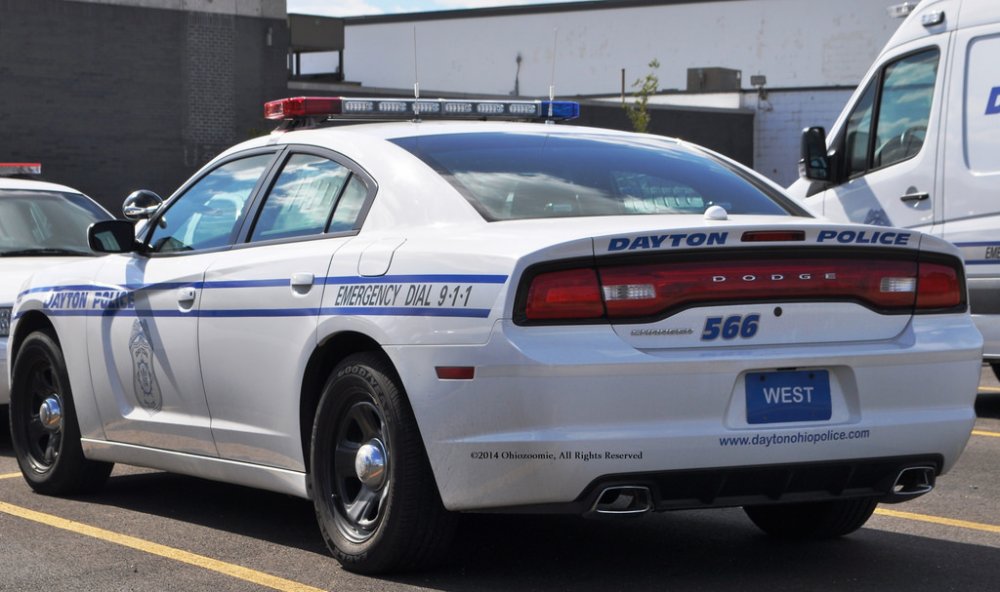
I was wondering if anyone would want to make one or more Dayton, OH police liveries for me and anyone else who would want them. I have a CVPI livery but I think it would be cool to have one or more Dayton police cars. I would greatly appreciate it. If you would do it for me I wouldn't get mad if you decided not to and I wouldn't pressure you or anything. Thanks for anyone who would take on this task for me. Cars i wouldn't mind having liveries for. Dodge charger- Any Year Ford Taurus-Any Year Ford Explorer-Any year All i would ask is that you pick the model and that it have a red and blue light bar. I have attached some images of what the cars look like. Even if someone could do just one livery that would be cool. I'm not obligating anyone to do this for me (obviously you'd be doing this for free on your good will ). Thanks and God Bless.

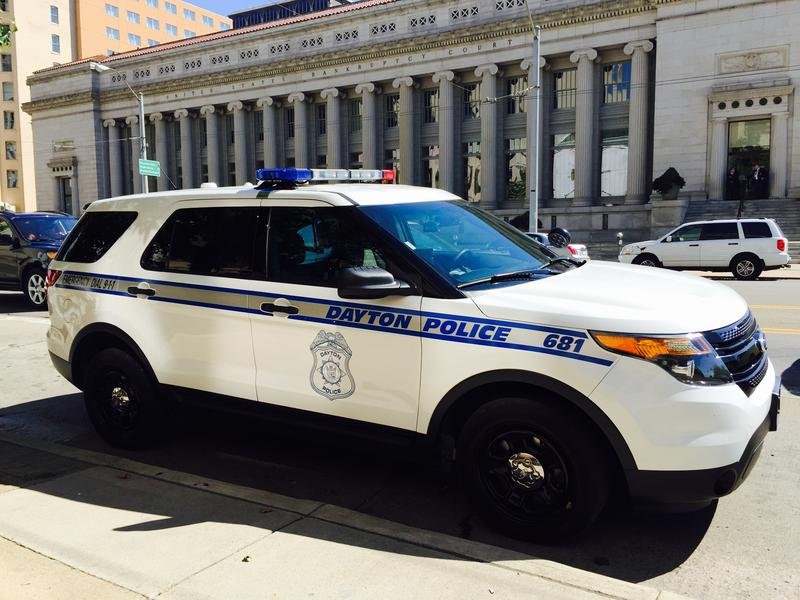
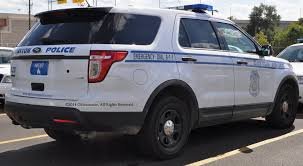
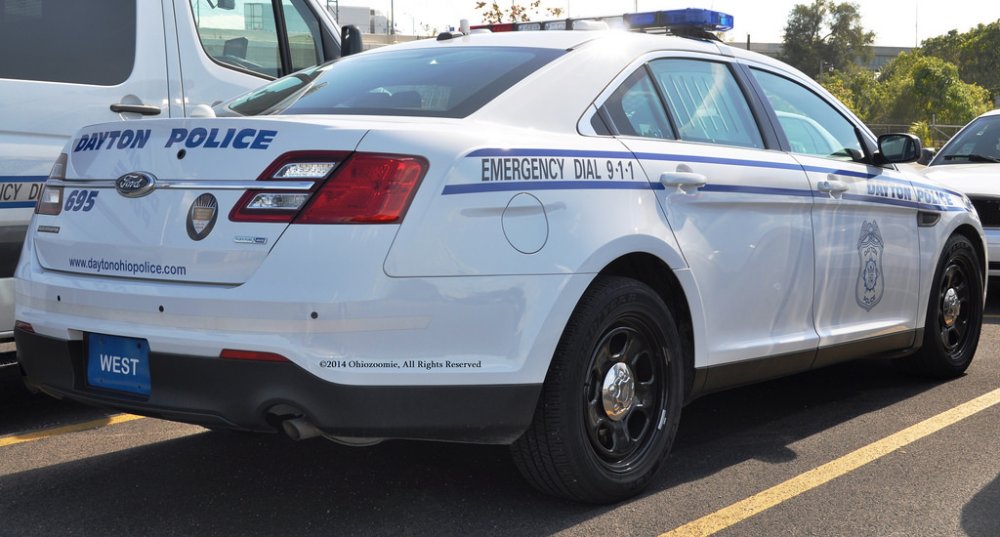
-
I recommend uninstalling then reinstalling GTA IV, uninstalling any mod installers you have. (they are most likely malware anyway.) and using Open IV to mod your game. Ther are a ton of tutorials on how to use Open IV. Best of luck,
-
 You should really make a Video for this.
 -
I have the AMD FX-4300, but my brother has the FX 4100 and they are both great processors. I definitely recommend them.
-
I watched the original dash cam video, it was pretty intense. I believe the officer was okay, and I'm glad for that.
-
GFWL is working for me. Lets hope it stays that way.
-
I don't really notice anything different. The only thing I notice is i still cant untick read only. so my scanner and taser doesn't work. I do recommend upgrading to windows 10. Windows 10 has a built in game recorder too.
-
I thought the textures were decent, but what really made me irritated was that there weren't any link to the pack. I found that the CVPI livery will fit pretty much any CVPI. Ill put a link to the cars to anyone who wants them 2008 Chevy Tahoe FedSig Valor2015 Tahoe PPVGrayson and Dixie Charger PackAlmost any CVPI (BxBugs, NickieB, ECT..)I give the whole livery pack a three star because i thought the liveries font were a little messed up on the back of the Tahoe. Some may not agree on this. I think you did good though man.
- 14 comments
- 4 reviews
-
No way its that.



