



CameronLHC
Members
-
Joined
-
Last visited
Everything posted by CameronLHC
-
As of right now I just use the one from Computer + but once Albo updates it to where whenever you charge someone with something it starts a court case then I'll use both. For example write out the ticket on Computer + and then go back to the car and issue a ticket through LSPDFR +.
-
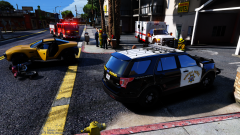 Thanks, it's Make Visuals Great Again and Next Gen Shaders.
 -
From the album: Cameron LHC's GTA V Pics
Late Sunday morning a vehicle pulled out in front of a motorcyclist who was turning off of Paleto Blvd onto Pyrite Ave. The motorcyclist t-boned the driver and was thrown off of his motorcycle and over the vehicle onto the pavement. The rider was wearing a helmet at the time of the accident and only suffered minor injuries. The rider of the motorcycle was not transported to the hospital and the driver of the vehicle was uninjured. -
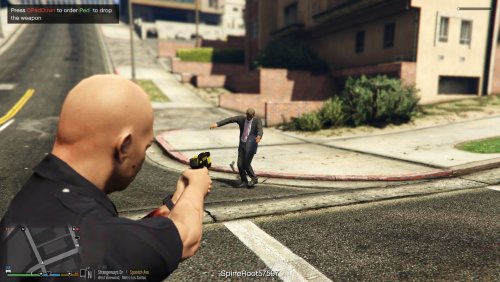 Great job on this mod. I've been getting bored with taking someone down at gunpoint and there is a 0% chance of them running or trying to shoot at me.
- 39 comments
- 15 reviews
-
-

- 1
-
-
The beta links are at the bottom of the description. (Please check the forums next time before posting, this has been answered like 100 times in the past week.)
-
Try reinstalling Ragehook and then start the game.
-
Yeah it won't effect that at all. Also just install the gameconfig.xml no need for the popgroups.
-
I would suggest this - https://www.gta5-mods.com/misc/gta-5-gameconfig-300-cars Just choose anything less then 1x for traffic and follow the installation instructions.
-
It would be great if someone could make a new spotlight script or if @alexguirre could update his to include a visible light coming from the origin. I'm no expert but I would assume this could be possible since it was possible on GTA IV. Anyways if possible it would be great to see implemented into GTA V and make the spotlight script a must have.
-
Links for the beta versions that work with the newest update are at the bottom of the description.
-
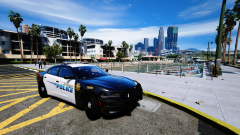
From the album: Cameron LHC's GTA V Pics
© CameronLHC
-
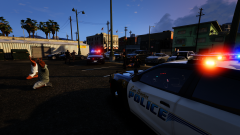
From the album: Cameron LHC's GTA V Pics
LSPD Officers on patrol in the Vespucci area rolled up on a large fight involving four subjects in a parking lot Saturday afternoon. Two suspects were detained without incident and later released. One suspect attempted to leave the scene leading officers on a foot pursuit and was later placed into custody. Another suspect attempted to fight officers and resist arrest causing him to be tased multiple times. The reason for the fight is believed to have started from a road rage incident. (Vehicles by @thegreathah)© CameronLHC
-
Yep it was saving my vehicle with Simple Trainer that was causing it. Thanks for your help.
-
Whenever I get out of my vehicle without any emergency lights on my vehicle stays on. But when I have my lights on via ELS even though I am using vehicle control which leaves my engine on when I press y to get out and set "leave vehicle running" in trainer my vehicle turns off. This isn't to big of a problem but its annoying since it turns off the headlights and taillights at night and when i'm on light stage one or two the lights go dim so I'm forced to use only light stage 3 when I get out. Anyone else having this problem or have a possible fix ? I have also tried using a default vehicle that does not use ELS and that did not turn off when I got out with the lights on so I would assume that it's ELS that's causing this.
-
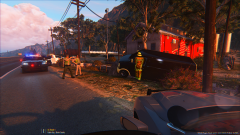
From the album: Cameron LHC's GTA V Pics
Archive from Stolen Vehicle Crash 18:35 - BCSO Deputy has spotted a stolen vehicle at a farm house. Attempting to make contact. 18:36 - Deputy advising vehicle has crashed at the farm house, one at gun point. 18:38 - Other deputies on scene advising CODE 4, one in custody. 18:45 - BCSO requesting medics to respond to the scene. 18:50 - BCFD on scene advising no injuries, cancel ambulance. Stabilizing vehicle. 17:00 - Tow requested for the vehicle. -
 Did you though because you said it was faulty
 -
Well it worked when I put it in
-
-
Oh I didn't notice yours said police on there. Anyways the ped is still on here I just looked
-
-
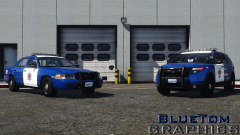 I like the four spotlights on the Explorer
 -
You either have to go into your vehicles.meta and add FLAG_HAS_LIVERY to the flags section of whatever vehicle you replaced or your addon vehicles section. Example - <flags>FLAG_HAS_LIVERY FLAG_LAW_ENFORCEMENT FLAG_EMERGENCY_SERVICE FLAG_NO_RESPRAY FLAG_RECESSED_HEADLIGHT_CORONAS FLAG_HAS_INTERIOR_EXTRAS</flags>. And if that doesn't work then download the updated version which added muli skin support.
-
Try changing the audio hash to SHERIFF2 or FBI2 as SHERIFF3 isn't a vehicle in the game for it to pull audio from. If that doesn't work let me know and I'll try and put it in as an add on.
-
Go the your vehicles.meta (should be the one in mpchristmas2) and find <audioNameHash /> in the spot pertaining to the f350 (It should be a few lines down from the top). Then copy and paste this <audioNameHash>SHERIFF2</audioNameHash> over the <audioNameHash />. This must be done for all add on vehicles or there will be no sound. You can change SHERIFF2 to whatever vehicle name you want to have that vehicles sound. Just make sure its an emergency vehicle so you can have the sirens.
-
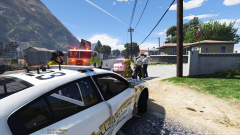 The FD textures were done by me and have not been released yet.

