



CameronLHC
-
Joined
-
Last visited
Everything posted by CameronLHC
-
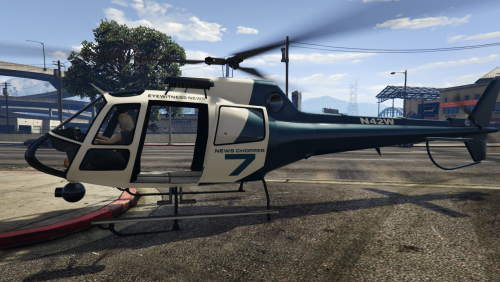 Amazing mod Albo. I was wondering if it is possible to set up in the ini for the helicopter to spawn with a chance of a different skin every time since there are a few out there to choose from. If that's not possible right now then that would be a cool thing to add in an update.
- 59 comments
- 18 reviews
-
-

- 1
-
-
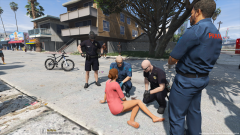
From the album: Cameron LHC's GTA V Pics
© Cameron LHC
-
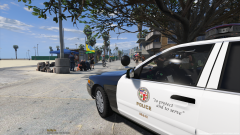
From the album: Cameron LHC's GTA V Pics
© Cameron LHC
-
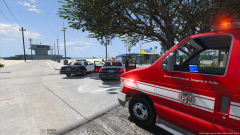
From the album: Cameron LHC's GTA V Pics
© Cameron LHC
-
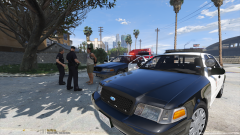
From the album: Cameron LHC's GTA V Pics
© Cameron LHC
-
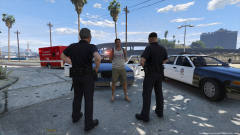
From the album: Cameron LHC's GTA V Pics
© Cameron LHC
-
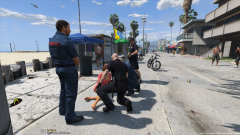
From the album: Cameron LHC's GTA V Pics
© Cameron LHC
-
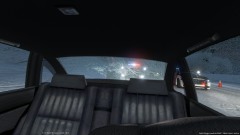
From the album: AST OIS 1/5/15
© Cameron LHC 2016
-
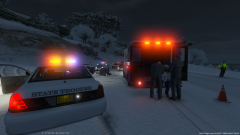
From the album: AST OIS 1/5/15
© Cameron LHC 2016
-
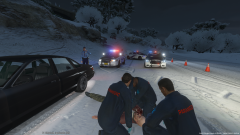
From the album: AST OIS 1/5/15
© Cameron LHC 2016
-
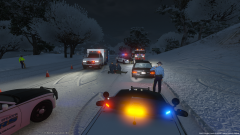
From the album: AST OIS 1/5/15
© Cameron LHC 2016
-
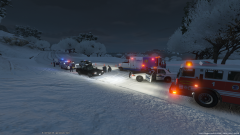
From the album: AST OIS 1/5/15
© Cameron LHC 2016
-
I don't know if your referring to the "Traffic Policer" mod or not but that's the only mod that has that capability as far as I know.
-
I installed some cars today that work with EVL and found out that it is no longer up. Does anyone have the rar file that they could possibly send me if that's even allowed? I would really like to use the cars I just installed. Thanks.
-
-
-
 Yeah know problem.
 -
 Hey they're twins who joined the dept, lol.
 -
 Thanks, all I used was the trainer. I might make a YouTube tutorial on it sometime this week.
 -
Thanks, I can't really explain it in a comment but its pretty easy. I might make a YouTube tutorial on it sometime this week.
-
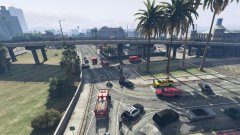
From the album: Del Perro Beach Accident 7/11/15
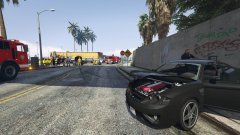
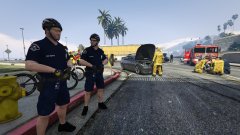
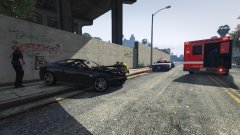
At approximately 9:00a.m. Saturday morning emergency crews responded to a injury accident involving two vehicles in the Del Perro Beach area. Both drivers were transported to the hospital with minor injuries. The Area under the Del Perro Pier was shutdown for about an hour while the LSPD performed traffic control. According to the San Andreas Highway Patrol the accident occurd when one of the vehicles coming out of the parking lot area pulled out in front of another. The victims vehicle spun across the roadway and hit a wall on the other side of the street causing minimal damage to the wall and luckily not harming nearby responded to the incident. -
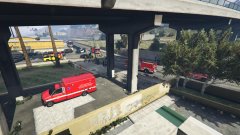
From the album: Del Perro Beach Accident 7/11/15
At approximately 9:00a.m. Saturday morning emergency crews responded to a injury accident involving two vehicles in the Del Perro Beach area. Both drivers were transported to the hospital with minor injuries. The Area under the Del Perro Pier was shutdown for about an hour while the LSPD performed traffic control. According to the San Andreas Highway Patrol the accident occurd when one of the vehicles coming out of the parking lot area pulled out in front of another. The victims vehicle spun across the roadway and hit a wall on the other side of the street causing minimal damage to the wall and luckily not harming nearby responded to the incident. -
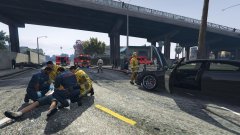
From the album: Del Perro Beach Accident 7/11/15
At approximately 9:00a.m. Saturday morning emergency crews responded to a injury accident involving two vehicles in the Del Perro Beach area. Both drivers were transported to the hospital with minor injuries. The Area under the Del Perro Pier was shutdown for about an hour while the LSPD performed traffic control. According to the San Andreas Highway Patrol the accident occurd when one of the vehicles coming out of the parking lot area pulled out in front of another. The victims vehicle spun across the roadway and hit a wall on the other side of the street causing minimal damage to the wall and luckily not harming nearby responded to the incident. -
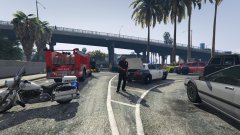
From the album: Del Perro Beach Accident 7/11/15
At approximately 9:00a.m. Saturday morning emergency crews responded to a injury accident involving two vehicles in the Del Perro Beach area. Both drivers were transported to the hospital with minor injuries. The Area under the Del Perro Pier was shutdown for about an hour while the LSPD performed traffic control. According to the San Andreas Highway Patrol the accident occurd when one of the vehicles coming out of the parking lot area pulled out in front of another. The victims vehicle spun across the roadway and hit a wall on the other side of the street causing minimal damage to the wall and luckily not harming nearby responded to the incident. -
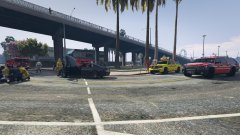
From the album: Del Perro Beach Accident 7/11/15
At approximately 9:00a.m. Saturday morning emergency crews responded to a injury accident involving two vehicles in the Del Perro Beach area. Both drivers were transported to the hospital with minor injuries. The Area under the Del Perro Pier was shutdown for about an hour while the LSPD performed traffic control. According to the San Andreas Highway Patrol the accident occurd when one of the vehicles coming out of the parking lot area pulled out in front of another. The victims vehicle spun across the roadway and hit a wall on the other side of the street causing minimal damage to the wall and luckily not harming nearby responded to the incident.

