



strike
Members
-
Joined
-
Last visited
Everything posted by strike
-
 Why do I see ponies and weird japanese cartoons everywhere I look? . Nice job, by the way...
 -
Do you have a link for the Pathfinder? I'd like to do some paintjob from the Ertzaintza but the only Pathfinder I could find sucked.
- 9 comments
- 1 review
-
 RIP Pontiac (I know, this one was actually a holden...) :(
 -
-
 Looks like Criminal Russia.
 -
 On a quick search, I found a picture from 1978 of a Seattle Chevrolet ambulance. From an older search I made I have some pictures of some ambulance company of Portland called ’Buck’, however, they were both Dodges. . But it’s true that sometimes can be difficult to find old pictures of the emergency vehicles, for some reason, especially of the Northwestern. Tomorrow I will try again for more pictures.
 -
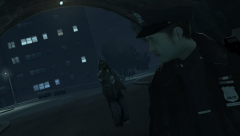 A Chinese satellite will fall from the sky and crush the guy with the gun.
 -
Well, finally I've been able to find a real picture of a Seattle Police Aspen. The one in the front of the parade, with the Twinsonic lightbar. Maybe I should make a Seattle or Portland ambulance texture for that Econoline seen in other screenshots, what do you think? :)
-
Well, he's not actually the one converting and doing the hard work but glad to see people kicking Cockstar's ass. Sadly, due to the GTA IV map limits it won't be possible to include the whole GTA V map.
-
-
 :D
:D -
Pretty original, man:)
-
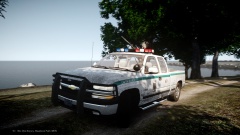 edited double-friggin-post.
 -
That's some pretty cool shot *thumbs up*
-
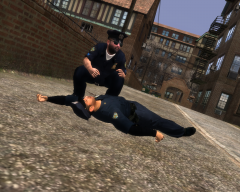 Looks like if the fat officer was teabagging him...
 -
Well I guess the same reasons why some departments purchased former CUCVs from the Army back in the day. I think there's not need at all to go into an argument over baseless conspiracy theories.
-
No one's gonna say Serpico (1973) with Al Pacino? I liked Colors (1988) too, with al the LAPD and gangs stuff. The taking of Pelham 123, the original from 1974, is pretty good too. Heat (1995), Al Pacino playing as a police detective vs. De Niro, as a bank robber. Just because its epic shootout scene is worth watching. Die Hard movies (1, 2 and 3): just epic. And who could forget about the Lethal Weapon movies? (1987-1998)
-
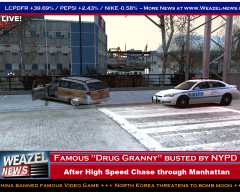 "North Korea threatens to bomb the moon" bahahahaha :D
 -
 Thanks for the info, didn’t know it haha.
 -
 Nice work, you just gave me an idea.
 -
Thanks T-Man5 Keep genetically different!
-
Thanks, man. Now the Caprice has been finally released there’s so much to do:]
-
*Caprice, and actually it WAS a NYPD car ;D http://www.gta4-mods.com/vehicles/chevrolet-caprice-1987-new-york-police-depart-f25446 I'm planning on creating my own NYPD textures for it anyway.
-
From the album: Strike's
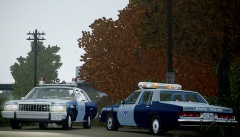
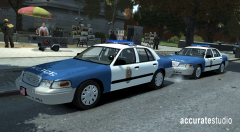
In the suburbs of Boston, two patrol cars of the Massachusetts State Police close the area where, this morning, a resident and his dog found the dead body of a locally known convicted child molester. The body was located in the trunk of a brown 1965 Mercury sedan, property of his mother, with the throat cut off. The State Police has taken the case investigation. -
Reeducating, the correct term is reeducating.


