
TaylorSwift
Members
-
Joined
-
Last visited
Everything posted by TaylorSwift
-
-
.png.26fba9f08a8f8e935be4d772a49369d0.png)
From the album: TaylorSwift's WIP
NaturalVision Remastered w/ Vivid textures, LA Vegetation/LA Roads and enb/reshade. -
 nooooooot quiiiiite my doood
 -
Check my YT channel, latest video in the comments there's a discord link, I won't advertise any links here, but i'm letting people beta test. Pm me if you need a link
-
 god you're an awful modeler, you forgot the fucking code 3 mounts.
 -
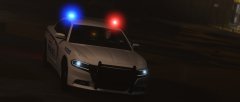 Lmao, wouldn't be the first modern era charger with a skybolt
 -
From the album: TaylorSwift's WIP
-
-
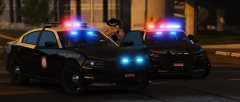 These are great shots, if you have more like them, please PM me. I haven't added all of the relfective tape, but the hidden lighting, the "Hide-a-Blast" modules, have been added on my cars.
 -
Ha, this is actually quite funny, I'm pretty sure I was the one to correct you in the comments of Trooper Steve's post! Small world. I can only assume the Tahoe is running a similar setup to the 16 FPIU Slicktop unit in the back, either that or a setup similar to the old tahoes, I'm gonna go with the colored single bar though. As for all the variants of the chargers, I'll go ahead and make the few that I enjoy, I've already finished the 2017 chargers, which have been pictured previously, but the 15/16 chargers have quite a few different ones i'd like to take a shot at.
-
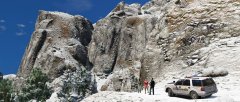
From the album: TaylorSwift's WIP
Before someone asks, no I didn't abandon my FHP pack. I simply have other cars in my game. -
It seems quite weird actually, some areas seem to be running certain things? I see pictures of all blue setups up north more! I'm located in palm beach county and we're just now getting new units in troop K it seems
-
Alternating lights during certain times of the day and/or patterns, some are running all blue while some are running a mix, and even changing mid pattern. Certainly interesting setups, i'll probably make different versions. Haven't worked on anything the last week, busy busy busy. Updates some time soon hopefully.
-
Calling Rockstar's Tech support isn't going to achieve anything, take the issue to the culprit, Take Two. Take Two has a comment section on their website to leave your input, and i'm sure they have a line to call. Crowding R*'s tech lines doesn't help.
-
Most likely not mistaken:
-
Definitely still alive, just been busy with work and my personal life, I'll have updates sooner or later. Thanks. Good agency, rigorous training, hope you had fun! And keep an eye out for the pack, planning on something soon.
-
Correct, but you could try asking him.
-
It isn't released, it's LVMPDFan's. @LVMPDFAN
-
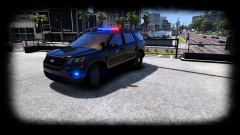 After you change those god-awful emissive textures.
 -
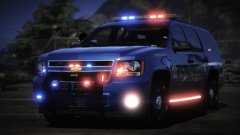 all together, keep it shaped correctly, just hold shift and scale
 -
Definitely an interesting setup, in my opinion the headlight lights are a little out there, and the siren speakers could be scaled up a tad, besides that looks cool mah dude
-
i see that bud
-
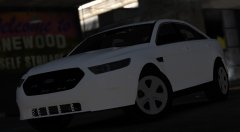 my pleasure brotha! -ur brotha, much love homie
 -
the best, i hit 9/11 times.
-
From the album: TaylorSwift's WIP

.png.26fba9f08a8f8e935be4d772a49369d0.png)