



TaylorSwift
Members
-
Joined
-
Last visited
Everything posted by TaylorSwift
-
 Thanks! I don't have much plans to make a variant with a honeycomb grill, but I may release something similar in the future. I appreciate your kind words, have a nice day.
- 19 comments
- 19 reviews
-
-

- 1
-
-
-
love you too dorner The patrol unit is based on a real life one that doesn't have a radar in it, I may add it as an extra in the future possibly, thanks!
- 19 comments
- 19 reviews
-
-
- 2
-
-
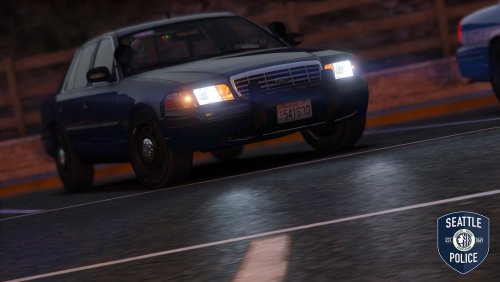
Seattle Police Department CVPI Mini Pack 1.0: Patrol Unit 31609: The car features an almost entirely accurate setup to the real life unit 31609 of the West Precinct of SPD. Features extra spawning rifles in the gun rack, and handcuffs on the spotlight. Slicktop Unit 89197: This unit can range from a slicktop unit, to a DUI Squad vehicle, to an unmarked unit. Slicktop variant is based off of Unit 89197 of the East Precinct. Cars in use: I plan on creating a full pack for seattle police department, so expect that sometime in the future :P Addressing the LOD problem: Some users seem to be seeing disappearing parts at short distances, while I am not experiencing this issue myself, I plan on updating the file with increased LOD distances on all parts. A way to cope with this issue until the file is updated is increasing the LOD high distance in your visualsettings. Please do not message me with generic problems like the following: 1. my lights aren't bright!!1!11 XD LOLZ A. install radiance or edit your visualsettings bud 2. HOW DO I INSTALL IT? A. readthereadme.txt 3. HOW DOES YOUR GAME LOOK BETTER THAN MINE!!//?!?1?/ A. I use Project Reload with custom edited timecycles, it's quite simple to install and looks nice, try it out! 4. There are no wig wags? A. I use the emergency strobes plugin, it's nice.
- 19 comments
- 19 reviews
-
-
- 23
-
-
 <3
<3 -
 As do I, turned out quite nice. Thanks!
 -
From the album: TaylorSwift's WIP
This is part of a new pack i'm creating based on the Seattle Police Department. This car is a near exact copy of the real life unit 31609, featuring the exact same antenna, lighting, decal, and equipment setups. Only issue known is a small material bug with the police interceptor badge, I plan on fixing this soon and then publicly releasing the pack. More images: -
From the album: TaylorSwift's WIP
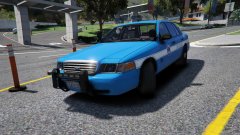
This is part of a new pack i'm creating based on the Seattle Police Department. This car is based on unit 89197 of the SPD. This car also doubles as an unmarked cruiser, and a DUI Squad car. More images: -
It's looking great, proper environment lighting is something I've been missing for a while, I can't wait to see it more in V. It's also very nice to hear about the siren's having different effects on traffic, very awesome idea, and something that will increase the immersion insanely. Great work to those working on it, can't wait to hear more about this project. Thanks for showcasing it for us.
-
-
-
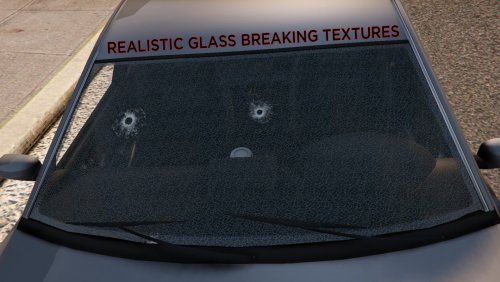 This mod changes the glass breaking textures, to be more realistic than the default unrealistic blood bath when shooting people in cars. If you have any suggestions please leave a comment, or send me a message. Installation instructions: Install fxdecal.ytd to C:\Program Files (x86)\Steam\steamapps\common\Grand Theft Auto V\mods\update\update.rpf\x64\textures
- 7 comments
- 9 reviews
-
-
- 10
-
-
 Can't wait for the international version of this, as this has to be one of my favorite modifications to the game, It adds so much more immersion and enjoyment to the game's traffic stops and makes me perform them much more than I used to, You've outdone yourself albo!
- 203 comments
- 29 reviews
-
-
- 2
-
-
I've been waiting a while for something similar to this idea, bringing back the feel of TicketTime in GTA IV. (It would be quite nice to be able to fill out a citation for the driver like ticket time, rather than just simply issuing it.) Traffic stops feel too bland and quick in LSPDFR, and i think this mod will certainly improve that, Thank you!
-
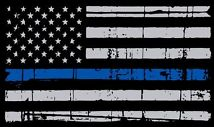 Incredible graphic design Gump, Great work, would love to see more of these in the future, really adds personality to cars to have some decals on them.
- 7 comments
- 5 reviews
-
-
- 1
-
-
Cheaper than or equal to a 980 from what i've seen around online, but of course that doesn't represent the actual company's price, I'd wait until they release though, as the others have said, As you could get something that is supposedly better than 980 SLI, For the same price.
-
I'm gonna warn you once, Do not set a schedule man. It'll burn you out just like it does for most YouTubers, as long as you upload frequently.. You'll be fine. Schedules are not good idea's, as sometimes you just don't feel compelled to stick with it, and it ruins it all. Also, I never said your videos were bad quality, Just saying remember to always focus on quality before quantity.
-
You're off to quite a good start. I'm this guy: (https://www.youtube.com/channel/UCzYmdpvH01VzRDvPezlapuA) You're doing well, you're using thumbnails, you've got a decent microphone, and you've got yourself quite the amount of uploads. Keep doing what you're doing and you'll grow. Social media is a big thing for YouTube, so make sure you're utilizing things like Twitter and Facebook. Also, although a frequent upload schedule is good, make sure you always know that quality goes before quantity, make sure your videos are attention catching and keep the viewer engaged. Good luck.
-
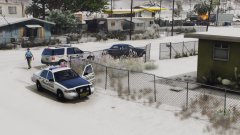 Of course. Lol
 -
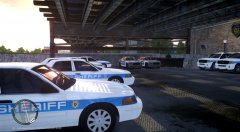 Sadly, I've seen a few departments do this. A few smaller cities don't invest in their Police Departments enough for them to purchase but one or two vehicles from the newer era, And i've seen a few that buy recycled CVPI's lol. edit: did not see where you said "new 2011 cvpi's." So yeah, you're correct.. i don't see any purchasing "new" crown victoria's lmao
 -
alright i appreciate it, thanks.
-
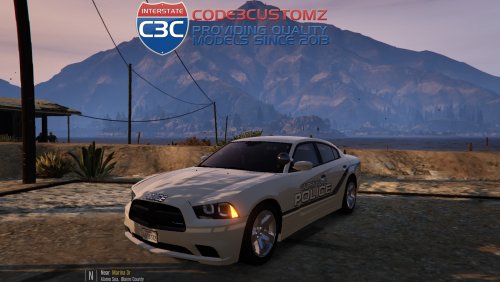 Very pleased with the outcome of this one, Interesting front lighting setup that looks incredible with V's lighting. Outstanding work Gump.
- 11 comments
- 9 reviews
-
-
- 2
-
-
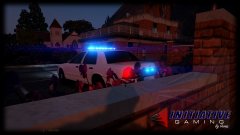 Hmmm.. Looks familiar.. couldn't put my finger on it though.
 -
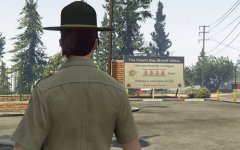 Ah, wonderful! I've been waiting for one of these to come to EUP, As EUP would be quite perfect for Alaska State Trooper uniforms, and many other state/sheriff agency's.
 -
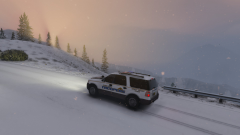 Yep, no problem. More screenshots of all of them will be coming soon!

