Mikofiticus
Members
-
Joined
-
Last visited
Everything posted by Mikofiticus
-
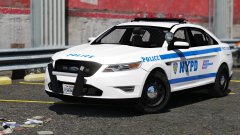 Long way from home!
 -
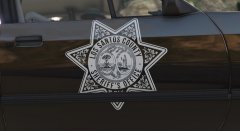 I dig a lot. But shouldn't the star be down a tiny bit? And wait. Isn't this the LTDX?
 -
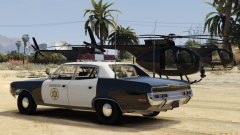 Oh! I thought you meant the sheriff car lol. I guess maybe it's because the buzzard isn't mapped?
 -
Me personally, I'm not too fond of the court system, but I would enjoy an on/off feature? Maybe sometime I might want to do it, but I know I wouldn't enjoy it all the time. Also, it's good to see some more "average day" callouts instead of highly unlikely excessive ones. I love callouts that make you have to think a little. Can't wait for them!
-
Lunds going after this picture
-
" Attention all units in the San Pedro, Long Beach, Torrance and Carson areas. Stand-by to copy. Long Beach PD is in pursuit of a 1973 Ford Mustang, yellow in color. California license 614 Henry-Sam-Ocean. One occupant, male caucasian. Approximately aged forty-five. Six feet, one-hundred-and-eighty-five pounds. Gray hair and mustache, gray coat, black pants. The reason for pursuit unknown."
-
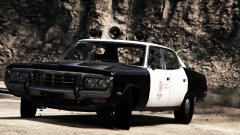 Damn son.
 -
GTAIV was out for a long time. It had the time for people to make stuff for it. GTAV hasn't even been out for a year yet on the PC. Give it time. When V gets to be as old as IV, we'll have so much stuff.
-
Also, there's not a lot of unlocked parts, so people are using what they can get.
-
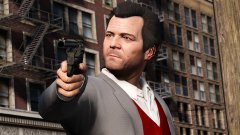 This might just have to be my favorite.
 -
I think it's interesting that they used a lot of 2 doors back in the day.
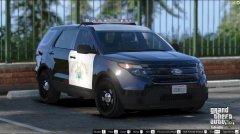 Agreed. Plus, you can get cooler angles from the editor.
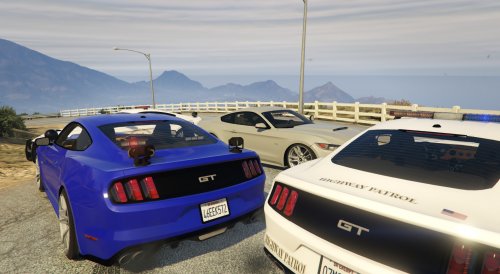 Model looks fine, but I would move the lightbar back a little. It looks a little too far forward. Also, there's no such thing as a Highway Patrol State Trooper. They are two separate things. Usually it's based on the state.
- 33 comments
- 10 reviews