




Black Jesus
Members
-
Joined
-
Last visited
Everything posted by Black Jesus
-
Are you sure you didn't install >Callouts+?
-
cool, I'm working on a pack
-
Yea, I think your right. The height made me think it was a different font. Thanks
-
I was wondering if someone could tell me what font the Westchester County PD uses: http://www.lcpdfr.com/uploads/monthly_06_2014/post-138045-0-35551300-1403539626.jpghttp://www.lcpdfr.com/uploads/monthly_06_2014/post-138045-0-18202800-1403539630.jpghttp://www.lcpdfr.com/uploads/monthly_06_2014/post-138045-0-74752300-1403539633.jpghttp://www.lcpdfr.com/uploads/monthly_06_2014/post-138045-0-69573200-1403539639.jpg
-
I'm not sure I would create them . I've only seen ones based on the LAPD, they look more "natural" that way. To me I guess
-
Ok, thanks Boozer
-
ok, Liberty City Police or Liberty County Police?
-
I been looking for a good department to create a pack for, or maybe a liberty city one based of a real pd. And I saw the Westchester County Police Department while I was out yesterday. Should I make a pack? Or will people hate the blue and orange colors and the red lightbar setup?
-
Are you talking about the handling for a vehicle?
-
-
Here are some things you will need: - Open IV to export the textures so you can edit them - GIMP 2.8 to actually edit the textures, you can also use any other program that can edit images Look up tutorials on how to use these things and you should be able to edit uniforms in no time
-
Yea, I know that but I read a post a little while ago and the guy said he changed his time to 7 seconds per in game minute.
-
I hate getting into one pursuit at like 12 in the after noon, then after I shoot everyone in the face, it's nighttime. Is there a way to increase seconds per in game minute?
-
-
I've been constantly crashing for a while now and never seemed to look at my logs and I noticed something that said faulty module bandicam in my Advanced hook log. Is bandicam crashing my game?
-
Isn't this also the same in Las Vegas? I thought LVMPD are like the county police for that area.
-
I'm testing out different enbs, and I was trying 1 of the game4videos enb and I didn't like how it looked while I was playing. It was dark and not horrible looking, but not great. And while I as in pursuit, my fps was between 35 and 13. When I looked at recording, the ENB was brighter, normal looking and there was no sign of frame drop anywhere. Can anyone explain why this happens?
-
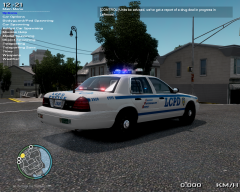 Which Game4video enb are you using, because there are like 4 of them
 -
Rockland County Sheriff & Clarkstown PD, CPD's old cars have these nasty red whelen edges lol
-
This truly made my day
-
Ok, I'll email steam. Should I redownload my game first? Edit: Never mind I fixed it
-
I installed Game4videos new 1070 enb and now the launcher is asking for my serial number. And when I put it in, it says its not the database. What do I do to fix this
-
Thank you
-
Hey guys, I was wondering if someone could tell how they make their enbs. Do I go to this site and start messing around with the enb settings? If so, is it the same as downloading icenenhancer and changing the settings to suit my needs?
-
Can some make an Atlanta PD skin for CJ24s Ford PI's? IronicRainbow and Stinkface came out with recent CVPIs and I want a Taurus to complete the pack: http://www.lcpdfr.com/uploads/monthly_06_2014/post-138045-0-25344700-1402690014.jpghttp://www.lcpdfr.com/uploads/monthly_06_2014/post-138045-0-65705200-1402690020.jpg


