




Black Jesus
Members
-
Joined
-
Last visited
Everything posted by Black Jesus
-
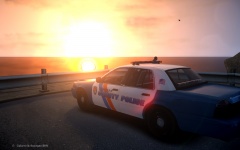
From the album: BlackJesus1's WIPs
-
I was wondering if someone could convert a car for me. It's a 2010 Ford Explorer and I would like it for a pack I'm making. The .zip file is full of these .zds and .xml's that I don't know how to work with.
-
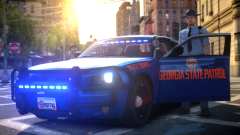 F***** beautiful
 -
There aren't a lot of blue light models. If I were you I would find cars you like, and edit the the els png in the wtd by using something like gimp or any other image editor
-
Ok, thanks trewq
-
My bad I have both and forgot which one I was using, and I figured it out. I apply the paint3 material, which is the skin texture, to the trim so now its the same color as the rest of the car
-
That is Cj24's model, and should I try deleting the trim and then use the vertex tool to cover the gap?
-
Hey, I've stumbled across a problem in zmodeler. I'm making a car using a dfs cvpi, and the car is mostly black, but the trim parts of the cvpi such as the grille and some of the front and rear bumper are colored a weird black that pops out a lot. For example, on the real crown vic the both bumpers are the same color and material as the rest of the car: http://www.lcpdfr.com/uploads/monthly_07_2014/post-138045-0-08224300-1405164863.jpghttp://www.lcpdfr.com/uploads/monthly_07_2014/post-138045-0-34318400-1405164875.jpg While on the dsf cvpi the trim pops out against the black and it looks weird: http://www.lcpdfr.com/uploads/monthly_07_2014/post-138045-0-82743800-1405165272.jpghttp://www.lcpdfr.com/uploads/monthly_07_2014/post-138045-0-63704000-1405165283.jpg How can I fix this?
-
I agree with McAwesome if you do go with LBOI, make it LBoI
-
Honestly I suck at figuring out sirens. I think it sounds like >this, but I know that's probably wrong
-
>These are what I found on the site
-
Use this tutorial and then figure it out for the charger.
-
In case anyone wanted to know, this does work with snow mod. Don't use the visuals and time-cycles from the Snow Mod file, if you do its gonna be way too bright. Use the ones that came with CryENB
- 42 comments
- 13 reviews
-
-

- 1
-
-
It changed it back to factory so it changed it went back to 8
-
I refreshed my whole computer last night and I just tested my game and I'm getting 40-50 fps with CryEnd Med settings and 23-30 fps while recording.
-
My pc came with 8 so idk if thats possible without paying for it
-
Hey guys, my computer had an OS crash about a month ago and windows kinda forced the 8.1 update and I've noticed, that my graphics performance are garbage now. I was able to run CryENB on medium settings getting 50-60 fps without recording and 30-45 while recording. All while not overclocking my gtx 660. With the update I can get more than 15-20 fps either way, while overclocking on the the Ultra low settings. I want some of you guys opinions on whether or not its my operating system or something else on my computer. I also have more room on my HDD than what I had before the update so I dont think it could be that.
-
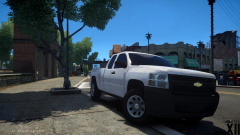 mmmmmmmmmm
 -
Hey guys, I'm having a problem where after a pursuit, the AI cars don't go away and there ends up being 3-5 cars on 1 road and its annoying. Is there a way to get rid of the cars?
-
Ok, thanks GreenAid
-
Both colors? The red seems too dark, but what about about the blue?
-
Models and skins
-
Hey guys, just wanted some people's opinion on this lightbar I've been editing for a pack: http://www.lcpdfr.com/uploads/monthly_06_2014/post-138045-0-32630900-1403687534.jpghttp://www.lcpdfr.com/uploads/monthly_06_2014/post-138045-0-20182100-1403687545.jpghttp://www.lcpdfr.com/uploads/monthly_06_2014/post-138045-0-71748500-1403687557.jpghttp://www.lcpdfr.com/uploads/monthly_06_2014/post-138045-0-06396800-1403687566.jpg Is the tint too light, too dark, etc?
-
Thanks
-
Terry and Lt. Dangle from Reno 911 had a baby? This is what would happen

