




Black Jesus
Members
-
Joined
-
Last visited
Everything posted by Black Jesus
-
I think the person said something on the "would you help an officer topic". I'm not positive but I think he said something about not helping and just watch the officer get beat up or beat to death, but again I'm not sure.
-
From the album: BlackJesus1's WIPs
-
From the album: BlackJesus1's WIPs
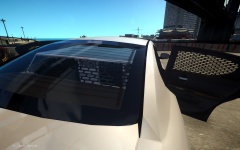
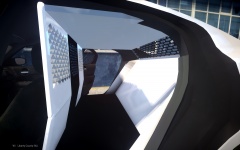
I complete the cage and added window guards on the doors and rear window. What do you guys think? -
Really nice, I remember I made a Multnomah County Sheriff cvpi. It was one of my first cars.
-
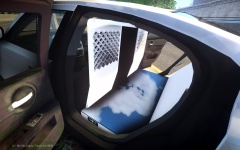 Thanks, I tried what you said and it lowered it by 800 polys. Is that a normal amount? btw the total is 9200 now.
 -
Almost all the havis ones I've seen are white with a black "door". Some others are black or are I guess unpainted
-
From the album: BlackJesus1's WIPs
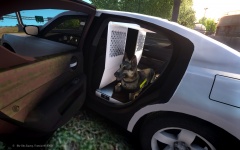
Dog sinks so maybe I'll include coordinates for the K9 script. -
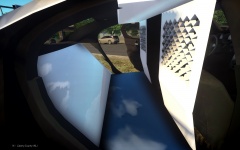
From the album: BlackJesus1's WIPs
Been working on this project for a really long time. I'm shit at scratch modelling so I'm using boxes and parts from Vertex3d's Tahoe insert. I need to fill those obvious gaps and I guess change the material of the floor to interior. Please give me feedback -
From the album: BlackJesus1's WIPs
Been working on this project for a really long time. I'm shit at scratch modelling so I'm using boxes and parts from Vertex3d's Tahoe insert. I need to fill those obvious gaps and I guess change the material of the floor to interior. Please give me feedback -
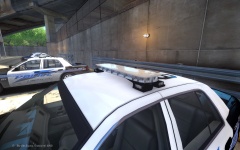 lol your right, I'll be sure to say hotfoot when I release it.
 -
From the album: BlackJesus1's WIPs
This Kygo's legend, but it has hotfoots from EVI's legend. Mount is a mix of both Kygo's legend and defender not great but I'm still working on it. -
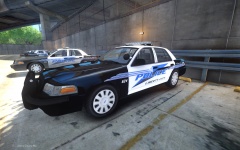
From the album: BlackJesus1's WIPs
I know the other cvpi is shit, so I'll include in the pack a legend version with hubcaps also. I'm going for a fleet look, so this will be the "newer" cvpi. Video Preview when I get started on the charger. Tell me what you guys think. -
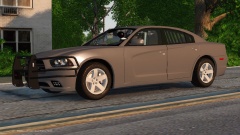 Gimme dem window bars! lol Looks great, I love the chargers with that wraparound
 -
Well I want to be cop when I'm older so I would definitely help the officer, unless the suspect has a gun. Never bring your fist to a gun fight...
-
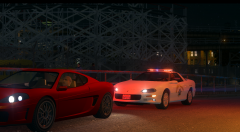 '>
'> -
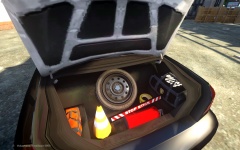 The DSF wheel is only 3,000 polys and the whole car is 87,000 so far. Also I just tested it after reading this and and thank god the spare doesn't spin lol
 -
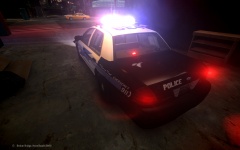 It really only looks good far away or when the white lights kinda overpower the blue and reds, this pack is gonna have a good amount of cars so I'm gonna have another cvpi with a legend lightbar. Thanks for being honest btw
 -
From the album: BlackJesus1's WIPs
-
From the album: BlackJesus1's WIPs
Dat spare tire doe.. -
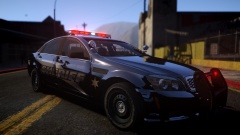 Damn BErad, got meh moist...
 -
I'm surprised nobody has said Blue Bloods yet
-
I might check this show out. I believe it's about the origin stories of all the main villains (i.e. The Penguin, Joker, Green Ivy) and how Bruce became Batman
-
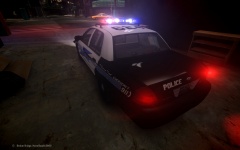 Do you mean rota? Isn't els v8's version of ELS-H the rota config?
 -
Nope
-
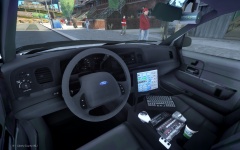 I knoooooooowwwwww! I'm way to lazy to update the doors, maybe later...


