




Black Jesus
Members
-
Joined
-
Last visited
Everything posted by Black Jesus
-
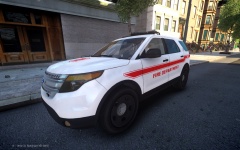
From the album: BlackJesus1's WIPs
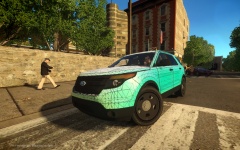
Made a skin and gave the grill its own texture because some Fire Explorers have chrome or grey grills. -
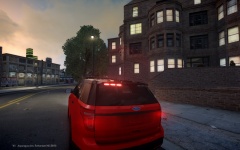
From the album: BlackJesus1's WIPs
I need to figure out how to get the windows to break. Might add an M2 on each side and more ion's on the trunk door(so you can see it when the trunk is open) -
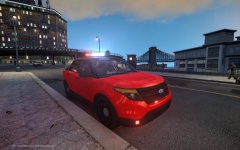
From the album: BlackJesus1's WIPs
I need to figure out how to get the windows to break. Might add an M2 on each side and more ion's on the trunk door(so you can see it when the trunk is open) -
1) Imagine your looking at only the top of the car. So that's how the coordinates are. 2) The env lights aren't mapped to where the light sit, that what the coordinates are for. 3) Do you mean multiple env lights? If so, no.
-
Oh my bad, I found a flashlight/spotlight script. So that's how I turn the flashlight on and off. I think it's from the same site but I'm not sure.
-
Touchmaster Delta on the site and http://www.gta4-mods.com/weapons/push-glock-20-f13823
-
No commentary but I haven't seen a lot of APD patrols
-
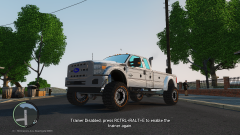 You know what they say about big trucks...
 -
Try changing the move traffic function from off to on. I belive that makes the traffic move with any siren mode: [ MISC SETTINGS ] FlashSoundFx = on FlashDelay_Sp = 2 // (0-5) Lower value for faster ELS lights in SP FlashDelay_Mp = 2 // (0-5) Lower value for faster ELS lights in MP Els_Range_Pl = 800 Els_Range_Ai = 500 Ai_Els_Sp = on Ai_Els_Mp = off MaxElsCarsAtOnce = 10 ClearRandAiExtrasSp = on ClearRandAiExtrasMp = on ClearAiExtrasDist = 500 Lstg3LightsMoveTraf = off
-
 True, I guess I'll leave up to the skinner.
 -
Thanks Crossfire, I totally forgot about those
-
From the album: BlackJesus1's WIPs
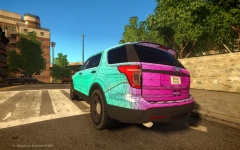
Retexured the grill, headlight housing, mirrors, back trunk strip, lightened the black on the trim and got rid of mirror indicators. Tank you GeorgieMoon and Sergiyj for de help -
From the album: BlackJesus1's WIPs
Retexured the grill, headlight housing, mirrors, back trunk strip, lightened the black on the trim and got rid of mirror indicators. Tank you GeorgieMoon and Sergiyj for de help -
I wouldn't release an unlocked version but I'll be using this for future models
-
Do any of you guys know how to stop the lightsemissive from being visible when not in use? Or do I have to change it to look like the unlit light? Because the indicators, brake and reverse lights are blocking the tailights
-
It's pretty much the same as the one lcpdfr gives you, I think I just changed the join pursuit button:
-
Best thing I can suggest is the have less responding cop cars in the .ini. Less cars, less chaos
-
Thanks guys! I guess I'll lighten the black on the body and make the grill darker. I don't think I need to remap the foglight because are gonna be covered. And I need to remap the mirror. Tanks again guys Does this ok? I mapped it to the picture Sergiyj attached http://gyazo.com/52ea9e124b64d27041b9d70f3629e6c8
-
Ok so for the last few hours I've been editing evancornelius' unlocked explorer and I'm wondering what else I need to do. I've edited the texture for the grill and mapped the headlight housing to the same texture as it. I'm also using Sgt. Kanyo's explorer rims because I couldn't remapped the originals. Is there anything else, besides the interior texture which I'm way too lazy to do. http://gyazo.com/8957675d94f3a506180f31d2ce763fdb
-
Changing the textures of the skin, yes it's like changing the skin of a car. Switching heads and meshes is a totally different thing. I think you need 3ds max for that.
-
I don't think that was right move, it would have made perfect sense if the car wasn't running though.
-
From the album: BlackJesus1's WIPs
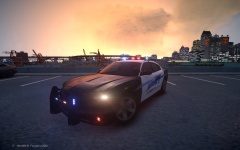
Got it down to about 110k polys. Almost done -
When I change rims I use the collisions from the original wheel so I don't f'up, I also use the original dummies. The rotor is all the way back and the middle of the hubcap doesn't go past the middle of the tire, so I don't think it could that either I also made sure non of the textures were transparent
-
So I put charger hubcaps on a charger, but the middle of it is like clear. It looks fine in zmodeler and openiv, but in game it goes through the hubcap and steelie and shows the brake disc. How can I fix this?
-
From the album: BlackJesus1's WIPs
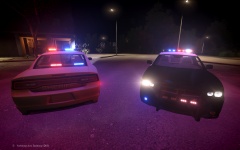
All federal signal equipment except for the par32s in the foglights, 120k polys. I'm gonna try and lower it by making some textures vehglass or if I have to, delete extra equipment. Lighting Preview when I finish the impala or 2010 charger.


