


Custo
Members
-
Joined
-
Last visited
Everything posted by Custo
-
-
-
-
From the album: Custo's Epic Ass Pictures
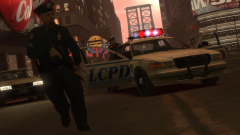
I guess we do need some backup. Higher-res here:© Custo's Picture
-
-
I asume by repair he means he's using a Steam version of GTA 4, which has that option. So I doubt you bought GTA 4 from Steam. When I get home, I'll send you the files if you would like.
-
Yeah, ELS does run off of how fast and smooth your computer can run.
-
Lol, that's what you get for getting a new computer. XD Just do what gnat326 said, and make your own topic and don't topic steal.
-
From the album: Custo's Epic Ass Pictures
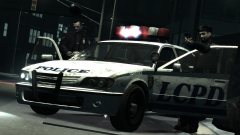
Short story short, I lost my save, so I gotta redo all the missions. So I like disbatching cops to missions, lol. Usually the case, epic shots of abandoned police cruisers at the end of the missions. Higher-res here:© Custo's Picture
-
-
Then you must be trying to edit a RPF Version 3. Open IV won't edit that for some reason. No idea why.
-
It's called Edit Mode. The button for it is near the top of the window.
-
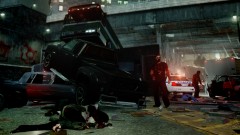 Listen, I'm Francis, and that's grandpa Bill and THERE'S ZOMBIES OUT HERE! OPEN THE GOD DAMN DOOR!
 -
I'm sure someone might give it a LCPD skin. You could always do it, you never know. ;)
-
This is because SparkIV is trying to replace the file named w/e you named it. Looking at your picture there, it's empty. So there's nothing to replace. SparkIV is setup to replace files, to make replacing easier. But you are adding a file. Use OpenIV, it had no problems with adding or replacing files. I still perfer SparkIV for replacing, but if you need to add a file, use OpenIV. Let me know if this helps you out at all.
-
Well, since I'm at school at the moment, I am very restricted on what sites I can look at. But I did some googling on this error (which is what you should try as well), I found some links, non really helped on solving the issue. But I did fine a gtaforum link, but school blocks it from me. But you can have a look if you would like, might help: http://www.gtaforums.com/index.php?showtopic=462402 If you google "gta 4 tepx70", you'll get some search results that could be helpful. I've never had this problem, sorry if I can't be much help for you.
-
-
 Damn, Sam beat me to the correction.
 -
-
I'm sure you can get police3, police4, and policeb to drive around. But you won't get any officers to spawn in them. They're civilian vehicles to the game, so it will spawn civilians in the vehicles. If they counted as police vehicles, then it would spawn cops in them and you would have no problem with adding them in the cop spawning group.
-
From the album: Custo's Epic Ass Pictures
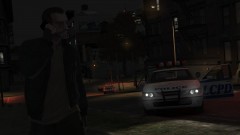
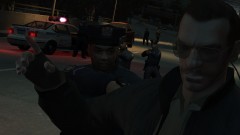
"Get down, or I'll put you down!" ~M_Y_Cop_Traffic_Hispanic Higher-res here:© Custo's Picture
-
Yeah, that's Rockstars fault. For peds to have helmets, it loads the very last hat for that ped as a heltmet when getting on a bike. The game is setup to only allow peds with helmets to spawn on bikes. Of course, Rockstar must of forgotten to restrict him. Hit hat looks like a giant wig with a hair band on under it. Guess it's a hat so the idea is if you run into him with a car, his wig flys off. Just like hats. And of course it's gonna sound like a hat when it hits the ground. They all have the same, generic, sound for when hats hit the ground.
-
Also, for the game to load up multiple liverys, don't forget to add "+Livery" to the end of the vehicle line you are using in vehicles.ide. Example: police, police, car, POLICE, POLICE, VEH@STD, VEH@STD_RI1, 100, 999, 0.2345, 0.2345, 0.2, 2, 1.0 ,1, ext_requi+ext_strong+livery Vehicles.ide is located here: C:\Program Files\Rockstar Games\Grand Theft Auto IV\common\data Use Notepad to edit it.
-
-
I can never get the damn thing to work sooo...

