


Khanage
Members
-
Joined
-
Last visited
Everything posted by Khanage
-
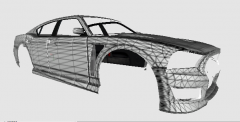 That's what I did.. but this is what I'm going to do, I'm going to rip bits from the normal buffalo on to this then map those parts to cover up un-mapped and squishy-stretchy bits.
 -
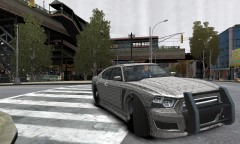 Can't wait to see what you're gonna do with this Vertex!
 -
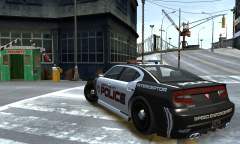
From the album: WIP/REL Content
Put a skin on the model, and the mappings a bit bugged on the edges as you can see. Still needs some work before release. -
Release date tomorrow I guess... *And thanks DLer for your positive comments!
-
If anyone wants to make some skins, here's a template in advance: http://imgur.com/5IVdPIh
-
From the album: WIP/REL Content
UV-mapped, wheels, rambar and lightbar added. Works fine in-game. And, I figured out how to multi-livery. Basically, all I had to was.. nothing actually. It turns out all models are multi-livery enabled at birth. -
wut? This is the buffalo from GTA V :p
-
From the album: WIP/REL Content
Now it's my turn to make this into a cop car :D -
You spelt 'careflight' wrong btw. And these are based on the aussie's, right?
-
Finally done and fixed (most) bugs. Sometimes it spawns without a lightbar, as a 'slicktop' police car, sometimes it spawns normally. Only has 1 livery enabled, I'm not quite sure how multi-livery works yet. Lightbar has corrected strobe pattern, is non-ELS and the model is as low poly as a default car. A special thanks to SkylineGTRFreak for providing the civilian model unlocked and all his GTA V converts! *Read the read_me for 'installation' instructions. *BTW the template is horrible, I'll try make it look more decent in a later update. But, feel free to make skins and such. Update - *Is now multi-livery enabled. Make your own skins however using the included template.
- 5 comments
- 1 review
-
-
Nice!
-
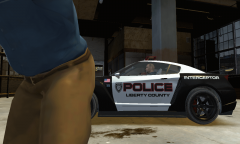
From the album: Random Content
One of roman's worker's fat ass ruined my pic :( -
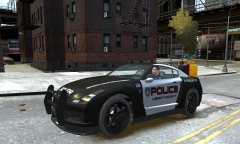 Thanks Yard1! DLer, plate's mapped. I think you'll be shocked to see the template though. Let's just say its not the highest of qualities...
 -
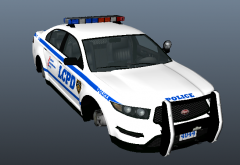 Slimory '?do=embed' frameborder='0' data-embedContent>>
 -
No, the problem is I named the siren 'extra_1', so it spawns as extra. I'm not going to replace it with noose because it already has 6 lights. Thank you for giving feedback :)
-
-
Soo... how do you have more than 4 lights? I mean, what do you name them in the hierarchy? Do the lights
- 23 comments
- 4 reviews
-
From the album: WIP/REL Content
Skin done, lightbar spawns as an extra, and when it does spawn it spawns without a bodykit -.- Needs work. -
![Skin Pack [REL] its being approved now!](//s3-gallery.int-cdn.lcpdfrusercontent.com/gallery/album_2661/sml_gallery_138650_2661_186542.jpg) OH MY GOD.
OH MY GOD. -
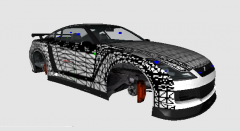 DLer, undercover AND marked! Perez, I can do a real GT-R if you want :3
 -
Bumpers mapped plates added :) Job done.
-
:/
-
From the album: WIP/REL Content
Got struck by beginners luck and have successfully uv-mapped the Elegy (bumpers may need to be mapped). Now on to adding lightbars, rambars and antenna's. -

![Skin Pack [REL] its being approved now!](http://s3-gallery.int-cdn.lcpdfrusercontent.com/gallery/album_2661/sml_gallery_138650_2661_186542.jpg)
