


Tom S.
Members
-
Joined
-
Last visited
Everything posted by Tom S.
-
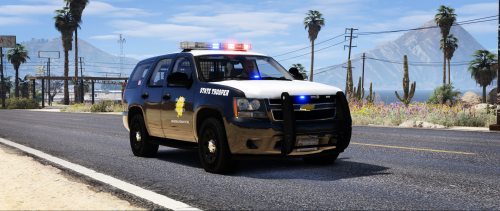 This is a Texas DPS inspired SAHP texture pack which covers several vehicles including the CVPI, 2010 Charger, 2010 Tahoe, 2014 FPIU, 2014 Charger and the 2016 Tahoe. These textures are all created from scratch with hand-crafted decals in high quality. NOTES - Multiple livery support included. - Textures are created in high resolution. INSTALLATION - Relevant vehicle models must be installed first prior to installing these textures. - OpenIV software is required to install these textures. - It is recommended that you use a mods folder in order to keep the original game files. OpenIV will allow you to do this. - 1. Using OpenIV, navigate to the following path of which the vehicle models are located. Unless you are installing these in another location then I recommend these file path(s) listed below: Police vehicle files can be found in: mods/GTAV/mods/x64e.rpf/levels/gta5/vehicles.rpf Police2 vehicle files can be found in mods/update/x64/dlcpacks/patchday3ng/dlc.rpf/x64/levels/gta5/vehicles.rpf Police3 vehicle files can be found in mods/update/x64/dlcpacks/patchday4ng/dlc.rpf/x64/levels/gta5/vehicles.rpf - 2. Open the "vehicles.rpf" file. - 3. Replace the corresponding textures in the .ytd texture dictionary files with these provided. E.g. police.ytd, police2.ytd and police3.ytd OR hwaycar.ytd, hwaycar2.ytd (if you are installing these as add-ons) - 4. Save changes. - 5. Enjoy! Feel free to make a donation of any amount if you'd like to, it would be greatly appreciated! SUPPORTED MODELS (May also fit similar models / arranged by year) 2010 Charger - Maurice97 2010 CVPI, 2010 Tahoe & 2014 Charger - t0y 2010 CVPI - TWISTEDSCOPES 2014 FPIU & 2016 Tahoe - thegreathah
- 6 comments
- 3 reviews
-
-

- 2
-
-
From the album: IdeallyStoddy's Skins
-
-
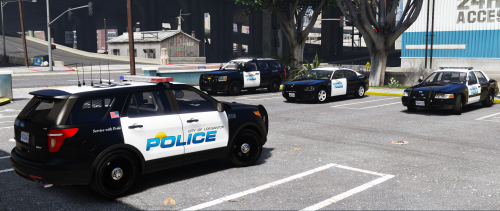
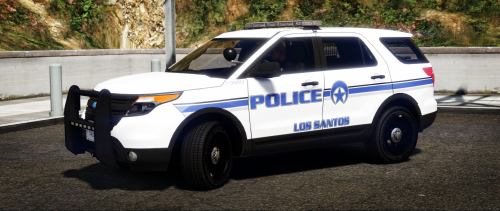 This is a New Orleans inspired LSPD texture pack which covers several vehicles including the CVPI, 13 FPIU and the FPIS. These textures are all created from scratch with hand-crafted decals in high quality. The first version currently has 3 vehicles however I do plan on adding liveries for more in future updates. If anyone has any ideas or suggestions then please leave a comment below. NOTES - Multiple livery support included. - Textures are created in high resolution. INSTALLATION - Relevant vehicle models must be installed first prior to installing these textures. - OpenIV software is required to install these textures. - It is recommended that you use a mods folder in order to keep the original game files. OpenIV will allow you to do this. - 1. Using OpenIV, navigate to the following path of which the vehicle models are located. Unless you are installing these in another location then I recommend these file path(s) listed below: Police vehicle files can be found in: mods/GTAV/mods/x64e.rpf/levels/gta5/vehicles.rpf Police2 vehicle files can be found in mods/update/x64/dlcpacks/patchday3ng/dlc.rpf/x64/levels/gta5/vehicles.rpf Police3 vehicle files can be found in mods/update/x64/dlcpacks/patchday4ng/dlc.rpf/x64/levels/gta5/vehicles.rpf - 2. Open the "vehicles.rpf" file. - 3. Replace the corresponding textures in the .ytd texture dictionary files with these provided. E.g. police.ytd, police2.ytd and police3.ytd - 4. Save changes. - 5. Enjoy! Feel free to make a donation of any amount if you'd like to, it would be greatly appreciated! OPTIONAL (Blue Lights): Techengage SUPPORTED MODELS (May also fit similar models) CVPI - OfficerFive0 13 FPIU / FPIS - thegreathah FPIS - Maurice97
- 2 comments
- 4 reviews
-
-
- 4
-
-
From the album: IdeallyStoddy's Skins
Coming soon... -
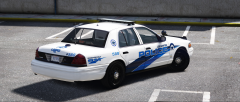
From the album: IdeallyStoddy's Skins
-
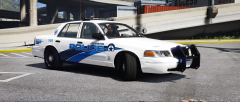
From the album: IdeallyStoddy's Skins
-
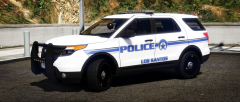
From the album: IdeallyStoddy's Skins
Looking sharp. -
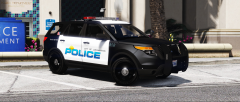
From the album: IdeallyStoddy's Skins
Now available: -
 This is an Oceanside inspired LSPD texture pack which covers a number of vehicles including the CVPI, Tahoe, 2013 FPIU and the 2009 Charger. These textures are all created from scratch with hand-crafted decals in high quality. NOTES - Multiple livery support included. - Textures are created in high resolution. INSTALLATION - Relevant vehicle models must be installed first prior to installing these textures. - OpenIV software is required to install these textures. - It is recommended that you use a mods folder in order to keep the original game files. OpenIV will allow you to do this. - 1. Using OpenIV, navigate to the following path of which the vehicle models are located. Unless you are installing these in another location then I recommend these file path(s) listed below: Police vehicle files can be found in: mods/GTAV/mods/x64e.rpf/levels/gta5/vehicles.rpf Police2 vehicle files can be found in mods/update/x64/dlcpacks/patchday3ng/dlc.rpf/x64/levels/gta5/vehicles.rpf Police3 vehicle files can be found in mods/update/x64/dlcpacks/patchday4ng/dlc.rpf/x64/levels/gta5/vehicles.rpf - 2. Open the "vehicles.rpf" file. - 3. Replace the corresponding textures in the .ytd texture dictionary files with these provided. E.g. police.ytd, police2.ytd and police3.ytd - 4. Save changes. - 5. Enjoy! SUPPORTED MODELS (May also fit similar models) CVPI & Tahoe - OfficerFive0 Charger - Maurice97 FPIU - thegreathah
- 1 comment
- 1 review
-
-
- 2
-
-
From the album: IdeallyStoddy's Skins
-
-
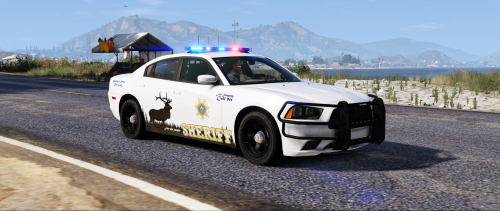 This is a Benewah County Sheriff inspired texture pack that has been created and compiled together by MasterTom. These textures have been created for the 2014 Dodge Charger, 2013 Ford Police Interceptor Utility and the 2013 Chevrolet Tahoe. NOTES - Multiple livery support included. - Textures are created from scratch in high quality with attention to detail. INSTALLATION - Relevant vehicle models must be installed first prior to installing these textures. - OpenIV software is required to install these textures. - It is recommended that you use a mods folder in order to keep the original game files. OpenIV will allow you to do this. - 1. Using OpenIV, navigate to the following path of which the vehicle models are located: mods/update/x64/dlcpacks/patchday3ng/dlc.rpf/x64/levels/gta5 (unless you are installing these in another location then I recommend this file path) - 2. Open the "vehicles.rpf" file. - 3. Replace the corresponding textures in the .ytd texture dictionary files with these provided. E.g. sheriff.ytd and sheriff2.ytd - 4. Save changes. - 5. Enjoy! CREDITS - Textures created by MasterTom. SUPPORTED MODELS (May also fit similar models) 2013 Tahoe - OfficerFive0 2014 FPIU - thegreathah 2014 Charger – Maurice97
- 3 comments
- 5 reviews
-
-
- 4
-
-
-
From the album: IdeallyStoddy's Skins
-
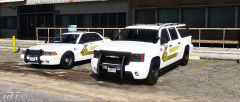
From the album: IdeallyStoddy's Skins
Credit to NefariousBonne for the modified vanilla vehicles. -
Sadly this is becoming a common occurence in big cities around the UK and Europe. You can't go out and enjoy yourselves anywhere these days without fear of being attacked. Is it a coincidence that there is an increase in these attacks while an election in the UK is currently taken place? Rock am Ring in Germany was evacuated the other day due to a potential terror incident and this will unfortunately continue to happen. Something needs to be done sooner rather than later.
-
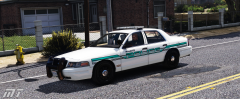
From the album: IdeallyStoddy's Skins
Feedback would be much appreciated=) -
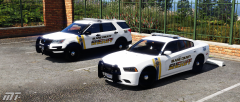
From the album: IdeallyStoddy's Skins
Coming soon... -
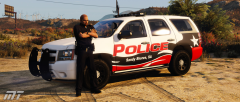
From the album: IdeallyStoddy's Skins
-
-
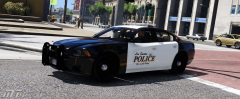
From the album: IdeallyStoddy's Skins
-
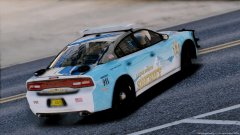 Interesting design I must say. I would personally try different body colours for the car, maybe all black with a gold outline for the mountains so it matches the text? And then make the 911 and motto text gold as well. Just an idea.
 -
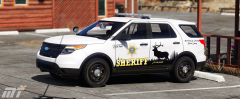
From the album: IdeallyStoddy's Skins
My photoshop skills are definitely improving. -
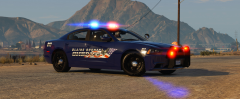
From the album: IdeallyStoddy's Skins



