


Tom S.
Members
-
Joined
-
Last visited
Everything posted by Tom S.
-
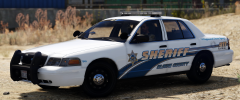
From the album: IdeallyStoddy's Skins
Coming soon. Credit to BradM for the FPIU and Izick for the CVPI. -
Yea, that I can understand I guess if they have had a bad history. Before they do throw a fit though, I wish they would do some more research into why we do what we do here and realise that most of us here have an interest in law enforcement or just police vehicles in general. That's why whenever I do skins based of real departments I prefer to rename decals to the department from the game to avoid unnecessary drama.
-
I really don't see any reason to get upset over it. Jesus, we live in such a sensitive society nowadays where people are offended over the smallest of things.
-
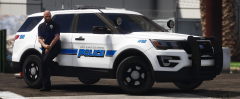
From the album: IdeallyStoddy's Skins
Credit to theHurk for the model. -
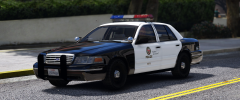
From the album: IdeallyStoddy's Skins
Credit to Pricefield for his amazing model. -
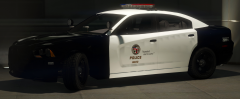
From the album: IdeallyStoddy's Skins
Update: Spent a good few days re-working the decals to get them the way I want them to look. -
-
You could also try this one which I think works in a similar way: http://www.lcpdfr.com/files/file/15151-san-andreas-record-data-access-system-sardas/
-
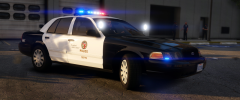
From the album: IdeallyStoddy's Skins
My own attempt at making a realistic looking LAPD texture. Feedback will be much appreciated. -
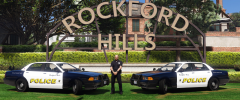
From the album: IdeallyStoddy's Skins
-
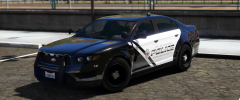
From the album: IdeallyStoddy's Skins
Being creative and testing out a skin for NefariousBonne's valor Interceptor. I think it turned out much better than I thought it would :) -
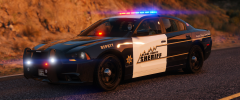
From the album: IdeallyStoddy's Skins
Made some improvements to the livery and I really like how it looks now. Credit to BradM for the awesome models. -
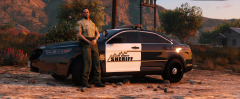
From the album: IdeallyStoddy's Skins
Testing out a fictional livery, feedback would be much appreciated :) -
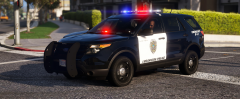
From the album: IdeallyStoddy's Skins
Stockton inspired LSPD texture pack now released, can be found in the downloads section. Enjoy! -
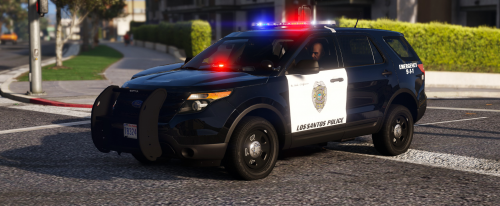 4k Stockton CA inspired LSPD Texture Pack 1.0 Author: IdeallyStoddy Supported models: CVPI, 14 FPIU, 14 CHARGER (May fit similar models/available on LCPDFR.com) Version: 1.0 Thank you for downloading, be sure to leave a review and/or leave a comment if you wish to provide feedback or if you have any suggestions. DESCRIPTION This is a Stockton CA inspired LSPD pack which covers several vehicles including the CVPI, 14 FPIU and 14 CHARGER. These textures are all created from scratch with hand-crafted decals in high quality. NOTES - Multiple livery support included. - Textures are created in high resolution. INSTALLATION - Relevant vehicle models must be installed first prior to installing these textures. - OpenIV software is required to install these textures. - It is recommended that you use a mods folder in order to keep the original game files. OpenIV will allow you to do this. - 1. Using OpenIV, navigate to the following path of which the vehicle models are located. Unless you are installing these in another location then I recommend these file path(s) listed below: Police vehicle files can be found in: mods/GTAV/mods/x64e.rpf/levels/gta5/vehicles.rpf Police2 vehicle files can be found in mods/update/x64/dlcpacks/patchday3ng/dlc.rpf/x64/levels/gta5/vehicles.rpf Police3 vehicle files can be found in mods/update/x64/dlcpacks/patchday4ng/dlc.rpf/x64/levels/gta5/vehicles.rpf - 2. Open the "vehicles.rpf" file. - 3. Replace the corresponding textures in the .ytd texture dictionary files with these provided. E.g. police.ytd, police2.ytd and police3.ytd OR hwaycar.ytd, hwaycar2.ytd etc (if you have these installed as add-ons) - 4. Save changes. - 5. Enjoy! CREDITS - Textures created by IdeallyStoddy. RECOMMENDED VEHICLE MODELS (May fit similar models) BCSO Vehicle Pack 2.0 (By BradM)
- 1 comment
- 2 reviews
-
-

- 2
-
-
 This pack makes me want to use lore vehicles again, this looks great! Have you got any plans for a sheriff version?
 -
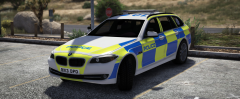
From the album: IdeallyStoddy's Skins
-
Much respect to these officers who risk their lives every day to protect the public, rest in peace.
-
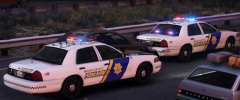
From the album: 2017 Patrols/WiPs
A BCSO deputy caught this speeding vehicle doing 100 mph in a 70 mph zone heading south on US route 1. On approach, the officer flashed his lights signalling the suspect to pull over but failed to stop. A plate check revealed further details that the vehicle was in fact, stolen. Additional units were called in and the suspect started to become more erratic and aggressive with officers. An opportunity for a rolling roadblock was put into action and the officers were able to end the pursuit quickly before they could endanger other members of the public. A search of the vehicle was carried out and no items were found. The suspect was charged with felony eluding, reckless driving and grand theft. -
-
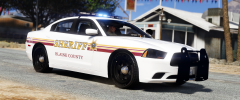
From the album: IdeallyStoddy's Skins
Working on a new texture pack, let me know what you think. -
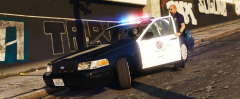
From the album: 2017 Patrols/WiPs
-
-
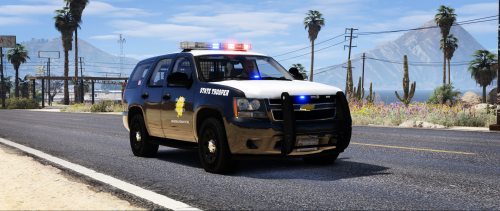 Yea the model I used in the screenshots when I was testing the skin is different from the one in the Paleto Bay pack but both models use the same template so they should work either way. I hope that helps.
- 6 comments
- 3 reviews
-
From the album: IdeallyStoddy's Skins


