




Chris780
Members
-
Joined
-
Last visited
Everything posted by Chris780
-
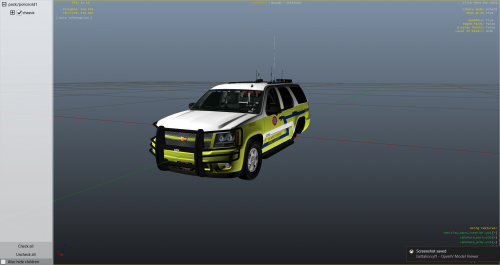 And I'd reckon the shotgun and AR are just there to put them out of their misery if there's nothing else we can do to save them 'despite our best efforts'.
 -
Those ALPR for medical records instead of a DMV check..?
-
-
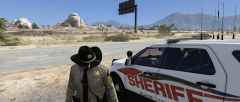
From the album: Chris' Screenshots
-
-
-
But you're... the.. the.. "Met" guy!
-
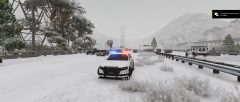
From the album: Chris' Screenshots
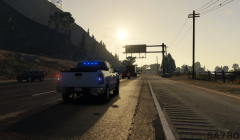
Sgt. McLain of the BCSO sits in a median with his steadyburns on to give dirvers an extra considerate warning about speeding in Blaine County this time of year. -
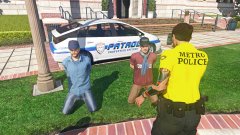 Best be careful smokin that drug paraphernalia
 -
I have a suggestion to improve some game immersion and whatnot. Whenever you call for backup in any situation, after the situation is deemed 'clear' the backup leaves. It'd be awesome if there was a script to keep the backup on scene a little longer. Even if they're just standing around so we can set a suspect next to them while we run their info, or get statements. Maybe eventually having a scene securement(is that a word?) add on for it. Just some food for thought. Happy Holidays
-
 Well, I didn't mean to. My backup got corrupted somehow. Was just making sure it was this, as opposed to something else because some of my other callout mods still work good
- 110 comments
- 33 reviews
-
Hey guys, so they updated ScriptHook and Trainer. Scripthook: http://www.dev-c.com/gtav/scripthookv/ Trainer: https://www.gta5-mods.com/scripts/simple-trainer-for-gtav The trainer that came with the original link does not work as it should (causing crashing on start up, or if it goes through, unable to enable snow etc.) Hope this helps you guys out! :)
-
Having an issue with all your callouts now. Not sure if it's because of the new RPH update or not, but they are crashing when pressing Y to respond to them.
- 110 comments
- 33 reviews
-
Hi All, I reverted my game back to the previous version while awaiting ScriptHook, however when I launch it, I get an immediate error that says "Fatal: This game version is no longer supported. Please update your game". I thought I did everything I was supposed to in order to work around these updates and waiting for RPH or ScriptHook, but apparently I did something wrong. Is there a work around this, or did I miss something? Thanks
-
I'm having the same issue. I keep getting an error. If it isn't the one you describe, I'm getting "Error: This game is not supported. Please download a newer version" Then it comes up with the loading screen and says "Fatal Error" after "Loading Story Mode"
-
Did you fix this?
-
Watch this news video and see how there's a clip where the news team blames GTA SA Police mods for the kids actions. Clearly you can see a modded CVPI and it being grand theft auto.
-
Thank you very much man!
-
Hey guys Is there a way to get the Sheriff's units to patrol the streets of LS & even the LSPD on the streets as well ? I've tried Back on The Beat, but the frequency of cops is to high. I've looked into RDE and it just seems too much for my need. I've also tried modifying the dispatch.meta, popcycle and popgroups but have had no luck Thanks
-
Can we please break down resources and assets to have a GTA IV and GTA V Section. It's very hard to find items compatible with V when there are still IV .z3d files being uploaded. I understand it says "IV" in the corner, but it would still be a lot easier if this was displayed prior to clicking the file itself, or in a different section entirely.
-
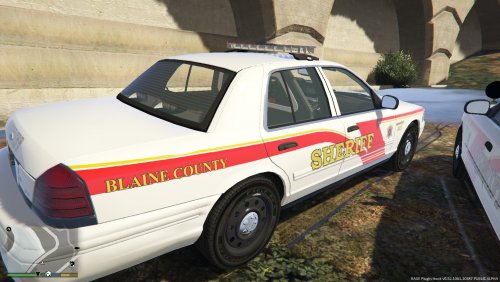 if you can bare to watch this.. lol
 -
.thumb.png.8c1e961949bf7d14af311e00f5931deb.png) They did that to mimic BC transit and BCS.
They did that to mimic BC transit and BCS. -
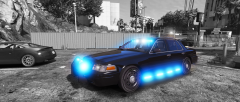
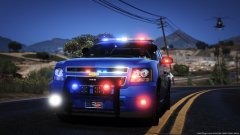 I like the pushbar lights. What are those PARs?
 -
Lol do you live in Broome County..? I'm taking the civil service test with them upcoming and I ride with them all the time. Good friends with most of them.
-
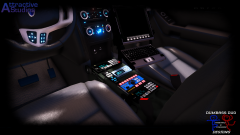 oh hai blow a load on my pizza




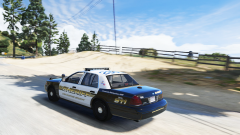



.thumb.png.8c1e961949bf7d14af311e00f5931deb.png)
