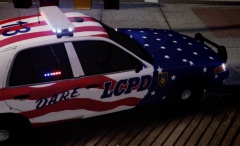

Chris780
Members
-
Joined
-
Last visited
Everything posted by Chris780
-
Nope. Mine seem to happen quite rarely
-
that would be them. Thanks bud
-
I'm looking for the keyboard number combinations. Example: A - 001 B - 002 ... ... 8 -042 Just so I can configure some hotkeys. Does anyone have a list of these? I've searched google and there's numerous different ones. I'm looking for the GTA IV specifics. Chris
-
-
http://gyazo.com/1f25db52a8d6f5dadd1aad466e6c19ad
-
There isn't even one. The game never even got passed the loading screen. (I'm assuming your referring to the LCPDFR log, obviously)
-
I installed the automatic install of LCPDFR 1.0, and then I noticed locks appearing on the folders. I did have the installation folder view able during the time of the install. Yes it has negative effects as I cannot play the game. It will crash moments after start up.
-
I just installed LCPDFR 1.0 and now my files have locks on them?? http://gyazo.com/b337d62577e92867bc3dbd51c3b7f032 Wtf
-
-
-
Yea, it works with CTRL + M and it works, but ALT M doesn't.
-
Well, I set it to ALT+M haha. My bad. Yea I set mine up to ALT+M, even when i use the default keys it won't work. (don't mean to multi-quote) Yep they are already are disabled. :/ Idk what the problem is from, I didn't add any new scripts or mods.
-
My ELS 7 worked fine a few days ago but yesterday it started messing up. When I go to bring up my Siren Panel, ALT+M won't do anything. I ended up rage clicking it and it eventually worked but then I couldn't get it off my screen. Now when I spam the keys it won't show up, yet J, K, L, [, ], H, T, Y, work perfect. Any ideas? DISCLAIMER: My bad. Yea I set mine up to ALT+M, even when i use the default keys it won't work.
-
Oh I didn't notice that haha. Well good job anyways. They look like a professional did them!
-
Fantastic!!! I like the fonts you used in all of them, except the GTA one. I would consider changing that, but that's your prerogative. Very good job though!
-
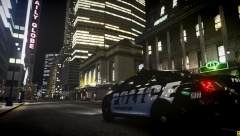 TOM GET ON THE RIGHT SIDE OF THE DAMN ROAD!!!
 -
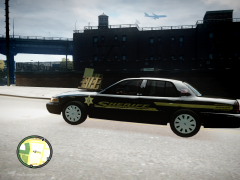 The "Sheriff" is to angled in my opinion
 -
-
 Good pic. I like it
 -
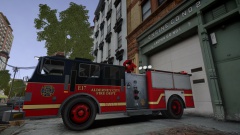 I love that color scheme !
 -
We need to make an actual song based of the lyrics up there ^ Kind of like 12 DayZ of Christmas... Just an LCPDFR version.. I could use a new ringtone.. ;)
-
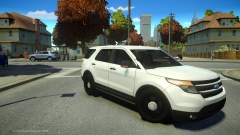 I like the one with the rims in the back, too!
 -
-
http://www.code3pse.com/public/images/product_images/large/C_7_large.jpg That's it also.. I don't know rotators as much as I do LEDs :P Sorry!
-
I think it's a code 3 mx7000 (: