



Chris780
Members
-
Joined
-
Last visited
Everything posted by Chris780
-
I'm going to try to start working with ped meshes, but I tried to export the .odd in OpenIV and there is no .SKEL file like there should be. Any ideas? Thanks
-
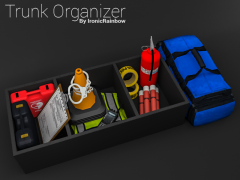 oh my god PLEASE FOR THE LOVE OF GOD RELEASE THISA AASG]S AGKLJAMF,AM,MNCF SKLAKLAJSFASFKLFALK;AKLFLKASF;LKSKAjfnsfKNLfsanlksafkmnklnjfkjlasdg iddgaaowowowowo
 -
When I click record (:
-
I love the spoiler lol
-
TheUniT WOO
-
-
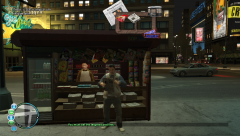 Has this already been released? :o
 -
I'm not sure if it's the Audio. It's also the selection button audio, it's everything. I think it may have to do with the render in Vegas. Maybe its conflicting
-
Hey guys, I'm loading GTA IV and my headset has static to the audio. When the game plays the loading music it starts to sound static. You can hear the music, but it's almost like the static surrounds it. TeamSpeak works crystal clear, YouTube, Spotify, System sounds, etc. I'm also rendering a video in Vegas but I don't know if that has anything to do with it.. Any ideas? Thanks, Chris (Yes I unplugged the headset and plugged it back in again)
-
Golden Boy
-
 Your welcome Chris
 -
You did great Chris
-
4!!
-
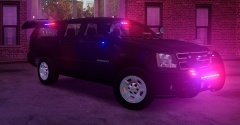 I like the rims (:
 -
4
-
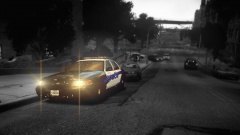 *Puts on red dress
 -
Sergyh
-
False The person below me prefers hot over cold
-
False The person below me is stealing their neighbor's WiFi...
-
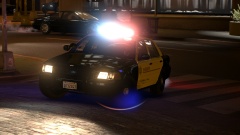
Hey! Cool pics, just wondering, why are there no rear cages for suspect transport?Isn't the normal GTA IV ambulance mapped to carcols? It could be that. Just a thought (:I've been trying to help him with this and I don't know what his issue is. Originally I thought it was his framework but that was proven not to be
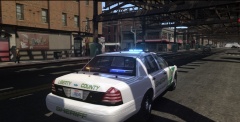 Those rear lights are supposed to be visors..?


