Dhruv
Members
-
Joined
-
Last visited
Everything posted by Dhruv
-
 SORAs work like charm for me. But LCPDFR computer doesn't support them. The mouse vanishes!
 -
Thats the irony. 0.082 is not supported by my rig for some unknown reason :( Makes my FPS go down to 16-19
-
 I commented because I didn't like it. Any problems here?
 -
i7 @ 3.4GHz with 560Ti and 8GB Professional RAM. Will do?
-
What ENB? Nice pic, mate.
-
Thats the idea lol!
-
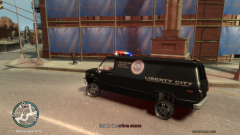 LOL! Pimp police.
 -
That dome lights look even more retarded. Tradition? They shouldn't have moved to CVPIs and Tahoes, then.
-
Some people who are in civilian modding, like to keep it all the way to 100. But they don't use police cars and ELS like us, so its not a big deal for them. We're in the police modding community and hence we need to save our processing power and VRAMs so ideally, 28 is a okay density for us. At least for me. Anywhere between 28-30 and traffic is normally dense and gives enough space to dodge vehicles in a case of Code 3 runs. Plus we do have Tow trucks, Medical examiners and Paramedics rushing/responding so its recommended to have 28-30 vehicle density because y'know...its a nice blend of AI pedestrians and drivers. Civilian community doesn't care, but we officers need to assure the safety of the civilians ;)
-
In those times I had my Vehicle density set to 51. I was pulling a car over on the highway and the traffic behind me had to slow down and change lanes. Speeding AI from behind rammed into the accelerating traffic and the impact was pretty hard, so the car started to smoke. More traffic rammed and it was set on fire. I ordered everybody to get the hell outta their vehicles and requested an immediate fire engine response. Me and my partner ran to the footover bridge away from the traffic. Since AI on foot are also retarded, they got stuck into the traffic and never got out of there. I got no firetrucks on scene and that was when the nightmare started- HEC (Highway Explosion Chain). I stood there for about 15 minutes (real world time) seeing the chain demolishing everything in its way with no end to this massacre visible. At last I stole a car and got back to the police station to get a new patrol car since that was the only way to get back to normal life and stop the game from eating up all my FPS due to those explosions.
-
Well I agree. And those weirdly placed "Stop" boards get on my nerves the most.Lets see: A shitload of exams and a raging beast in the class teacher who wants a 'next-to-impossible' assignment done in the next 4 days. I'm dead.
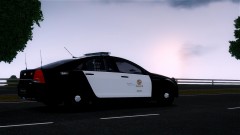 Who gave this model to him??
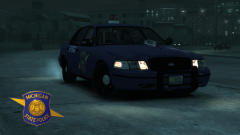
![[REL] 2007 Alaska State Troopers Slicktop Crown Victoria Police Interceptor](//s3-gallery.int-cdn.lcpdfrusercontent.com/gallery/album_628/sml_gallery_2982_628_38557.jpg) Too much fuckin' bloom mate.Please add these too, Thomas: 2003 Chevy Suburban 2008 Chevy Suburban 2010 Chevy Impala
Too much fuckin' bloom mate.Please add these too, Thomas: 2003 Chevy Suburban 2008 Chevy Suburban 2010 Chevy Impala ...in a Phantom smashing traffic...If you play with stock cars, I know one. Pm me if thats the case.EDIT: Oh, and thanks for the heads up. +1 for all the help.They've become pretty boring with time, anyway. What scripthook version are you using?Thats great! And do you get away with the 'arrest' issues mentioned above?No, I mean it was posted by Strike whose mods go by the title "Strike's Classics". See it in his sig.Wait a sec. Does that boat say "Strikes Classics"?YOU'VE GOT TO BE kidding me! How do you do that. The Devs themselves said that it ain't possible because the text box isn't compatible with 1040 or something along those lines...


![[REL] 2007 Alaska State Troopers Slicktop Crown Victoria Police Interceptor](http://s3-gallery.int-cdn.lcpdfrusercontent.com/gallery/album_628/sml_gallery_2982_628_38557.jpg)