


Dhruv
Members
-
Joined
-
Last visited
Everything posted by Dhruv
-
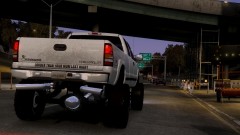 Lol. But no seriously, I have the DSF model on my HDD right now and its nowhere near 1MB. Reasonable amount of polys with highest details possible.
 -
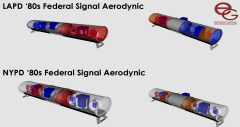 My favorite bars! Awesome work, Compeast :3
 -
I never understood why this mod had to be a high poly one. Skipped despite my love for dually pickups :
-
Nothing wrong in daydreaming mate xD
-
We don't use those lightbars here in our community. Its an indigenous lightbar by Electronic Arts.
-
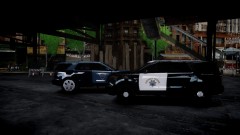 Whats with that alloy?
 -
Hm...might as well be a Code3 product only. I can't imagine Whelen Engineering or Tomar producing that kind of bars. Its very similar to a Code 3 product.
-
Wow! Looks like a successor to the Code3 Excalibur. The modules...I'd say are a bit confusing, though. Might just be my new favorite bar. Lets see what it is christianed.
-
^ They pretend to
-
Everything which had to be said has already been said. By Jay.
-
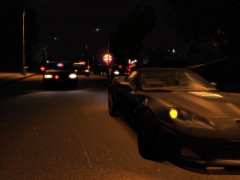 I dunno if there's a bug in gallery but the link redirects to this page only.
 -
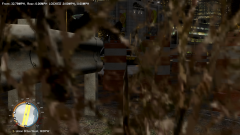 The CAMERA is hiding the bushes, not the car.
 -
Whats this?
-
Kanyo, I recommend you bring your other emissive lights value down to 20 or at least something realistic.
-
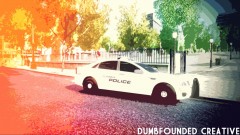 Way too exaggerated. I know you know many would go crazy for this, but at least let them see what your mod is about.
 -
Ripping, texturing and converting a car takes a hell LOT of time. And when I say that I mean it. I've never seen somebody ripping cars off of NFS and playing in IV for just for fun. Its a serious business. You might've seen NFS liveries slapped on already made cars. For instance, these: and http://www.gta4-mods.com/misc/pack-texture-police-nfs-the-run-els-f14332 Yes, there are some models ripped and converted straight from NFS series as well (like this one: http://www.gta4-mods.com/vehicles/porsche-gt3-rs-police-els-f15958) but like I said, its not that easy. As for the Most Wanted specific cars, I've honestly seen just one from there: http://www.gta4-mods.com/vehicles/chevrolet-corvette-z06-police-nfsmw-f6108
-
-
Wow, didn't quite realize it was just a texture. I'll replace it with the stock texture.
- 14 comments
- 5 reviews
-
Sorry. I love it, but would've been epic with its default tires. Meh I'll make myself a new one. Thanks for the idea!
- 14 comments
- 5 reviews
-
That '12 Charger looks pretty much like the one BPM released? Same lightbar, same tyres and same pushbar. What has changed?
-
Not possible.There can be only one mesh which must be centered with its parent, i.e. the dummy. The dummy is for flashing purposes whereas the L0 mesh is treated as a rotator. Anywhere far from the dummy center and it'll make your game crash instantly upon loading. Try and see for yourself. Also, this idea is pretty much just a premature stage of a possible prospective revolution in GTA4's lighting system history. However, it would work only for Halogen lightbars, leaving LED fans disappointed. Plus, there are only 3 vehicles (AFAIK) which support rotating facility withing the lightbars- Police, Police2 and NStockade. Furthermore, the FBI's coronas are way too small and just support upto 4 emergency lights. Even if this project evolves into something, it'll snatch the availability from the modders to make a christmas tree out of a vehicle, which will help losing "christmas tree" audience after LED ones. The developers would need a scripter for this. However, I'm pretty confident this Non-ELS limitation issue is hardcoded in IV's RAGE engine. On a side note, congratulations to 8lacktig3rcro for this idea. Cheers to Kevin.
-
Whoops!! Looks like a LOD problem xD
-
The car won't come out of nowhere, it should at last b in some game for them to convert it. Out of the mentioned authors, EVI, Kevin and Cj know the conversion progress. But since I've never seen this truck in any game or free 3D model website, they might scratch-make it if they or one of 'em accept this request. And accurately scratch-modelling, texturing and then converting a car to GTA:IV takes a lot of time. Way more than you can imagine.
-
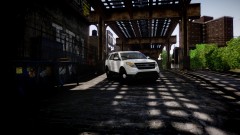 Why is he so excited about it? LOL
 -
If I'm not wrong, this same image has been uploaded thrice already.

